EasyManua.ls Logo

Canon MX360 Seires - Page 404

Canon MX360 Seires
922 pages
Print Icon
To Next Page IconTo Next Page
To Previous Page IconTo Previous Page
Loading...
7.
Click Scan.
The left half of the document is scanned and appears in the Stitch-assist window.
Note
Click Cancel to cancel the scan.
8.
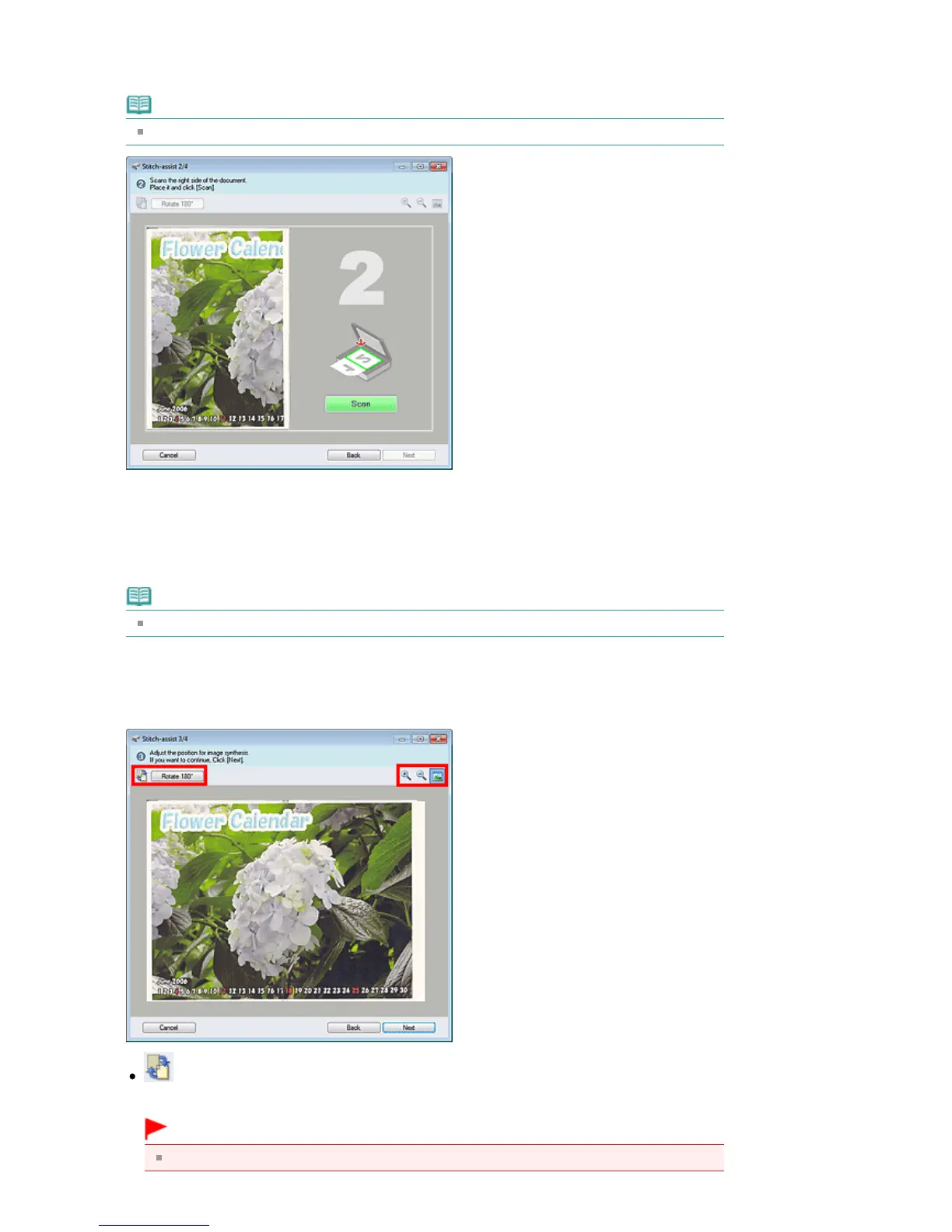
Place the right half of the document face-down on the Platen.
9.
Click Scan.
The right half of the document is scanned.
Note
Click Cancel to cancel the scan.
10.
Adjust the scanned image as required.
Use the icons to swap the left and right halves, rotate the image 180 degrees or enlarge/reduce the
image.
(Swap Left & Right)
Swaps the left and right halves.
Important
This function is not available while the image is enlarged/reduced.
Seite 404 von 922 SeitenScanning Images Larger than the Platen (Stitch Assist)

Table of Contents

Related product manuals