Note
If you selected only one image in the View & Use window, the thumbnail list does not appear
and only the preview image appears.
4.
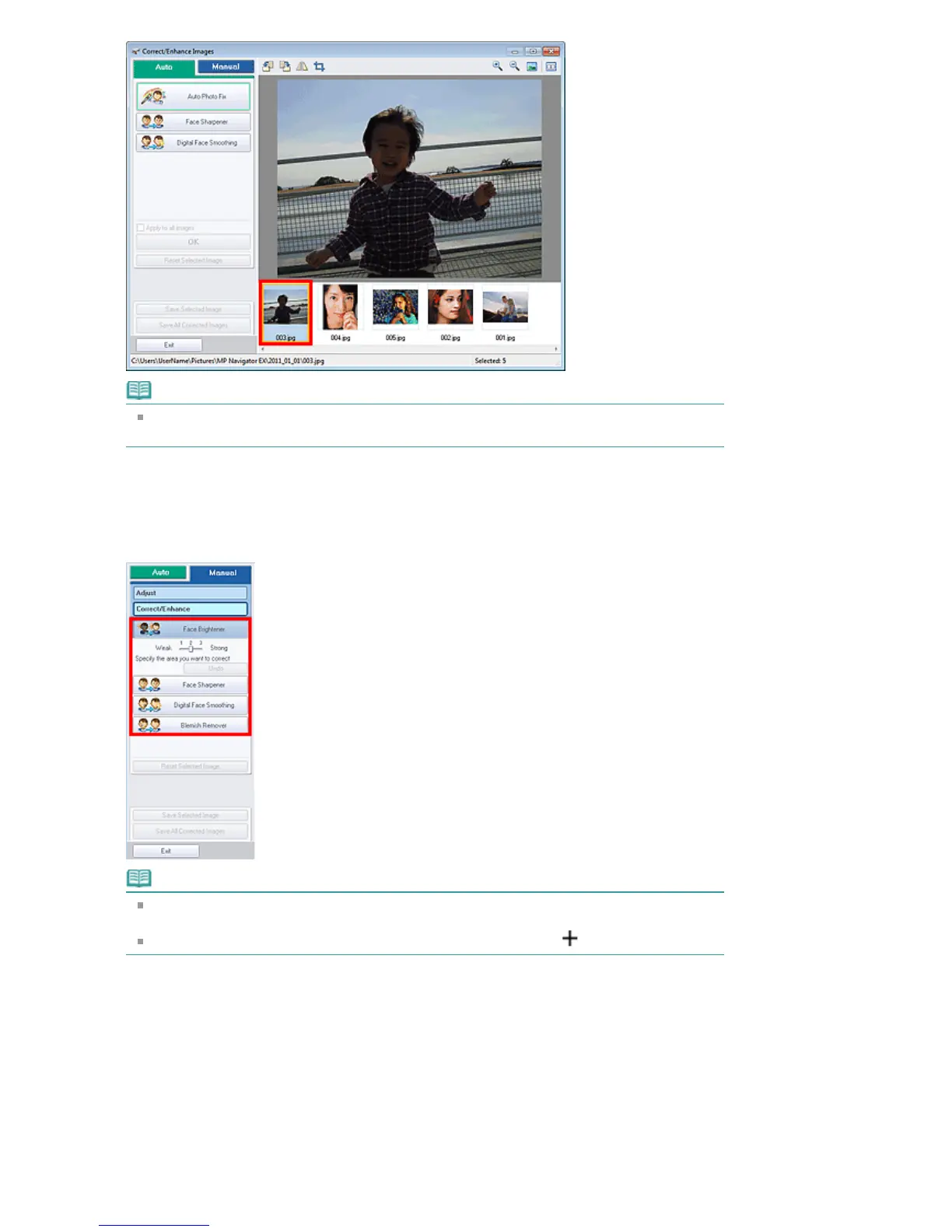
Select Manual, then click Correct/Enhance.
5.
Click Face Brightener, Face Sharpener, Digital Face Smoothing or Blemish
Remover.
Note
The Face Brightener, Face Sharpener and Digital Face Smoothing effect levels can be
changed using the slider that appears by clicking the corresponding buttons.
Move the cursor over the image. The shape of the cursor changes to
(Cross).
6.
Drag to select the area you want to correct/enhance, then click OK that appears
over the image.
Seite 414 von 922 SeitenCorrecting/Enhancing Images Manually















 To Next Page