Advanced Guide
>
Scanning
>
Scanning with Other Application Software
>
Appendix: Useful Information on
Scanning > Resolution
S309
Resolution
What is Resolution?
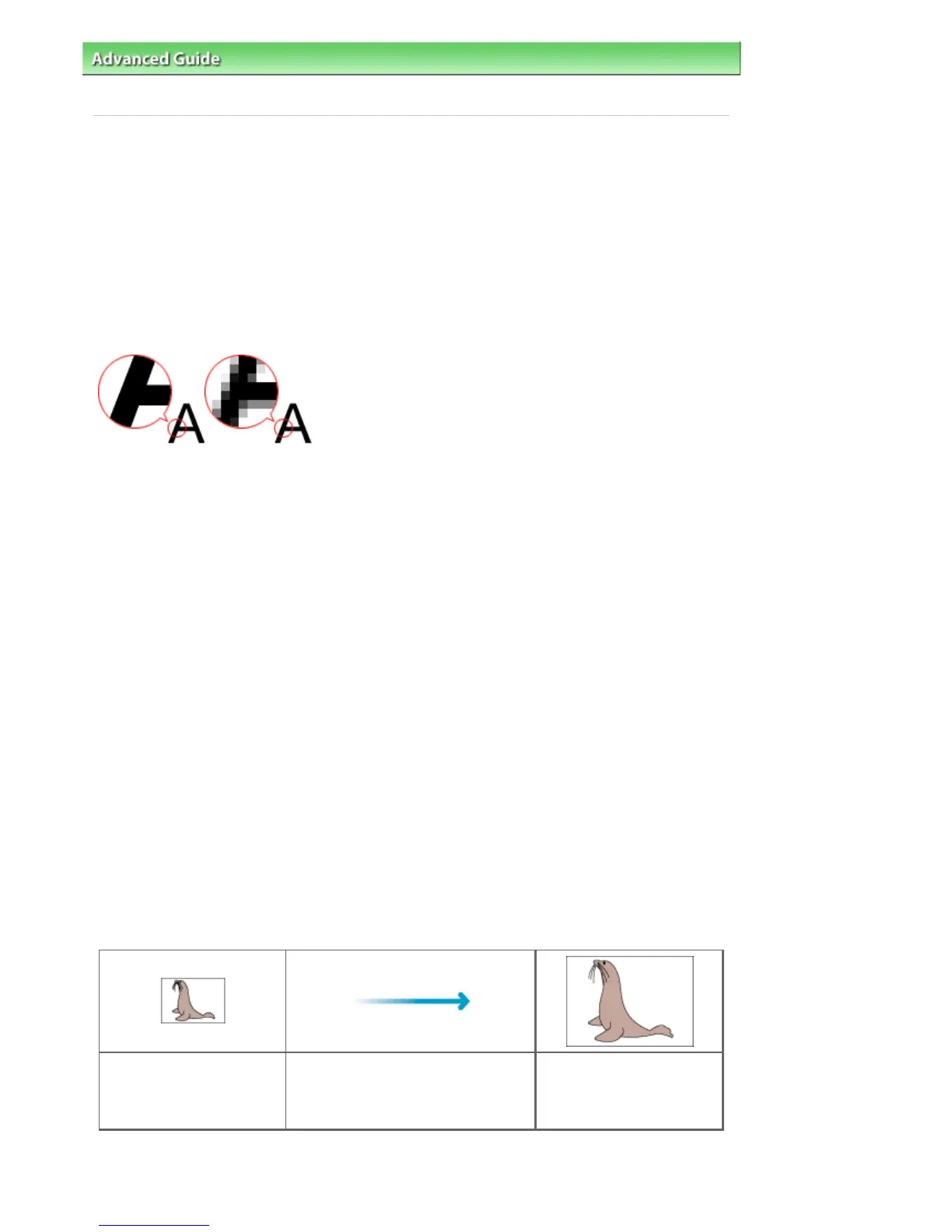
The data in the image you have scanned is a collection of dots carrying information about brightness and
color. The density of these dots is called "resolution", and resolution will determine the amount of detail
your image contains. The unit of resolution is dots per inch (dpi). Dpi is the number of dots per inch (2.5
cm).
The higher the resolution (value), the more detail in your image; the lower the resolution (value), the less
detail.
Setting the Resolution in MP Navigator EX
In MP Navigator EX, you can specify the resolution with Scanning Resolution in the Scan Settings dialog
box.
Images for Display on a Monitor
Paper/photographs to be viewed on a display should be scanned at 150 dpi, which is close to ordinary
monitor resolution.
Images for Printing
Images to be printed should be scanned at a resolution that corresponds to the resolution of the printer.
For example, if you want to print using a 600 dpi black and white printer, you should set the resolution to
600 dpi.
With a color printer, specifying the resolution at half the resolution of the printer should be fine. For
example, if you want to print scanned paper/photos using a 600 dpi color printer, you should set the
resolution to 300 dpi. However, with a high-resolution printer, printing takes longer than usual if you set
the resolution to half the resolution of the printer.
Example of Appropriate Resolution when Printing to Scale
If you print a document at twice the size both vertically and horizontally, the resolution of the document will
be reduced by half. If the resolution of the original document is 300 dpi, the resolution of the enlarged
document will be 150 dpi. If you print the document with a 600 dpi color printer, the lack of detail in the
image may be obvious. In that case, if you scan at the Scanning Resolution of 600 dpi, the resolution will
be 300 dpi even if you double the size of document and you can print the document with sufficient quality.
Conversely, if you print a document at half scale, it should be sufficient to scan at half the resolution.
When Printing Color Photos at Twice the Size
Document resolution: 300
dpi
Scanning resolution: 600 dpi
Scale: 200%
Print at twice the size
Scanning resolution/actual scanning
resolution: 600 dpi
Printing resolution: 300 dpi
Setting the Resolution in ScanGear (Scanner Driver)
Seite 611 von 922 SeitenResolution















 To Next Page