register displayed in the Printer List?
.
4.
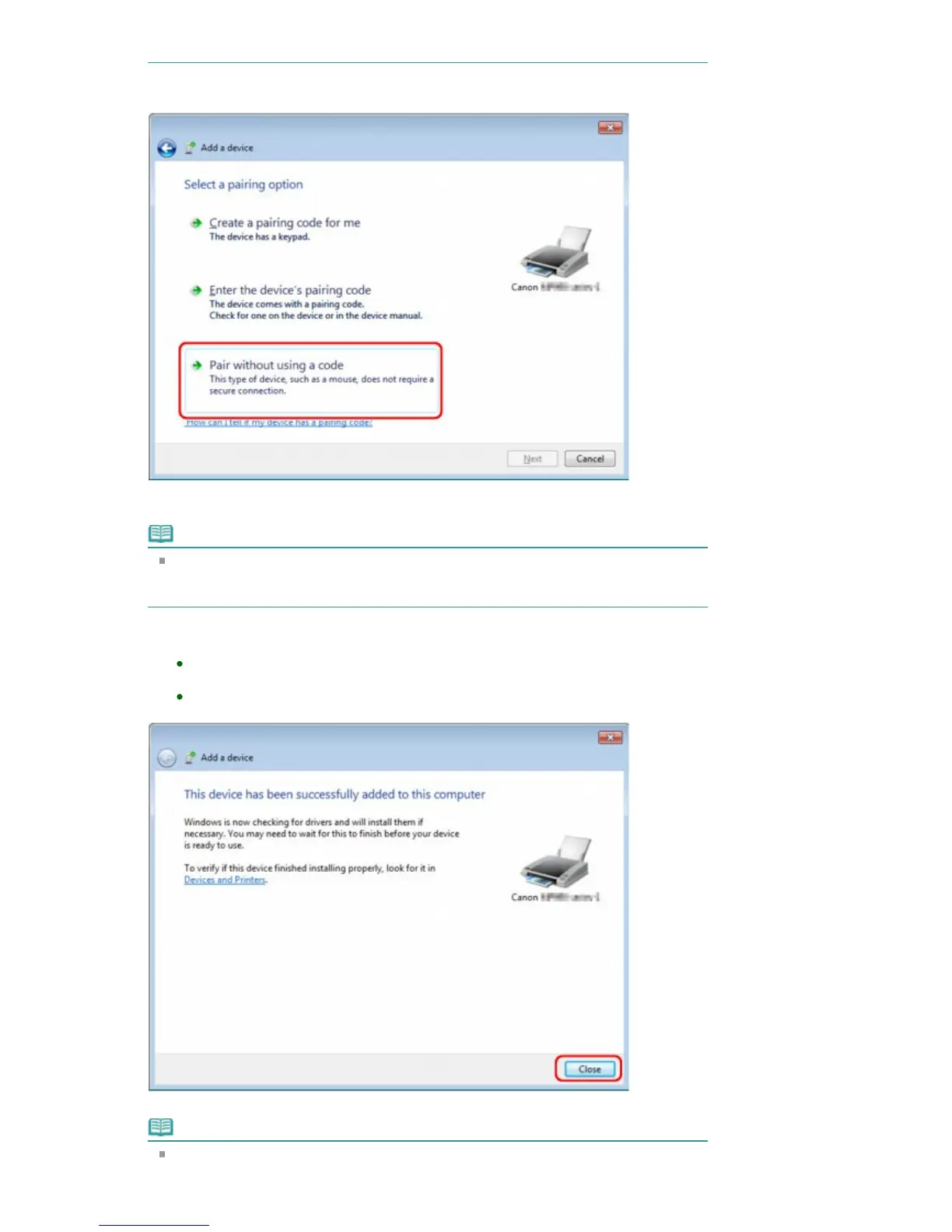
Select Pair without using a code.
When registering this printer, Connecting with this device (Pairing with this wireless device in
Windows Vista) is displayed.
Note
If you set a passkey on the printer, select Enter the device's pairing code and input the
passkey, then click Next.
For more information about setting a passkey, see Bluetooth settings Screen
.
5.
Make sure that the printer is added.
In Windows 7, when This device has been successfully added to this computer is
displayed, click Close.
In Windows Vista, when This wireless device is paired with this computer is
displayed, click Close.
Now, the settings for printing via Bluetooth communication are ready.
Note
In Windows Vista, the Windows needs to install driver software for your Bluetooth
Peripheral Device screen may be displayed automatically. In this case, click Don't show
Seite 753 von 922 SeitenRegistering the Printer















 To Next Page