this message again for this device.
In Windows XP:
1.
Log into a user account with the administrator privilege.
2.
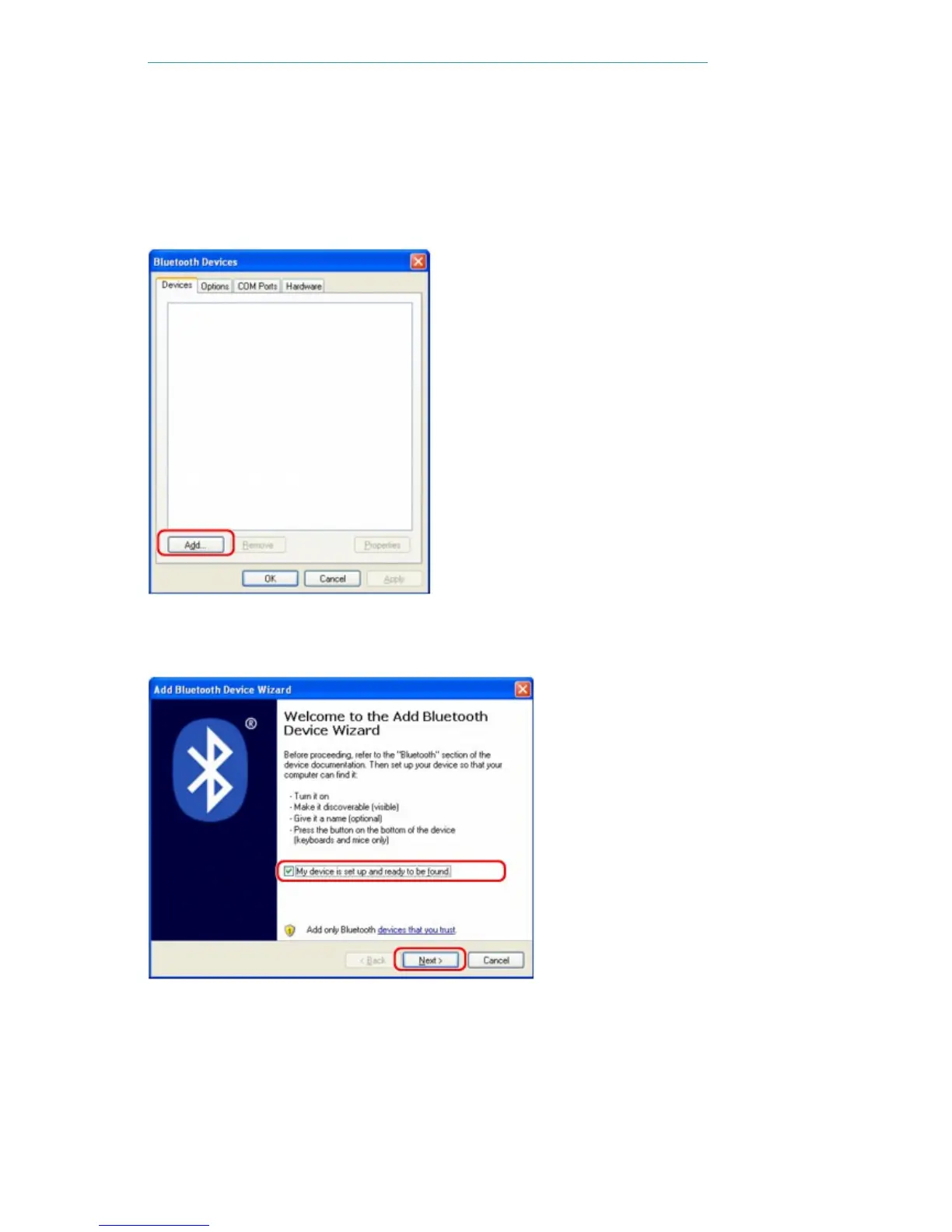
Click Control Panel, Printers and Other Hardware, then Bluetooth Devices.
3.
Click Add on the Devices sheet.
Add Bluetooth Device Wizard will start.
4.
Make sure that the printer is turned on, check the My device is set up and ready to be
found check box and then click Next.
5.
Select the device name of the printer and click Next.
Seite 754 von 922 SeitenRegistering the Printer















 To Next Page