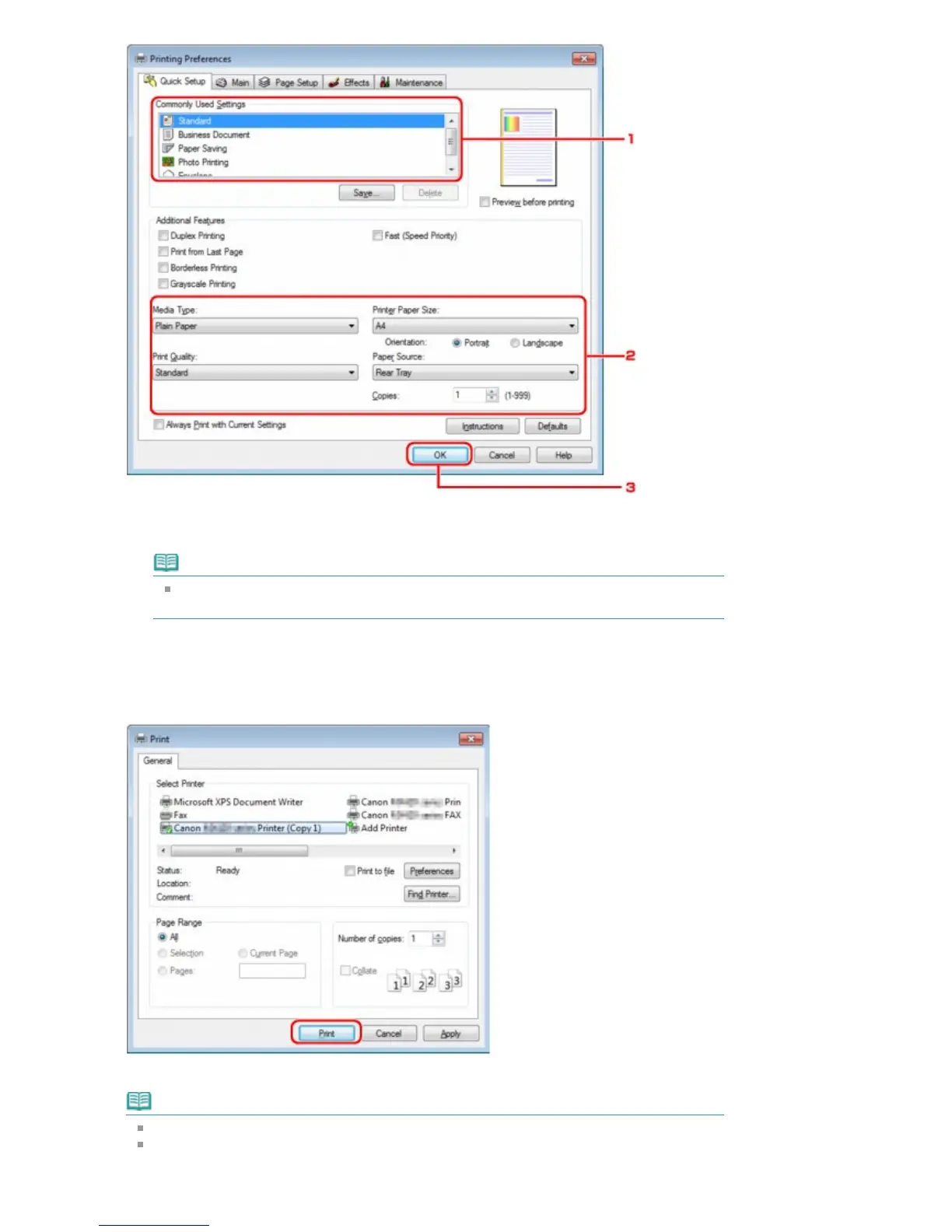
1.
Select the print setting in Commonly Used Settings.
2.
Confirm the required print settings in Media Type, Printer Paper Size, and so on.
Note
You can specify the advanced print settings on Main sheet and Page Setup sheet. For
details on the print settings, refer to Various Printing Methods
.
3. Click OK.
The Print dialog box is displayed.
5.
Click Print (or OK) to print the document.
Printing begins.
Note
When you use a USB cable for printing, select "Canon XXX Printer" from Select Printer.
To cancel a print job in progress, use the
Stop
button on the printer or click Cancel Printing on
the printer status monitor. After printing is canceled, a sheet of paper may be ejected with no
printing results.
Seite 760 von 922 SeitenPrinting with Computers















 To Next Page