Operation
116
Instructions for use Primus Infinity Empowered SW 4.5n
Presetting the ventilation mode
e. g., volume-controlled ventilation (Volume) is ac-
tive, pressure-controlled ventilation is preset.
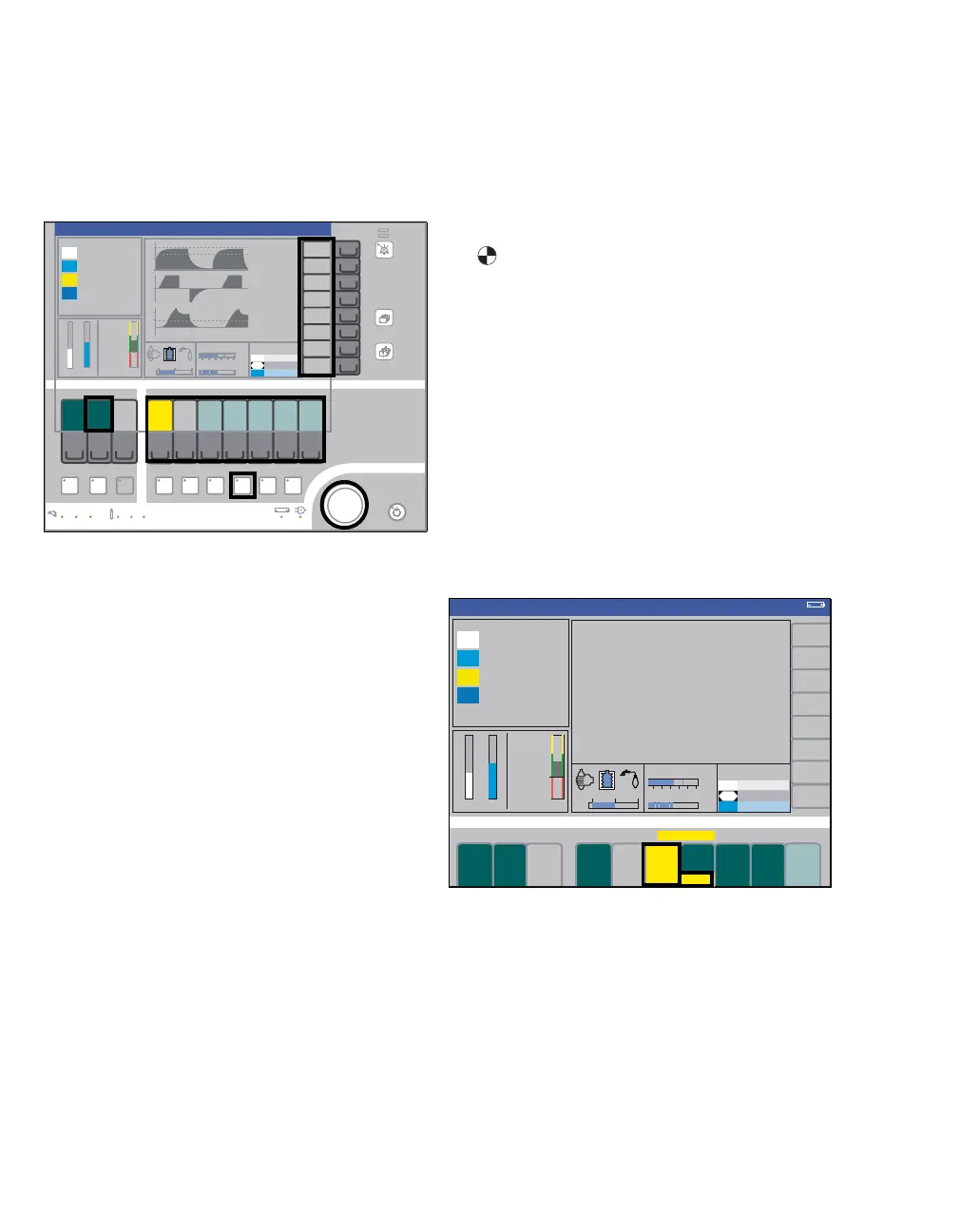
1 Press the Press. Mode key (A); its LED and the
status line flash.
The ventilation parameters valid for pressure-con-
trolled ventilation (Pressure) are displayed on the
screen against a light green background.
– Soft keys for monitoring functions (B) turn gray,
indicating they cannot be operated.
– Soft keys for ventilation (C) turn light green =
parameters are not yet active.
2 Press the soft key for the individual ventilation
parameters (D) and their color changes to yel-
low.
3 Set and confirm the ventilation parameters via
the rotary knob (E).
The system reverts to the last active mode if there
is no interaction by the user within 15 seconds
when pre-setting the ventilation mode. After
10 seconds an audible tone sequence of 5 seconds
is issued.
In this example, the system returns to the volume-
controlled mode.
Starting the preset ventilation mode
z Confirm via rotary knob (E).
Soft keys turn dark green. Pressure-controlled
ventilation is active.
Fresh-gas flows, as indicated by the rotating sym-
bol in the soft key flow L/min (F).
If a ventilation parameter has to be changed:
z Press the soft key for the ventilation parameter
concerned, then set and confirm the ventilation
parameter via the rotary knob.
Frequency changes
Depending on the configuration, the inspiratory
time T
INSP can be automatically changed together
with adjustment of the frequency in volume or pres-
sure-controlled ventilation without synchronization,
so that the resultant ratio of inspiration to expiration
I:E remains constant, see page 176.
For dependent setting of the change in T
INSP:
1 Press the Freq. (frequency) softkey (A); the key
lights up yellow.
2 Adjust the ventilation parameter Frequency via
the rotary knob and push the rotary knob to con-
firm.
313
B
F DC
E
A
Pressure
314
A B
Pressure












 To Next Page