Instructions for use Primus Infinity Empowered SW 4.5n 143
Monitoring
Monitoring mode
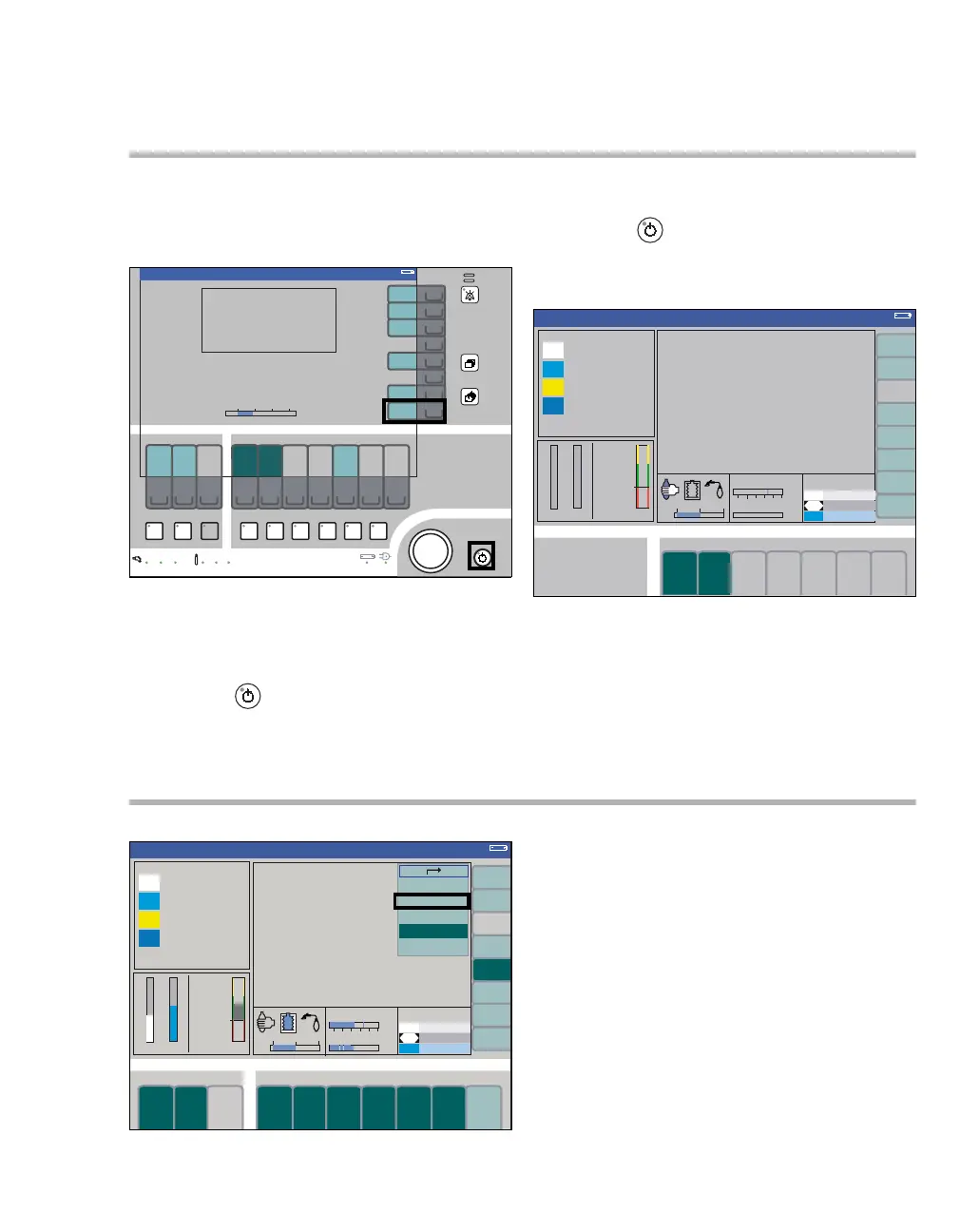
Monitoring can be activated in Standby, for in-
stance for exclusive measurement of the SpO2
value. Fresh-gas is not delivered.
To start the monitoring mode:
z Press the Monitor. Mode soft key (A)
or
z Press the key (B).
To return to Standby:
z Press the key (B) again and confirm via the
rotary knob.
Display (example):
All alarms are active in the monitoring mode com-
pared to the ventilation mode Man.Spont.,
see page 132.
Screen layout
Using the Screen Layout key (A), it is possible to
select between three different screen views. The
currently selected screen layout (B) is highlighted
by a dark green background.
The screen layout can be changed via the Screen
config. menu item (C).
Select, edit, and confirm the curve or module to be
changed and confirm with the rotary knob.
All three screen layouts with three curves and indi-
vidual modules can only be configured in the menu
Standby Conf., see page 170.
380
A
B
Standby
Standby
321
Monitoring
322
Volume
A
B
C












 To Next Page