Operating concept
36
Instructions for use Primus Infinity Empowered SW 4.5n
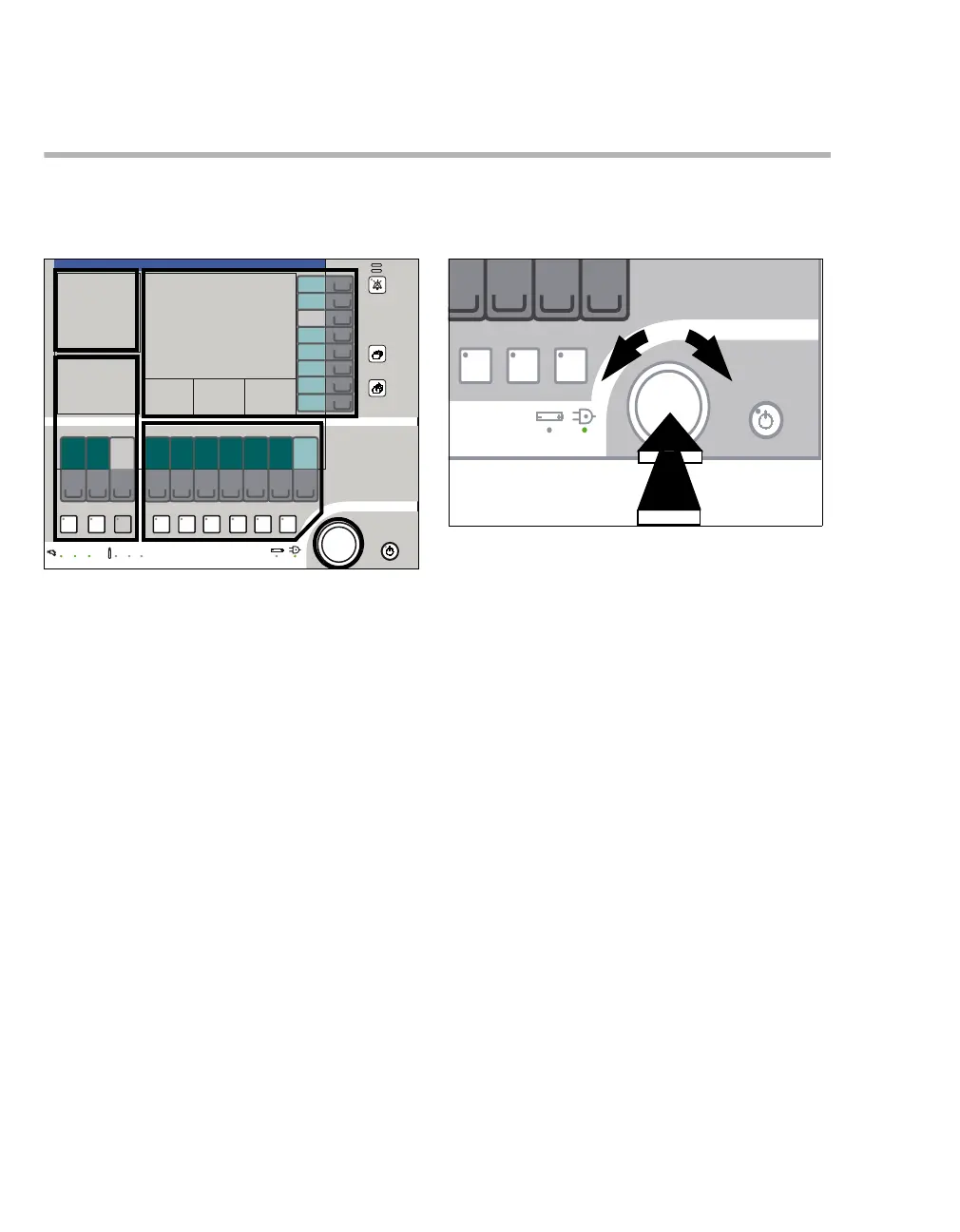
Screen ergonomics
Function fields
The keys are grouped in function fields:
A Gas measurement
B Monitoring
C Fresh-gas delivery
D Ventilation
E All the settings are entered on the screen using
the appropriate keys and the rotary knob.
Rotary knob
A The rotary knob is the main operating control of
the device and has the following functions in all
setting operations:
– Select/set = turn (B)
Clockwise rotation increases a value, coun-
terclockwise rotation decreases a value.
– Confirm = push (C)
If the selection is not confirmed, the value or
parameter will not change.
Example:
– confirm the selected carrier gas or a ventila-
tion mode
– set and confirm the parameters for fresh gas
and ventilation modes
– set and confirm the monitoring functions
301
A
B
C
D
E
302
B
C
A












 To Next Page