Alarms
130
Instructions for use Primus Infinity Empowered SW 4.5n
Dräger recommends that the user remains close to
the anesthesia machine, i.e. within a range of up to
four meters (12 ft), to allow for quick recognition
and action in the event of an alarm.
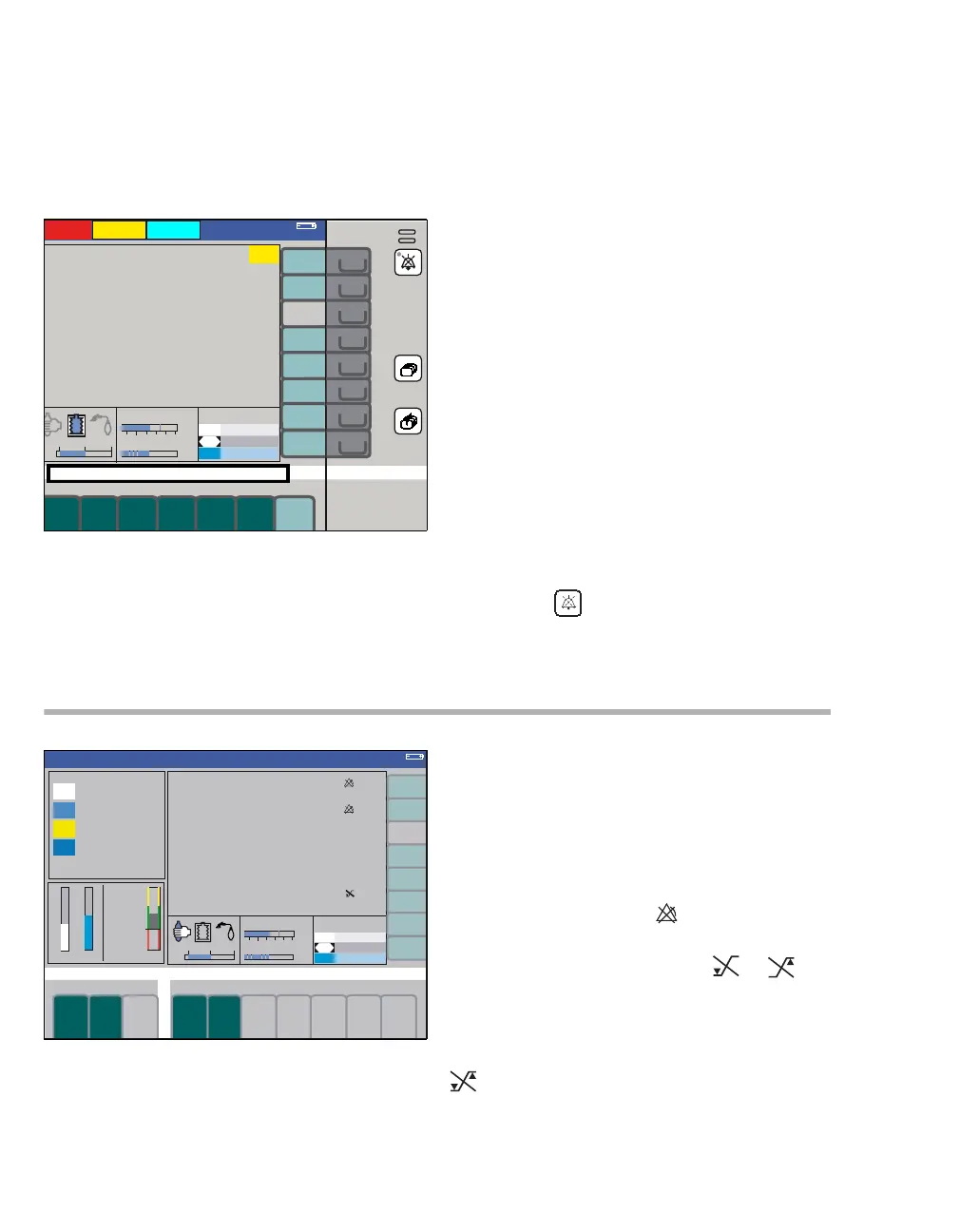
Whenever an alarm message is displayed, the
alarm LED (A) flashes or lights up continuously de-
pending on the alarm priority and an acoustic tone
sequence sounds.
In addition, a flashing help text is displayed in the
prompt field (B).
In the case of limit-based alarms, the correspond-
ing measured values will be highlighted by a
colored background and will flash.
The color of the background reflects the color-cod-
ing of the alarm priority (red, yellow, cyan).
Refer to the chapter "Alarm – Cause – Remedy"
on page 194 for a list of alarm messages.
Downgrading alarm priorities
Selected technical alarms can be downgraded to a
lower priority or deleted completely once acknowl-
edged.
z Press the key (C).
Suppressing alarms
Some alarms can be temporarily suppressed. This
can be done automatically depending on the venti-
lation mode or manually in the menu Standby
Conf. in Standby or permanently via the alarm
menu.
If all the alarms connected to a measurement func-
tion have been disabled, the measured value will
be marked with the symbol (A).
If only certain alarm limits have been disabled for a
monitoring parameter, one symbol or ap-
pears next to the parameter (B).
If the upper and lower alarm limits of a monitoring
parameter have been disabled, but the respective
apnea monitoring feature is still active, the symbol
appears next to the parameter.
333
A
B
C
336
etCO2
InCO2
A
PEAK
B
Man.Spont.
PEEP
PLAT












 To Next Page