Instructions for use Primus Infinity Empowered SW 4.5n 153
Monitoring
Loops (optional)
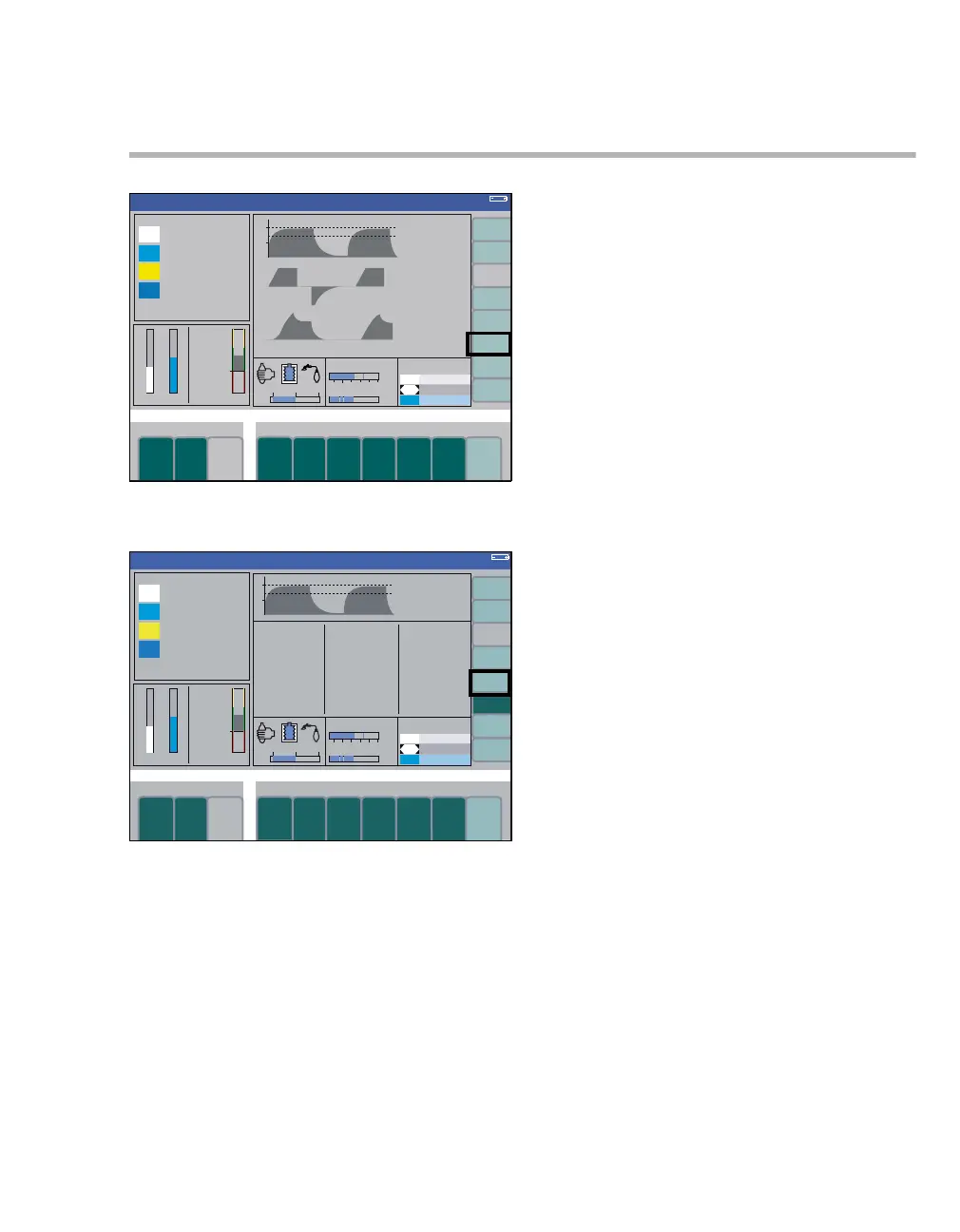
z Press the soft key loops (A) on the standard
screen:
The label of the soft key changes to exit loops and
the PAW-V and V-Flow loops are displayed with a
value table (E) instead of the two lower curves (B).
Each loop remains on display for three breathing
cycles; the color intensity of the loop decreases
with each ventilation cycle.
The scale of the P
AW and flow axis depends on the
scale selected for the real-time curves. The scale of
the volume axis depends on the scale of the volum-
eter.
In addition to the factory setting for the axis orienta-
tion complying with ISO 80601-2-13, an inverted
display is also available. To change the display set-
ting, contact service personnel.
See page 168 with regard to configuration of the
scales.
z Press the soft key (C) save reference.
The current loop is displayed in a different color so
that it can be used as reference. For the reference
loop, the corresponding values of PEAK, V
T, and
CPAT are saved in the value table and a time stamp
is added. The label of the soft key changes to de-
lete reference.
The values in the value table are updated with
every new breath. These values can be compared
with the values of the reference loop.
Delete the reference loop, including the attached
values in the value table:
– when changing to Standby mode or
– by pressing the soft key (C) delete reference
again.
Remove loops from the screen:
z Press the soft key exit loops (D).
363329
Volume
A
Volume
C
D
B
E












 To Next Page