Drive section
1/2
2. Replacement and adjustment of parts
27260
27260
Adjusting the position of the dryer rack
!
!!
! Procedure
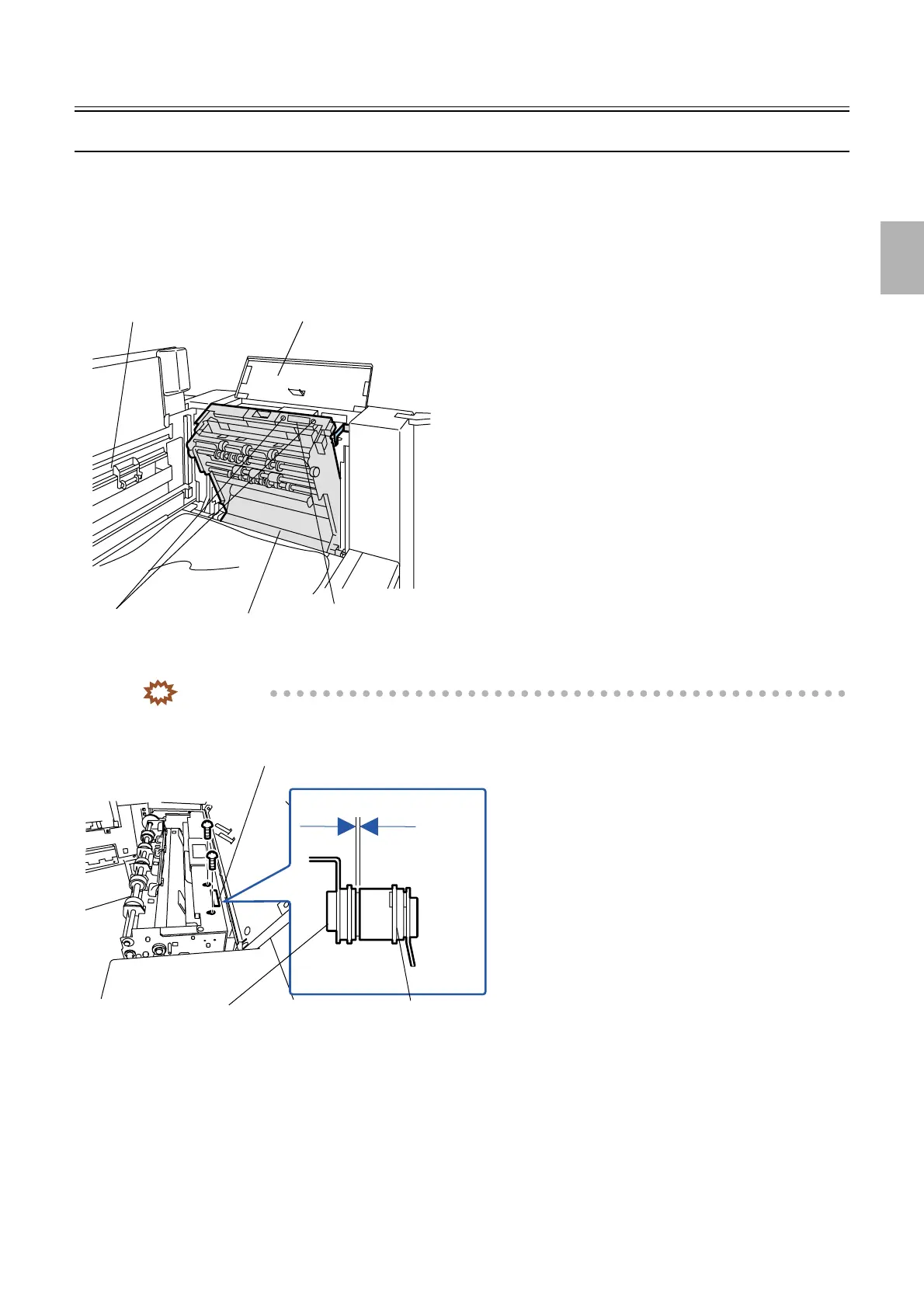
1. Open the dryer door and the dryer top cover.
2. Tilt the dryer rack.
3. Loosen the screws on the connector. (two screws)
4. Adjust the connection so that the clearance of the connectors is 0.5 mm or less. (two screws)
IMPORTANT
• Pressing the connector strongly may damage the connector. If the clearance is too much great, an error may
occur.
5. Loosen the screws on the lock plate which secures the dryer rack. (two screws)
Dryer rack
Dryer top cover
Dryer door
Loosen these screws.
Connector
G071634
View hole
0.5 mm or less
Connector on the dryer rack side
Connector on the body side
G085266
Distributed by: minilablaser.com



 To Next Page