Maintenance
1/2
3. Mode
35500
35500
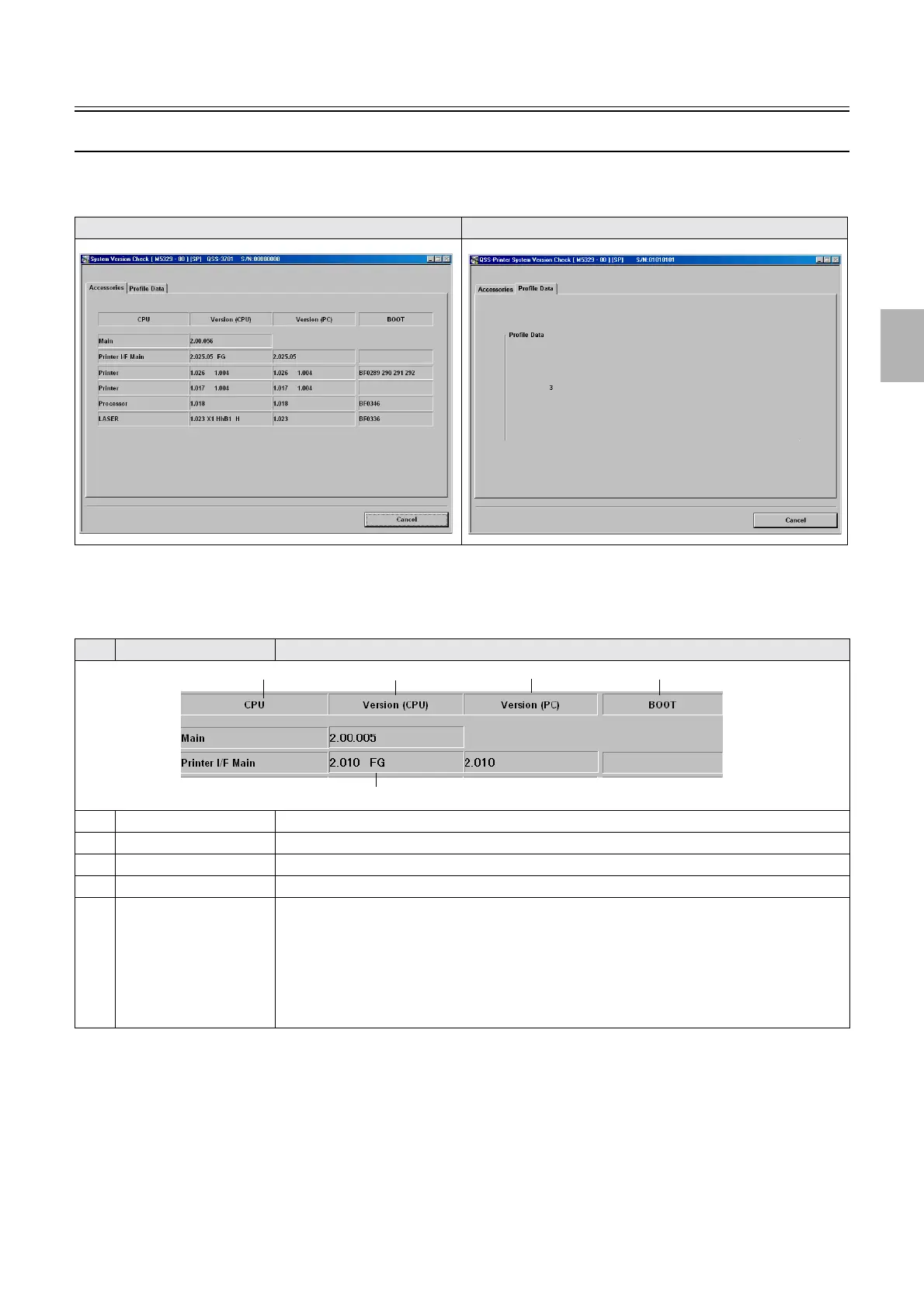
System Version Check
Bringing up the display
Maintenance: 2260 → Extension → Maintenance → System Version Check
!
!!
! Explanation
!
!!
! Accessories
*1. (SP1) is shown when entering the service personnel password (2260).
*2. Main shows the version of the maintenance application on PC.
Accessories Profile Data
No. Display Explanation
1CPU
*2
Shows each control PCB (CPU) separately.
2 Version (CPU) The system program version saved in each control PCB is shown.
3Version (PC)
*1
Shows the system program version saved in HDD.
4 BOOT
*1
The CPU version of each control PCB is shown.
5 F The connecting conditions of the capacity booster is shown.
• #.# # # F: When the Capacity booster PCB is installed
• #.# # # FG: When the Capacity booster PCB is installed
• #.# # # H: When the Capacity booster PCB is installed
• #.# # # I: When the Capacity booster PCB is installed
• #.# # # : When the Capacity booster PCB is not installed
1
2
3
4
5
Distributed by: minilablaser.com



 To Next Page