Diagnosis appendix: [F]
1/2
4. Troubleshooting
4621
4621
Recovery procedure 3 from the replenishment error
Procedure
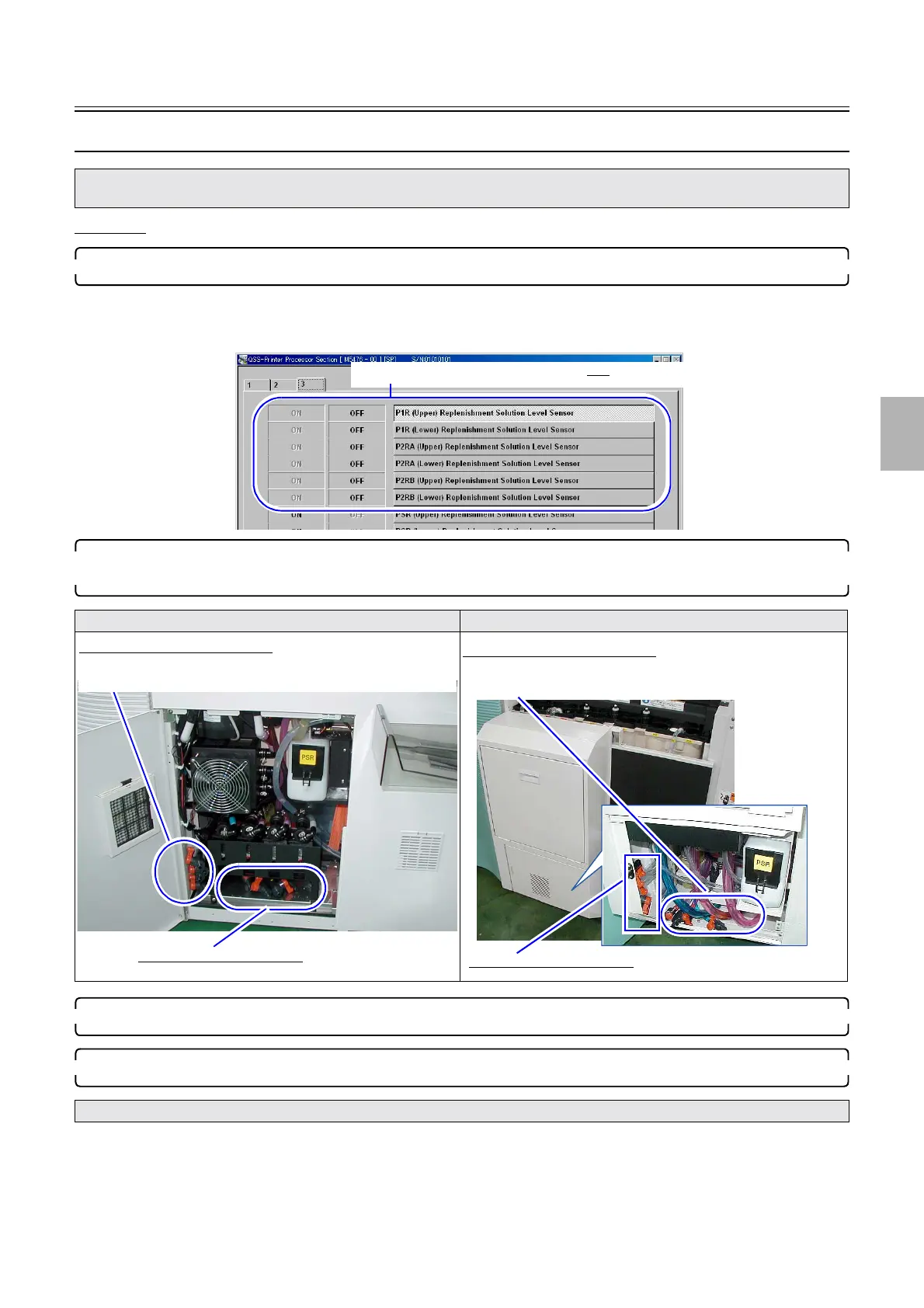
1. Access the Input Check mode, and confirm that all replenishment solution level sensors detect OFF.
Bringing up the display
Maintenance → Extension → Maintenance → Input Check → Processor
2. If any of the P1R/P2RA/P2RB replenishment solution level sensors detects ON, drain all the
replenishment solutions from the P1R/P2RA/P2RB replenisher tanks.
3. Attach new replenisher cartridge.
4. Perform Mixing Replenisher with all replenisher tanks empty.
Bringing up the display
Maintenance → Extension → Processor Settings → Pump Output Amount Setting → F: Functions → Mixing Replenisher
• To close errors such as ☞No. 05912[F]Predetermined process amount was exceeded., drain all replenishment solutions using the
procedure below, then perform Mixing Replenisher. Otherwise, the error cannot be closed.
QSS-3701/3702/3703/LP7500/LP7600 QSS-3704/3705/LP7700/LP7900
• Although error messages such as ☞No. 05912[F]Predetermined process amount was exceeded. are shown, ignore them.
All replenishment solution level sensors detect OFF.
M5476-00
Hoses to drain working solutions
Hoses to drain replenishment solutions
To each hose, a sticker P1R/P2RA/P2RB or PSR is attached.
Hoses to drain working solutions
Hoses to drain replenishment solutions
To each hose, a sticker P1R/P2RA/P2RB or PSR is attached.
Distributed by: minilablaser.com



 To Next Page