Maintenance
1/3
3. Mode
35310
35310
Output Check (Printer)
Bringing up the display
Maintenance → Extension → Maintenance → Output Check → Printer
!
!!
! Output Check
!
!!
! Explanation
Check the operation of the motor, buzzer or LED that is currently selected.
!
!!
! Paper Supply Unit 1
!
!!
! Paper Supply Unit 2
!
!!
! Magazine Unit (Magazine A)
!
!!
! Magazine Unit (Magazine A2)
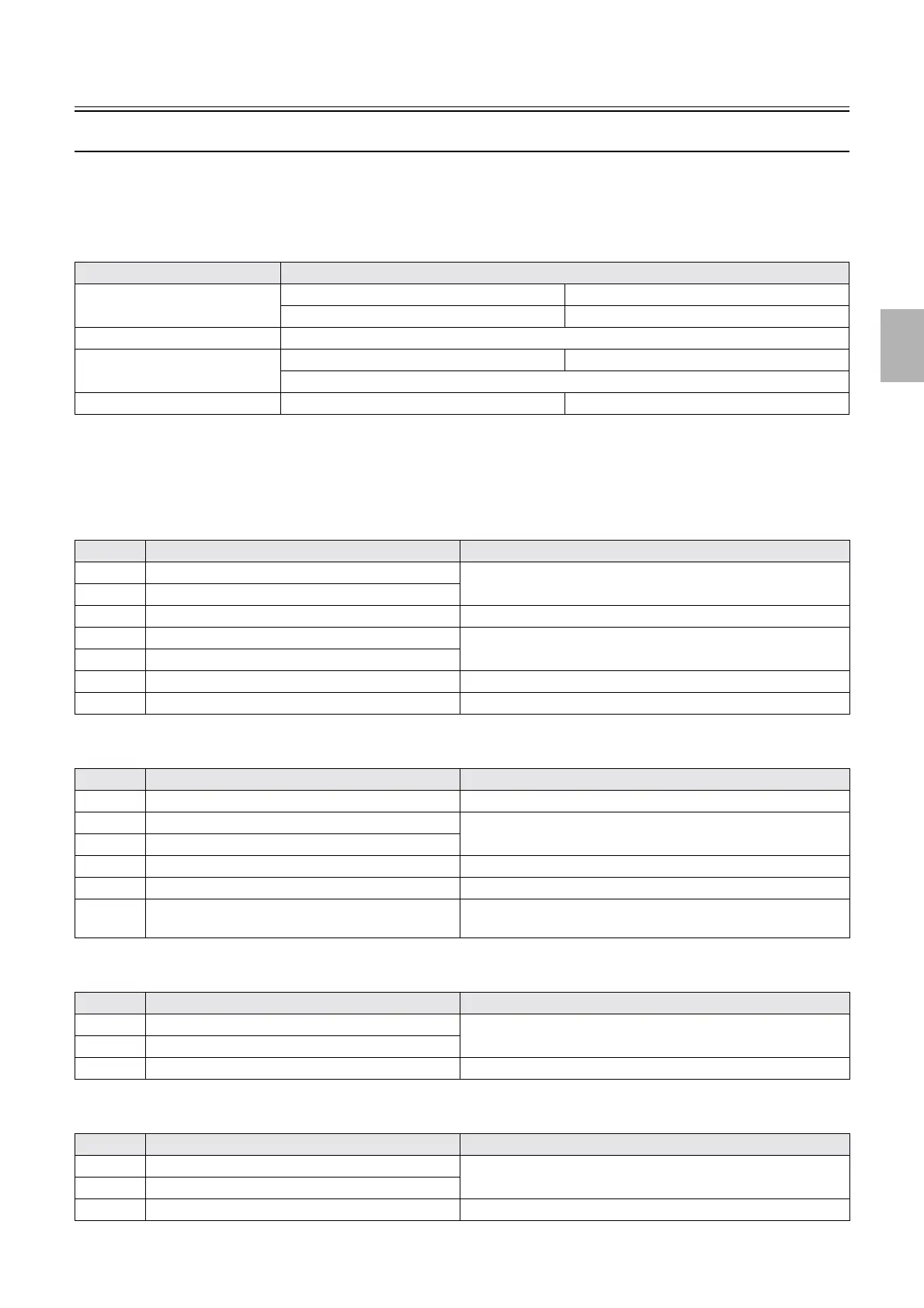
Item Reference
Paper Supply Unit
☞Paper Supply Unit 1 ☞Paper Supply Unit 2
☞Magazine Unit (Magazine A) ☞ Magazine Unit (Magazine A2)
Exposure Advance Unit ☞Exposure Advance Unit
Exposure Engine Section ☞Exposure Engine Section 1 ☞Exposure Engine Section 2
☞Exposure Engine Section (Details)
Paper Advance Section ☞Paper Advance Section 1 ☞Paper Advance Section 2
No. Display Status
1 Paper Advance Motor 1 Press Execute to operate for the set time.
2 Paper Supply Motor B/C
3 Cut Motor Press Execute to operate once.
4 Paper Magazine Motor B Press Execute to operate for the set time.
5 Paper Magazine Motor C
6 Paper Magazine Lamp B/C Press Execute to turn on, and Cancel to turn off.
7 Paper Supply Pressure Change Motor Clicking Execute repeats compressing and releasing operations.
No. Display Status
1 Ribbon Advance Motor Press Execute to start, and Cancel to stop.
2 Dot Head (1st Line) Press Execute to operate once.
3 Dot Head (2nd Line)
4 Paper Hold Motor Clicking Execute repeats compressing and releasing operations.
5 Paper Supply Arm Motor (Left / Right) Clicking Execute moves upward and downward.
6 Buzzer Press Execute to sound buzzer.
Press Cancel to turn off the buzzer.
No. Display Status
1 Paper Magazine Motor A Press Execute to operate for the set time.
2 Paper Supply Motor A
3 Paper Magazine Lamp A Press Execute to turn on, and Cancel to turn off.
No. Display Status
1 Paper Magazine Motor A2 Press Execute to operate for the set time.
2 Paper Supply Motor A2
3 Pressure Release Motor A2 Press Execute to operate once.
Distributed by: minilablaser.com



 To Next Page