Self-diagnostic
1/2
3. Mode
35930
35930
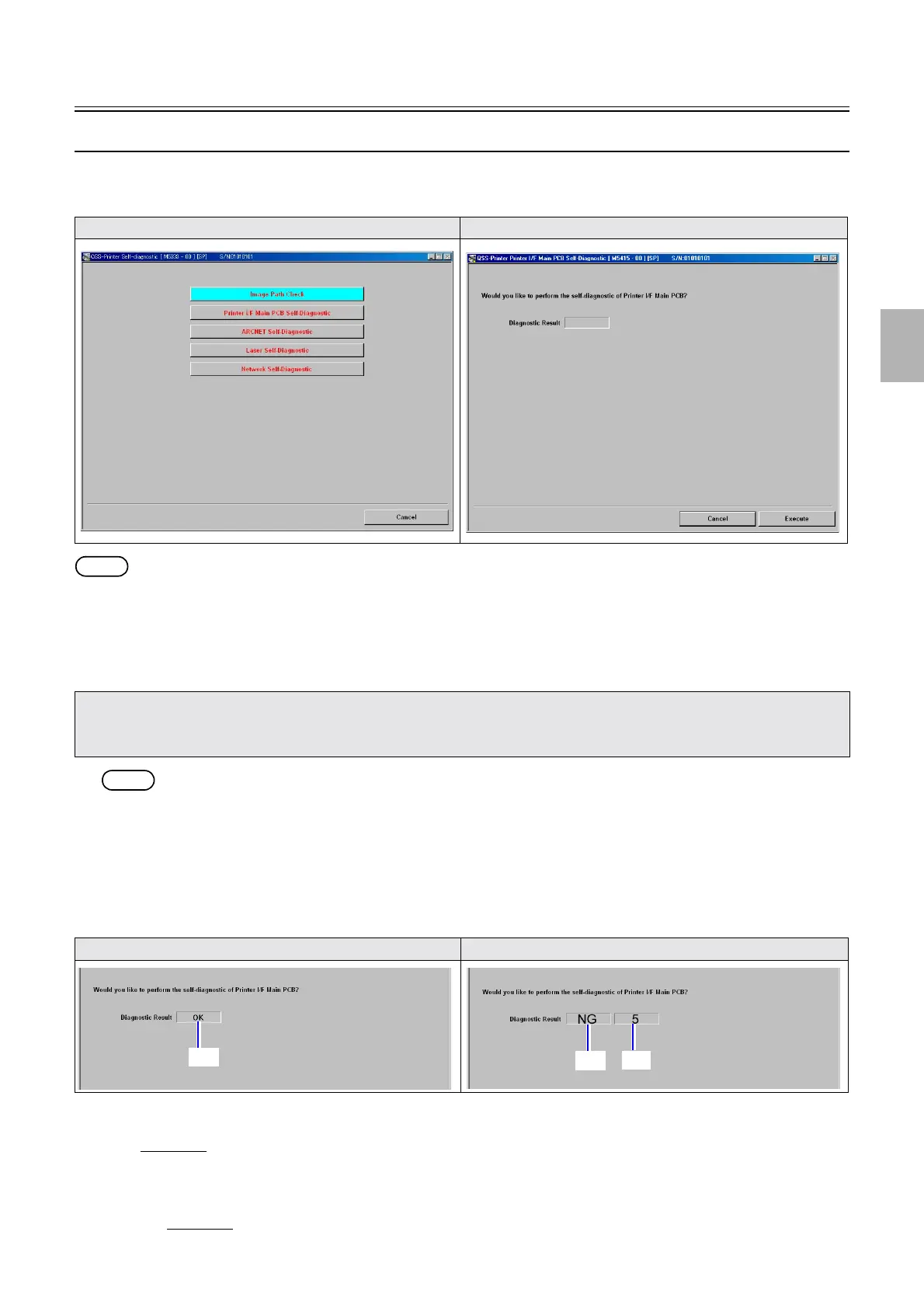
Printer I/F Main PCB Self-Diagnostic
Bringing up the display
Maintenance: 2260 → Extension → Maintenance → Self-diagnostic → Printer I/F Main PCB Self-Diagnostic
NOTE
• Printer I/F Main PCB Self-Diagnostic is supported by FRONTIER-Printer Ver. 2.0 or later, and QSS-Printer Ver. 3.0 or later.
!
!!
! Explanation
Printer I/F Main PCB Self-Diagnostic is a function that the system self-diagnoses each IC mounted on the Printer I/F Main PCB and
checks whether Printer I/F Main PCB has problems.
NOTE
• If the Printer I/F Main PCB is normal, and connection failure occurs in the LVPECL connectors of the Printer I/F Main PCB and
laser control PCB, OK is shown.
!
!!
! Checking procedure
1. Click Execute.
2. The system diagnoses the Printer I/F Main PCB condition, and the result is shown a few minutes later.
3. Diagnosis result is shown.
Diagnosis 1
• If the Printer I/F Main PCB is normal, OK is shown.
• If the Printer I/F Main PCB has problems, NG is shown.
If NG is shown, replace the Printer I/F Main PCB.
Diagnosis 2
Display Display
• Printer I/F Main PCB Self-Diagnostic does not function normally in the conditions below.
1. The PC and Printer I/F Main PCB do not communicate with LAN normally.
2. +5 V is not supplied to the Printer I/F Main PCB. (The Printer I/F Main PCB does not operate normally.)
If the Printer I/F Main PCB is normal If the Printer I/F Main PCB has problems
(1)
(1)
(2)
Distributed by: minilablaser.com



 To Next Page