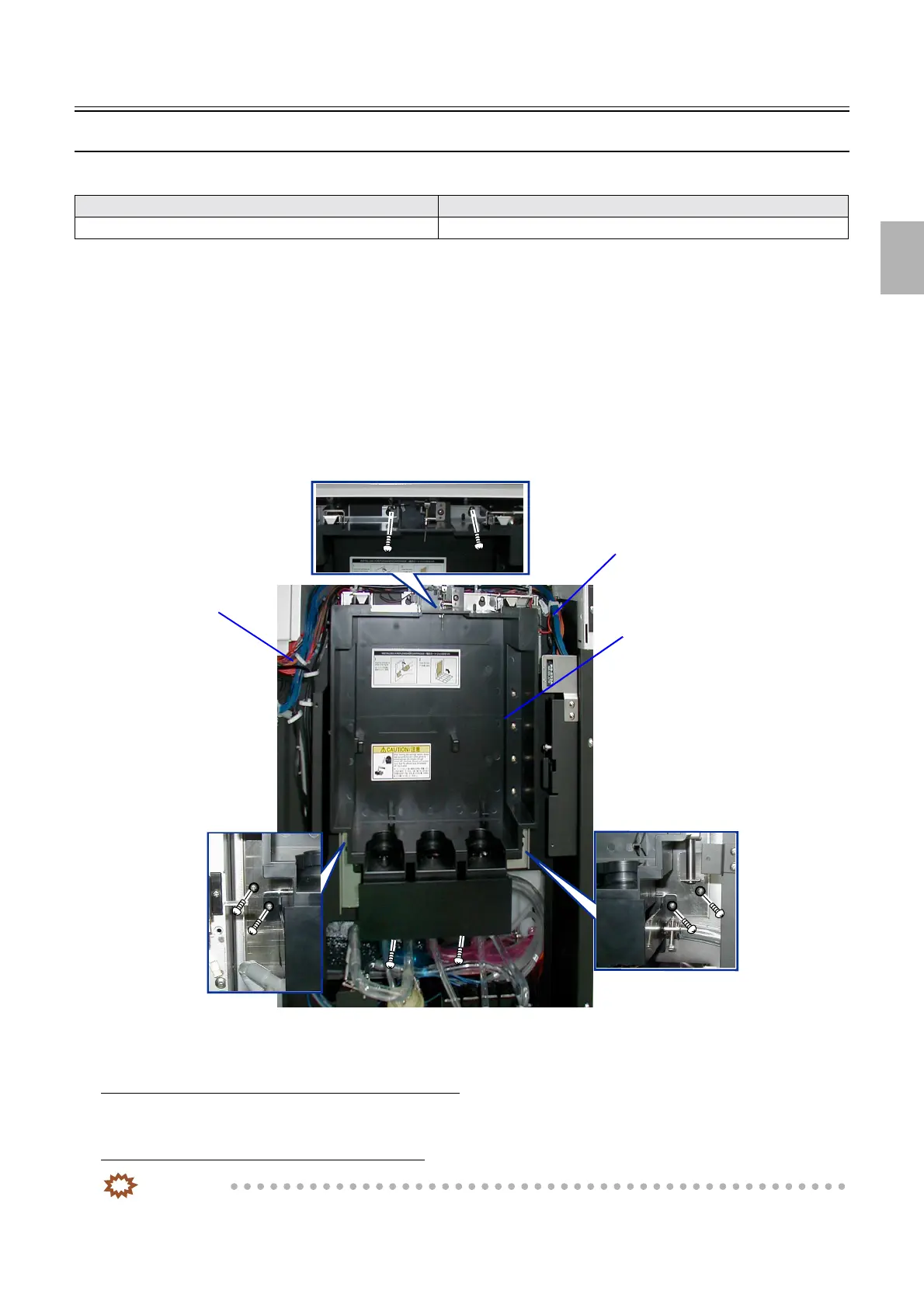
F replenishment unit [F]
1/2
2. Replacement and adjustment of parts
27500
27500
F replen ishment unit [F]
Removing F replenishment unit (QSS-3701/3702/3703/LP7500/LP7600) [F]
This item varies depending on the model. See the references below.
!
!!
! Procedure
1. Remove the replenisher cartridge.
2. Remove the processor rear cover.
☞20020
3. Disconnect the connector(s).
J/P632: Replenishment cartridge opening motor
J/P637: Relay connector
4. Remove the F replenishment unit. (eight screws)
!
!!
! Adjustment after replacement
When the original F replenishment unit is reattached
1. Confirm that the F replenishment unit works normally using the output check.
When the new F replenishment unit is attached
IMPORTANT
• There are two types of F replenishment unit: one has no clamp and the other has a clamp.
Model Reference
QSS-3704/3705/LP7700/LP7900
☞27501-5
F replenishment unit
J/P637
J/P632
G085345
Distributed by: minilablaser.com



 To Next Page