2/7
4. Troubleshooting
41000
41000
Attention message: Printer
No. 01029
The measurement failed. Measure it again.
Attention message release
YES or NO
• Select YES to measure the print again.
• Select NO to stop the operation.
Condition
NOTE
• See the setup print judgment flow at the daily setup. ☞56620
Check Point
Diagnosis
The countermeasure action and the failed part would differ depending on the suffix number.
If the test print color density is normal
Suffix number Condition
− The test print paper type for measurement was not correct.
When measuring the daily setup test print, the density between steps did not rise consecutively.
− The Dmax of the measured daily setup print was below 0.9, and the daily setup Dmax data for 15 days were not
ready.
− The Dmax of the measured daily setup print was below 0.9, and the daily setup Dmax data for 15 days did not
change consecutively day by day and changed suddenly.
− Even though the range of the Dmax is within 0.9 and 3.8, the correction value density was over 10 times as high
as the previous value when calculating the daily setup correction value,
− When calculating the daily setup correction value, the correction value density was 3 key or more. And minus
correction (print density has been risen) has been carried out.
− When calculating the daily setup correction value, the total correction value (density), which started as soon as
the initial setup or paper specification registration setup was completed, is beyond the limit value. And minus
correction (print density has been risen) has been carried out.
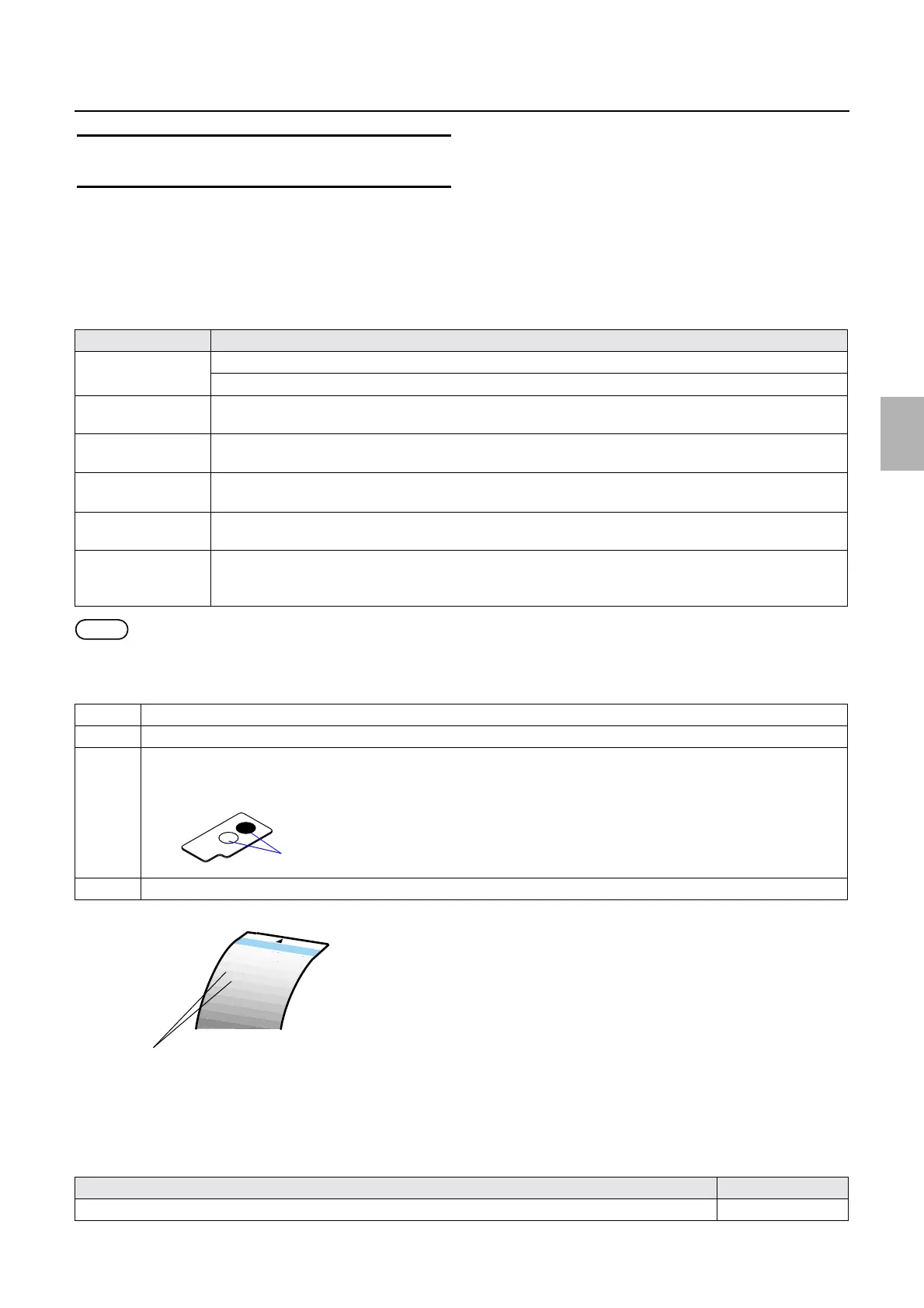
1 Check that the test print is correctly placed in the colorimeter.
2 Check that the test print is correctly made.
3 Wipe the measurement area using a firmly squeezed damp soft cloth with a neutral detergent diluted with water. Then, wipe
and dry it up using a dry soft cloth.
4 Check that the calibration plate is correctly inserted.
Countermeasure and failed part Manual No.
Adjust the height of the colorimeter unit.
☞27470
Measurement part
Between steps
G083195
Distributed by: minilablaser.com



 To Next Page