Paper supply unit
1/3
2. Replacement and adjustment of parts
25620
25620
Removal and the right angle adjustment of the cutter unit
!
!!
! Procedure
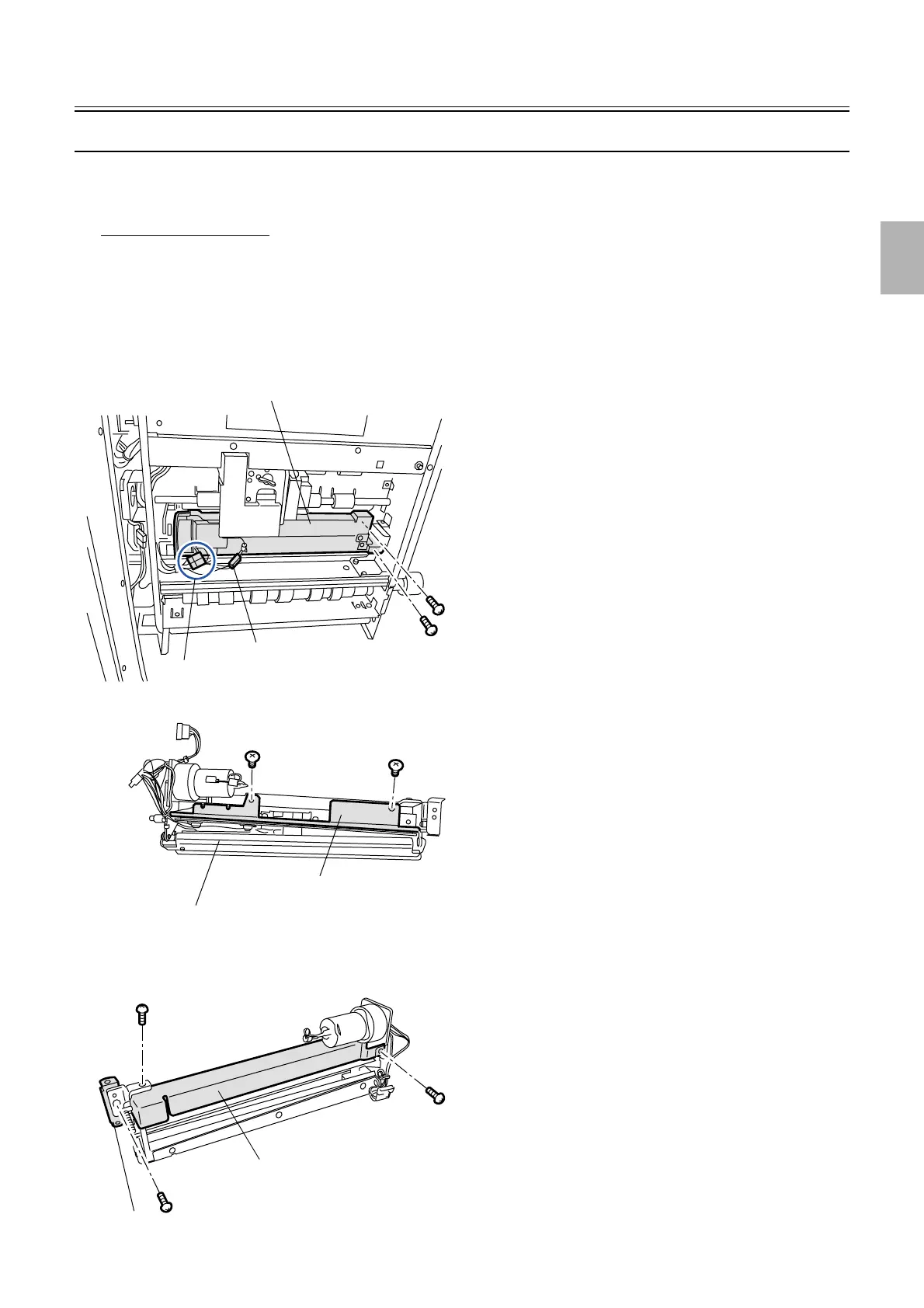
Removing the cutter unit
1. Pull out the paper supply unit.
2. Disconnect the connector.
J/P134 (Cut motor)
J/P135 (Cut home sensor and cut end sensor)
J/P364 (paper loading sensor)
3. Remove the cutter unit. (two screws)
4. Remove the sensor holder. (two screws)
5. Remove the cutter cover. (two screws)
6. Remove the mounting angle bracket. (one screw)
J/P135 and J/P364
J/P134
Cutter unit
G068527
Sensor holder
Cutter unit
G068528
Cutter cover
Angle bracket
G068529
Distributed by: minilablaser.com



 To Next Page