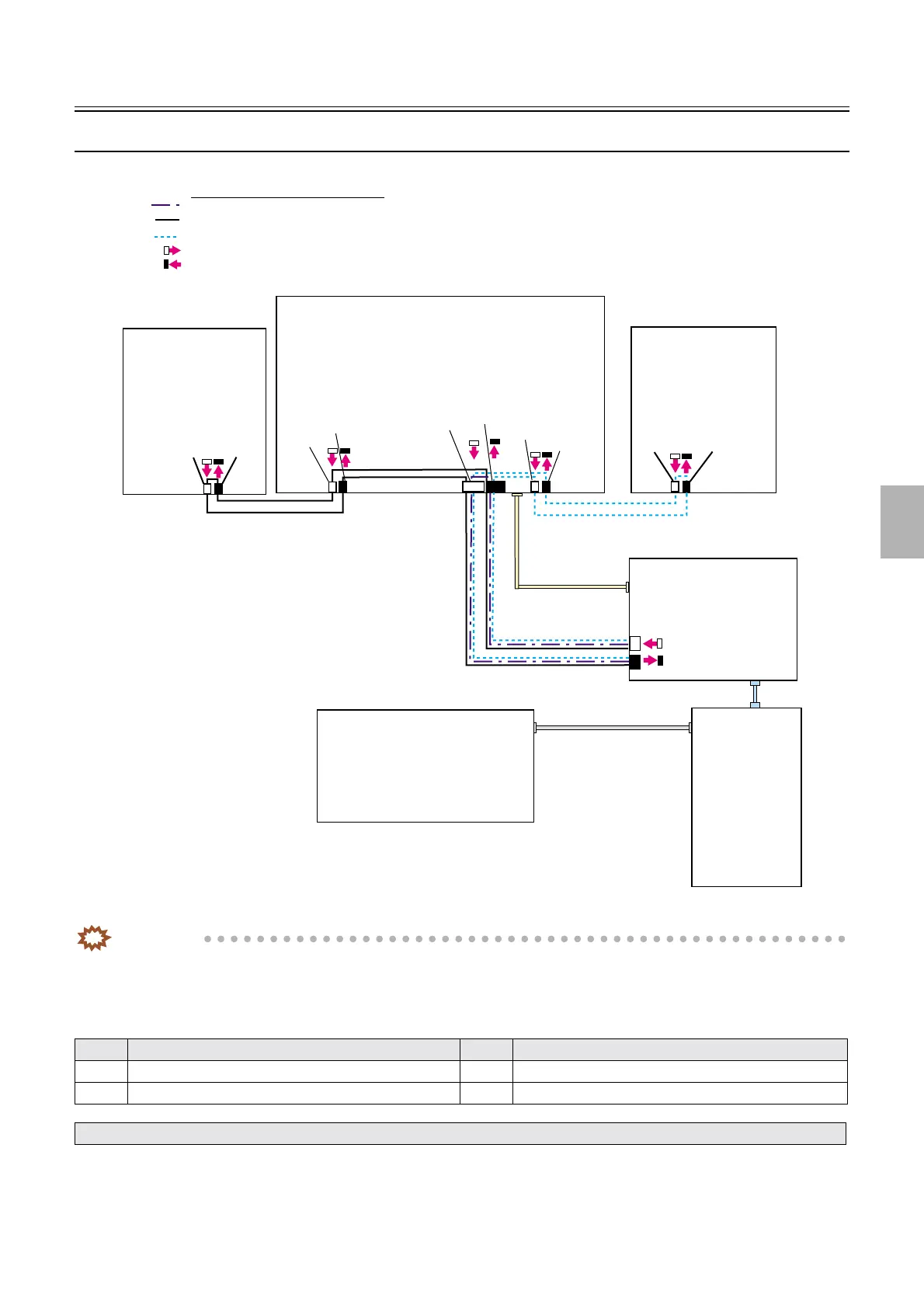
ARCNET communication
1/1
5. Operation sequence
50520
50520
ARCNET communication
ARCNET communication flow
IMPORTANT
• ARCNET communication figure appears above. You can connect the ARCNET cable to any port if IN/OUT is correct.
The actual connecting position of the ARCNET cable may be different from the above ARCNET communication figure.
!
!!
! Order of the ARCNET communication
No. Order of the ARCNET communication No. Order of the ARCNET communication
1 Processor control PCB 3 Laser control PCB
2 Printer control PCB
• For details about the diagnosis of ARCNET communication error, see ☞35940.
J/P224
J/P223
J/P32
ARCNET
ARCNET
J/P518
J/P517
J/P1517
J/P233
J/P232
J/P1516
J/P219
J/P220
J/P222
J/P221
ATX MOTHER
BORD
USB
LAN
LVPECL
Printer I/F main PCB
AFC/scanner control PCB
Order of the ARCNET communication
1 Processor control PCB
2 Printer control PCB
3 Laser control PCB
ARCNET (Connector emission side)
ARCNET (Connector detection side)
Printer control PCB
Processor control PCB
Laser control PCB
G085220
Distributed by: minilablaser.com



 To Next Page