Self-diagnostic
1/3
3. Mode
35940
35940
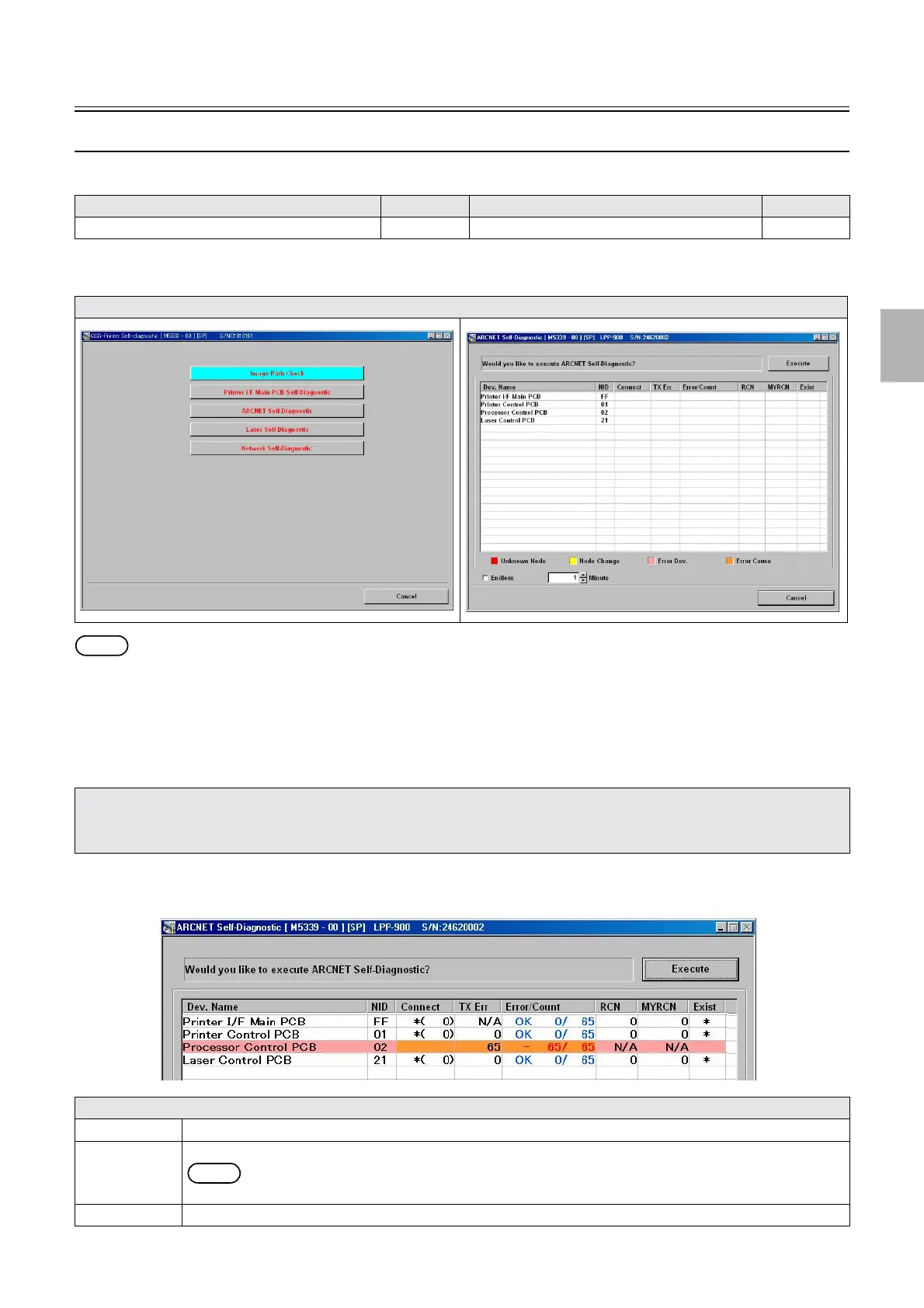
ARCNET Self-Diagnostic (details of modes)
Also see the following references to utilize for diagnosis.
Bringing up the display
Maintenance: 2260 → Extension → Maintenance → Self-diagnostic → ARCNET Self-Diagnostic
NOTE
• ARCNET Self-Diagnostic is supported by FRONTIER-Printer Ver. 2.0 or later, and QSS-Printer Ver. 3.0 or later.
!
!!
! Explanation
" Confirming connection of each ARCNET PCB
The self-diagnosis program checks the communication state of each ARCNET PCB, displays the diagnosis on the ARCNET Self-
Diagnostic screen after it detects the ARCNET PCB that may have a communication error.
!
!!
! Screen explanation 1
Model Reference Model Reference
ARCNET Self-Diagnostic (diagnosis)
☞35941 ARCNET Self-Diagnostic (results) ☞35942
Display
• ARCNET Self-Diagnostic may not function normally in the conditions below.
1. The PC and Printer I/F Main PCB do not communicate with LAN normally.
2. The communication error occurred on a PCB equipped with the HUB function.
Explanation
Execute Press this to start ARCNET Self-Diagnostic.
Cancel Press this to stop ARCNET Self-Diagnostic.
NOTE
• While the system is performing ARCNET Self-Diagnostic, Execute turns Cancel.
Cancel Press this to complete ARCNET Self-Diagnostic.
G085407
Distributed by: minilablaser.com



 To Next Page