F replenishment unit [F]
1/1
2. Replacement and adjustment of parts
27530
27530
Replacing the replenishment solution level sensor [F]
!
!!
! Procedure
1. Remove processor side cover 4.
☞20020
2. Disconnect the connector(s).
See ☞ 63280 for the locations of each replenishment solution level sensor.
J/P611, 612:P1R
J/P613, 614:P2RA
J/P615, 616:P2RB
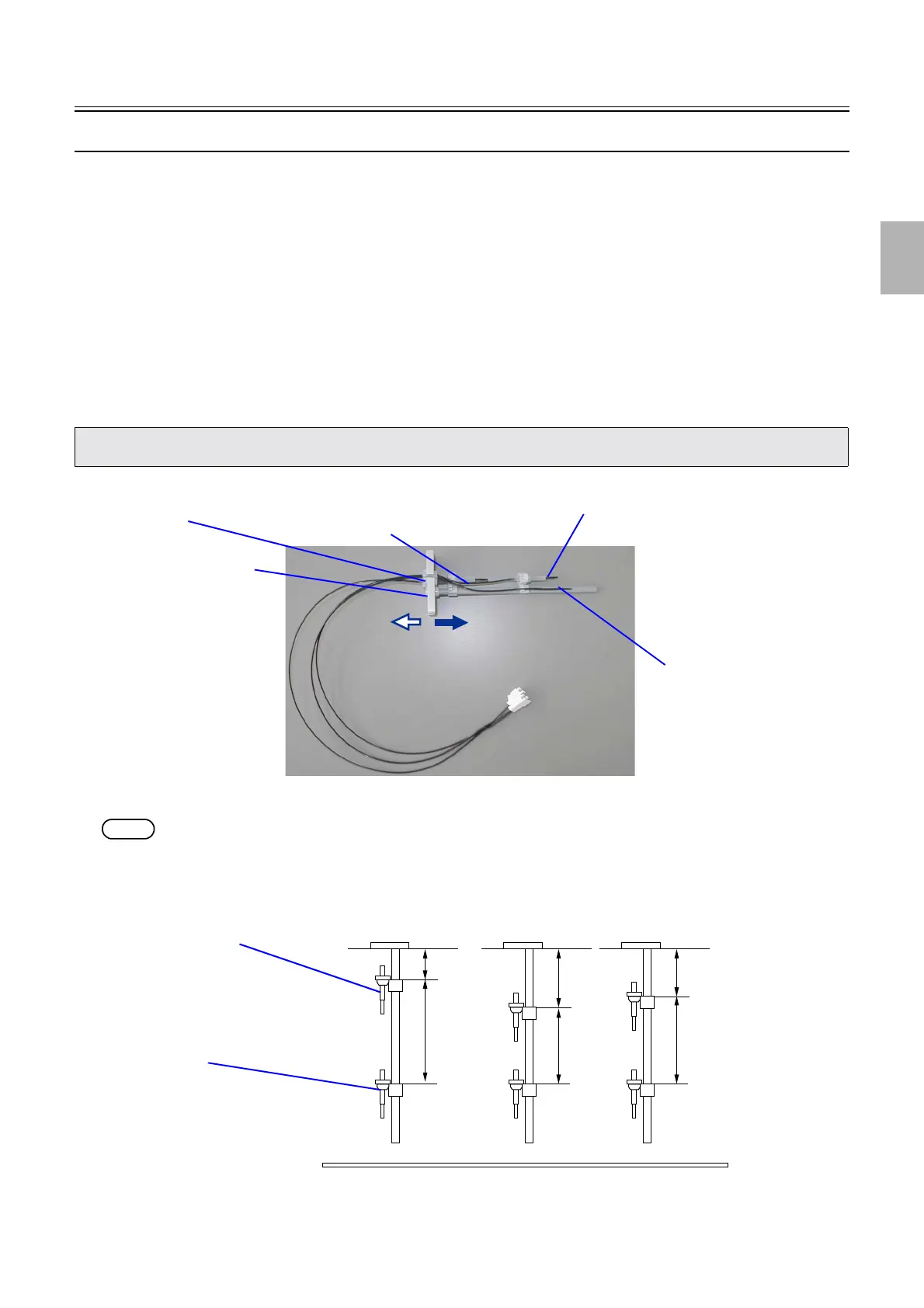
3. Remove the rubber plug from the flange section in the direction of arrow 1.
Remove the replenishment solution level sensor wiring from the rubber plug, and remove the replenishment solution level
sensor connector in the direction of the arrow 2.
NOTE
• The replenishment solution level sensors are installed in the positions shown below.
• Regarding the replenishment solution level sensor, replace # # #(upper) replenishment solution level sensor, # # #(lower)
replenishment solution level sensor and HL−F−001 as a set.
(1)
(2)
Flange section
Rubber plug
HL−F−001
# # #(Lower) replenishment solution level sensor
# # #(Upper) replenishment solution level sensor
G085346
12mm
77.2mm
22.4mm
65.9mm
P1R
P2RA
18.7mm
65.9mm
P2RB
# # #(Upper) replenishment solution level sensor
# # #(Lower) replenishment solution level sensor
G085347
Distributed by: minilablaser.com



 To Next Page