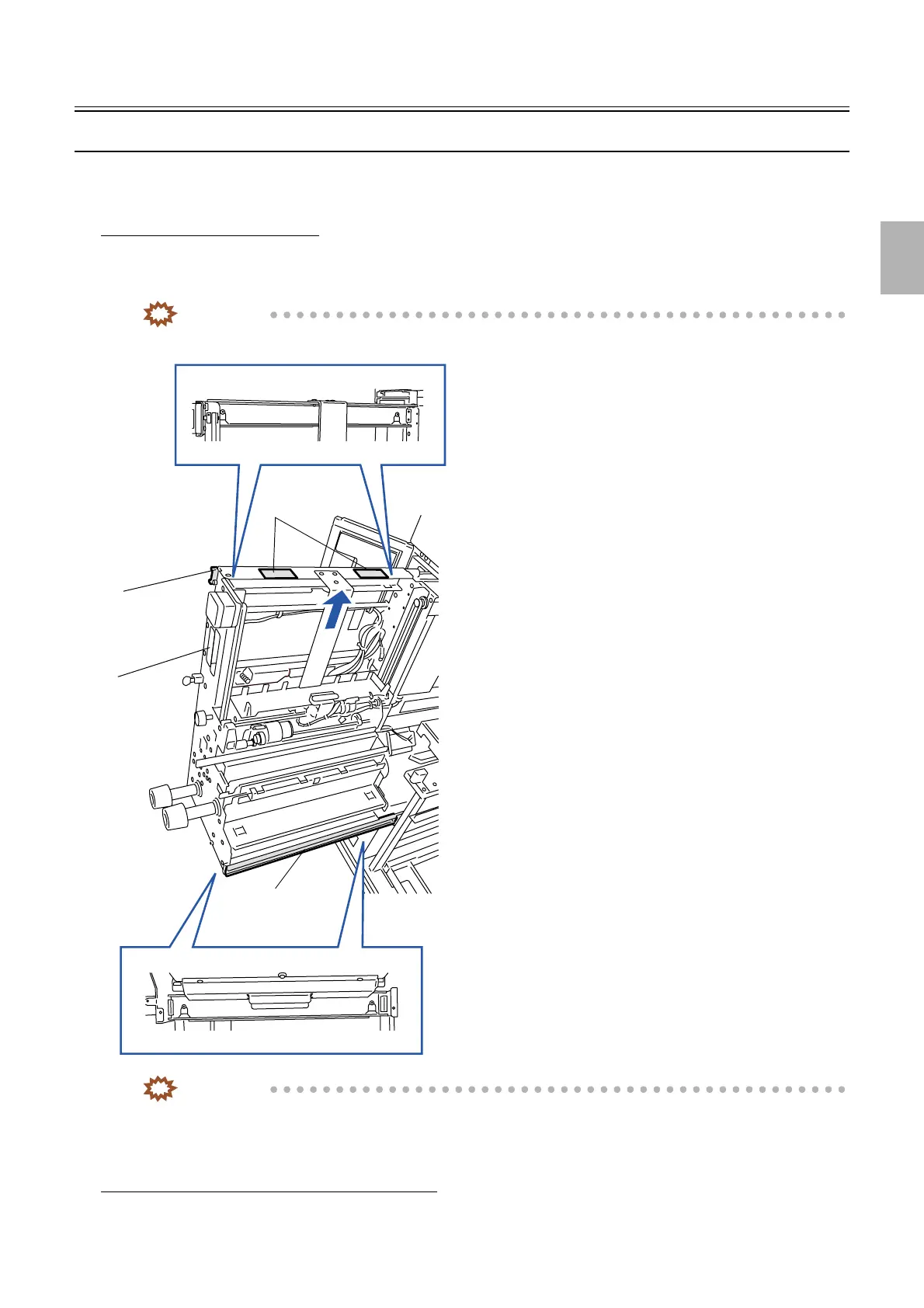
Paper supply unit
1/2
2. Replacement and adjustment of parts
25610
25610
Paper su pply unit
Removing the paper supply unit
!
!!
! Procedure
Removing the paper supply unit
1. Pull out the paper supply unit.
2. Hold part A and lift up the paper supply unit to the direction of the arrow.
IMPORTANT
• The paper supply unit is heavy. Do not drop it and handle it carefully after removing.
IMPORTANT
• Set the paper supply unit on the lower rail and then set it on the upper rail.
!
!!
! Adjusting the attaching position
When the original paper supply unit is reattached
1. It is not necessary to adjust.
Paper supply
unit
Lower rail
Upper rail
Parts A
G068526
Distributed by: minilablaser.com



 To Next Page