Setup
1/4
3. Mode
32513
32513
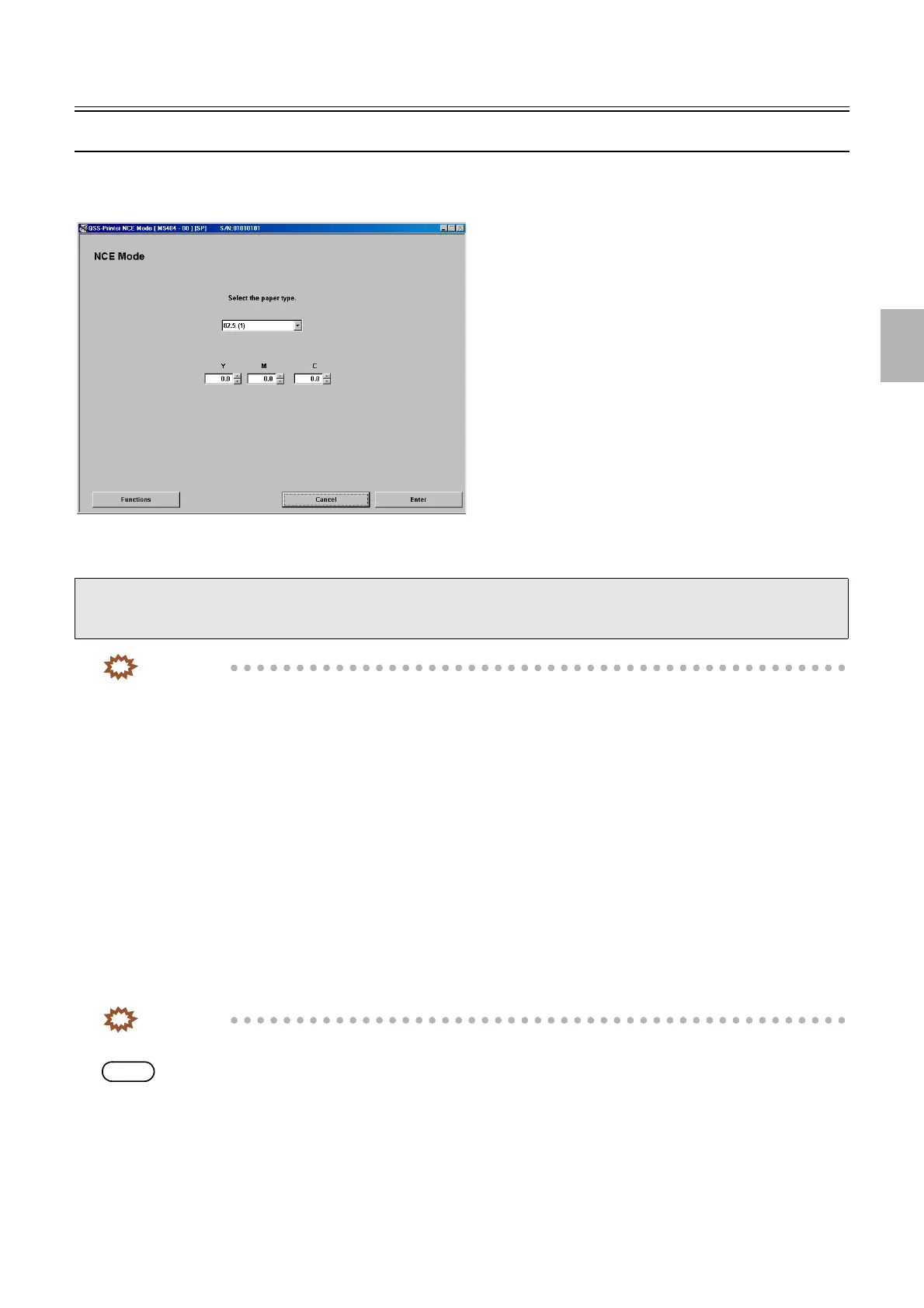
NCE Mode
Bringing up the display
Maintenance → Extension → Setup → Laser Setup → Paper Specification Registration/Setup → Functions → NCE Mode
!
!!
! Explanation
IMPORTANT
• This NCE Mode is the user mode, however, the service personnel should instruct the user basically when the user
correct in the mode. The reasons are shown below.
• When using the Edit function of this system or Adobe Photoshop (commercial software), there is a case of the blur of
color around the letters is softened when making prints with the color values of letters is B = G = R = 10 or more. So
before correcting in NCE Mode, try it.
If the blur of color is still noticeable, correct in NCE Mode.
• Use this mode only when softening the area around the letters on prints (such as black letters on white or pale
background and white letters on the black background). This does not correct the whole color in prints.
• If the correction is done too much in NCE Mode, the level of high density tends to be lower (D-MAX becomes lower).
• How blurred colors appear changes depending on various condition such as letter's fonts and size, papers that are in
use, and condition of the media correction, DSA correction and processing solutions. So this correction cannot make
same effect on all kinds of letters.
Make correction with a print which is input letters with the most usually used font and size and made with most usually
used paper.
!
!!
! (Input range: -20.0 to +20.0)
Check the test print and input the correction value.
IMPORTANT
• Correct all CMY colors in the minus direction.
NOTE
• By correcting all YMC colors in the plus direction, the density of black is raised. Check if the correction does not affect on the
area around letters.
• After the initial setup or Paper Specification Registration/Setup, Black Balance Adjustment will be automatically carried out. To
make additional fine adjustments, use NCE Mode.
• NCE Mode can be used to lessen the blurring of color around letters on prints.
M5402-01
Distributed by: minilablaser.com



 To Next Page