Colorimeter Section
1/4
2. Replacement and adjustment of parts
27470
27470
Adjusting the height of the colorimeter
IMPORTANT
• When replacing the colorimeter of the colorimeter unit, be sure to adjust the height.
!
!!
! Procedure
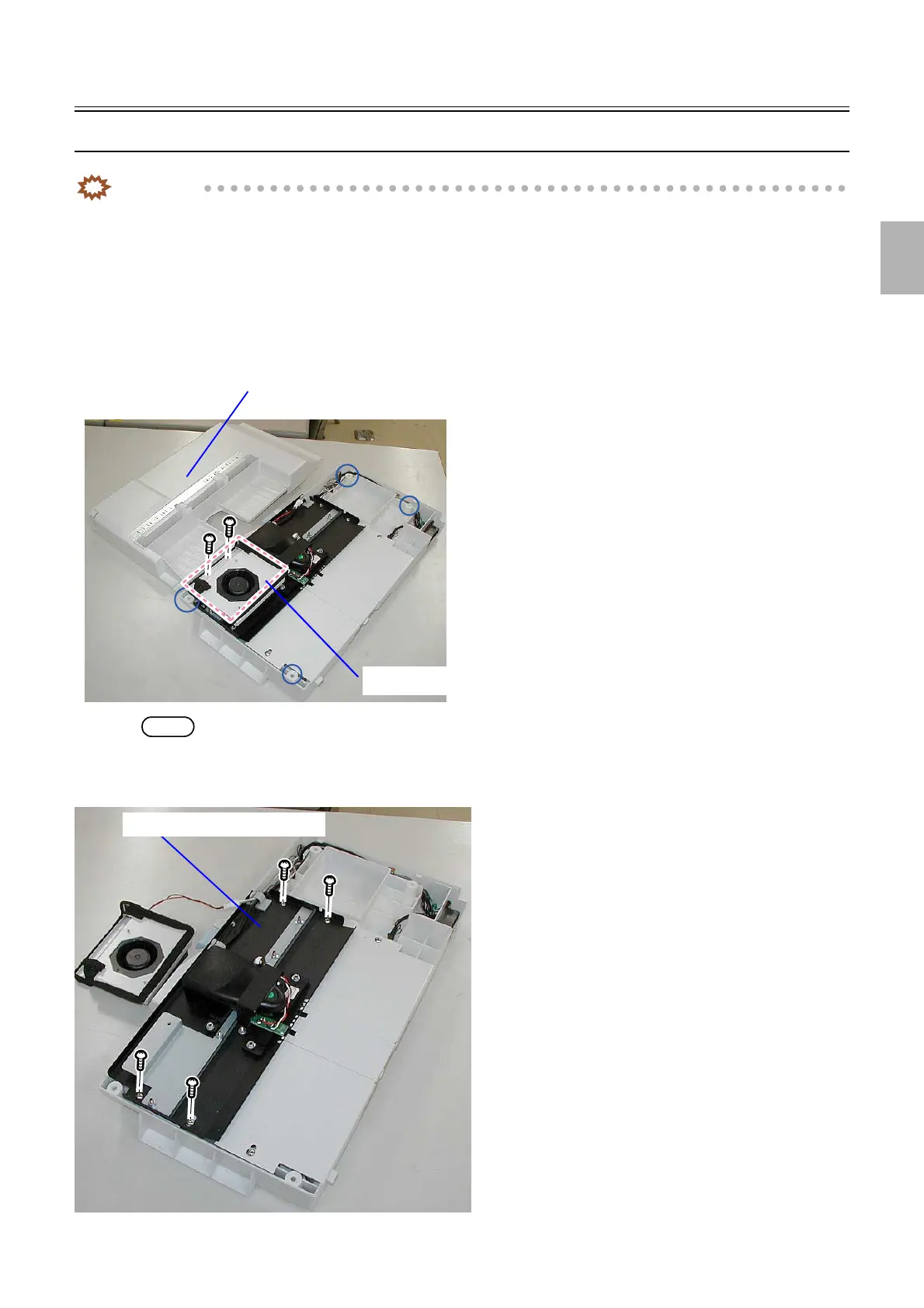
1. Remove the colorimeter unit cover.
(four screws)
2. Remove the Colorimeter Cooling Fan.
(two screws)
NOTE
• If necessary, disconnect the connectors of the Colorimeter Cooling Fan.
3. Remove the colorimeter unit top.
(four screws)
Colorimeter unit cover
Colorimeter Cooling Fan
G085247
Colorimeter unit top
G085252
Distributed by: minilablaser.com



 To Next Page