Maintenance
1/1
3. Mode
35700
35700
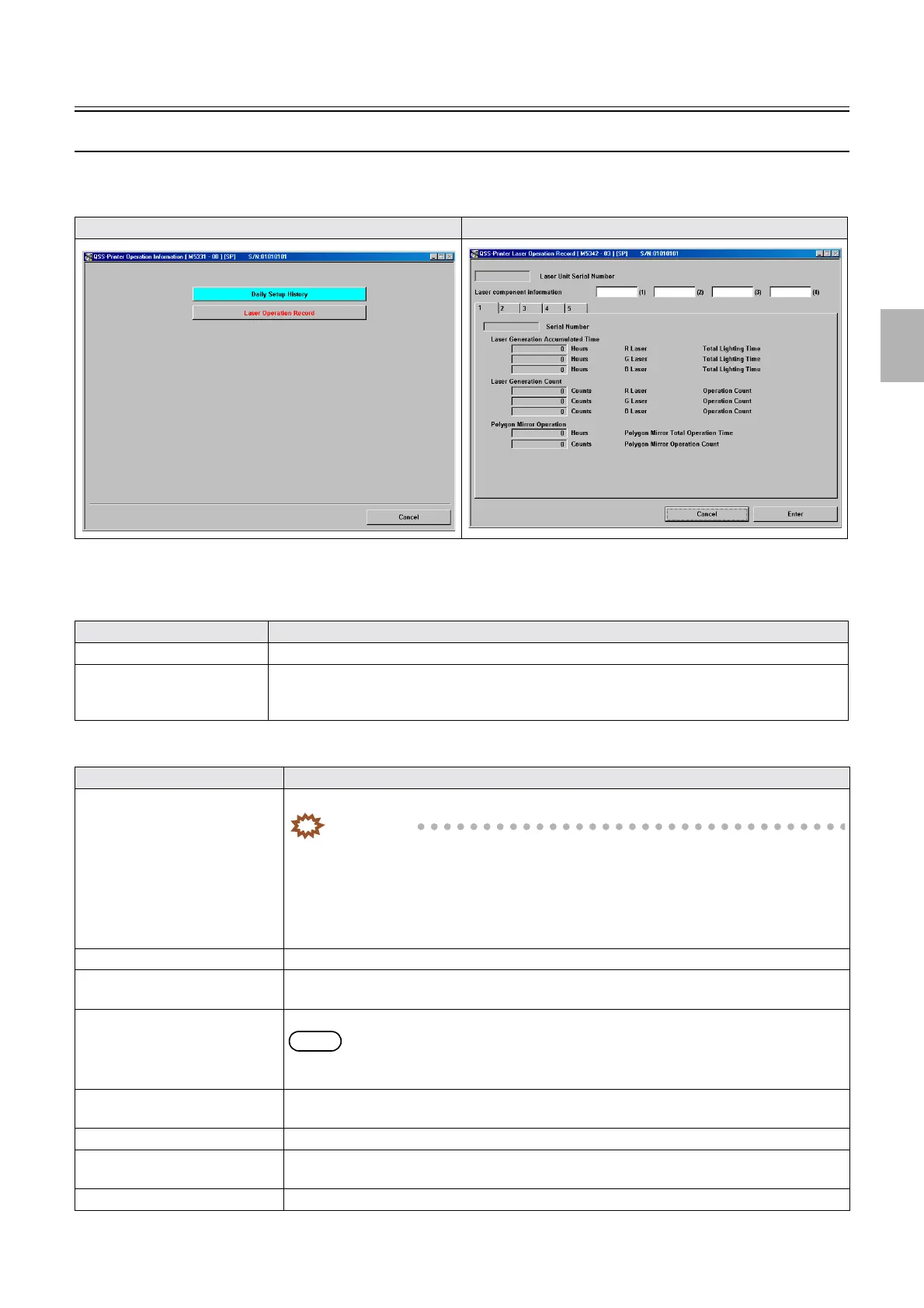
Operation Information
Bringing up the display
Maintenance: 2260 → Extension → Maintenance → Operation Information
!
!!
! Explanation
Operation Information
Laser Operation Record
Operation Information Laser Operation Record
Item Explanation
Error Record For error record, see the EZ Controller Service Manual.
Daily Setup History The daily setup history from the latest setup is displayed.
Data of the past seven setups are shown. If the number of data exceeds seven, the oldest one will be
deleted.
Item Explanation
Laser Operation Record You can check operation records of laser-related parts.
IMPORTANT
• The laser operation record PCB maintains the data of the Serial Number, Laser
Generation Accumulated Time, Laser Generation Count, Polygon Mirror Total
Operation Time and Polygon Mirror Operation Count.
The data listed above is not changed if loading all the data into the system with the
Reading and Writing Data.
• The data listed above can be maintained up to five.
Laser Unit Serial Number Displays the serial No. of the laser unit.
Laser component information Displays the laser code described in the laser operation record PCB (in the laser unit).
Do not change the laser code, or an error may occur.
Serial Number Displays the serial No. of the system that installed the laser unit.
NOTE
• Serial Number displays the serial No. detected in Machine Specification.
The Serial Number data is maintained in the laser unit.
Laser Generation Accumulated
Time
Displays the total lighting time of the R, G and B lasers.
Laser Generation Count Displays the operation counts of the R, G and B lasers.
Polygon Mirror Total Operation
Time
Displays the polygon mirror operation time.
Polygon Mirror Operation Count Displays the polygon mirror operation count.
Distributed by: minilablaser.com



 To Next Page