Self-diagnostic
1/3
3. Mode
35951
35951
Laser Self-Diagnostic (diagnosis AUTO)
Also see the following references to utilize for diagnosis.
!
!!
! Diagnosis (AUTO)
1. Click Diagnosis on the Laser Self-Diagnostic display.
NOTE
• It takes approximately 2 minutes to complete Laser Self-Diagnostic.
2. The Laser Self-Diagnostic program diagnoses Light Source Status (R), Light Source Status (B),
Synchronous Detection Setting Value, Synchronization frequency and Polygon mirror (Locked)
of the laser unit.
NOTE
• At the same time the above diagnosis is performed, error records of ☞No. 06106 G Laser light source status error.
are searched and the number of occurrence is counted.
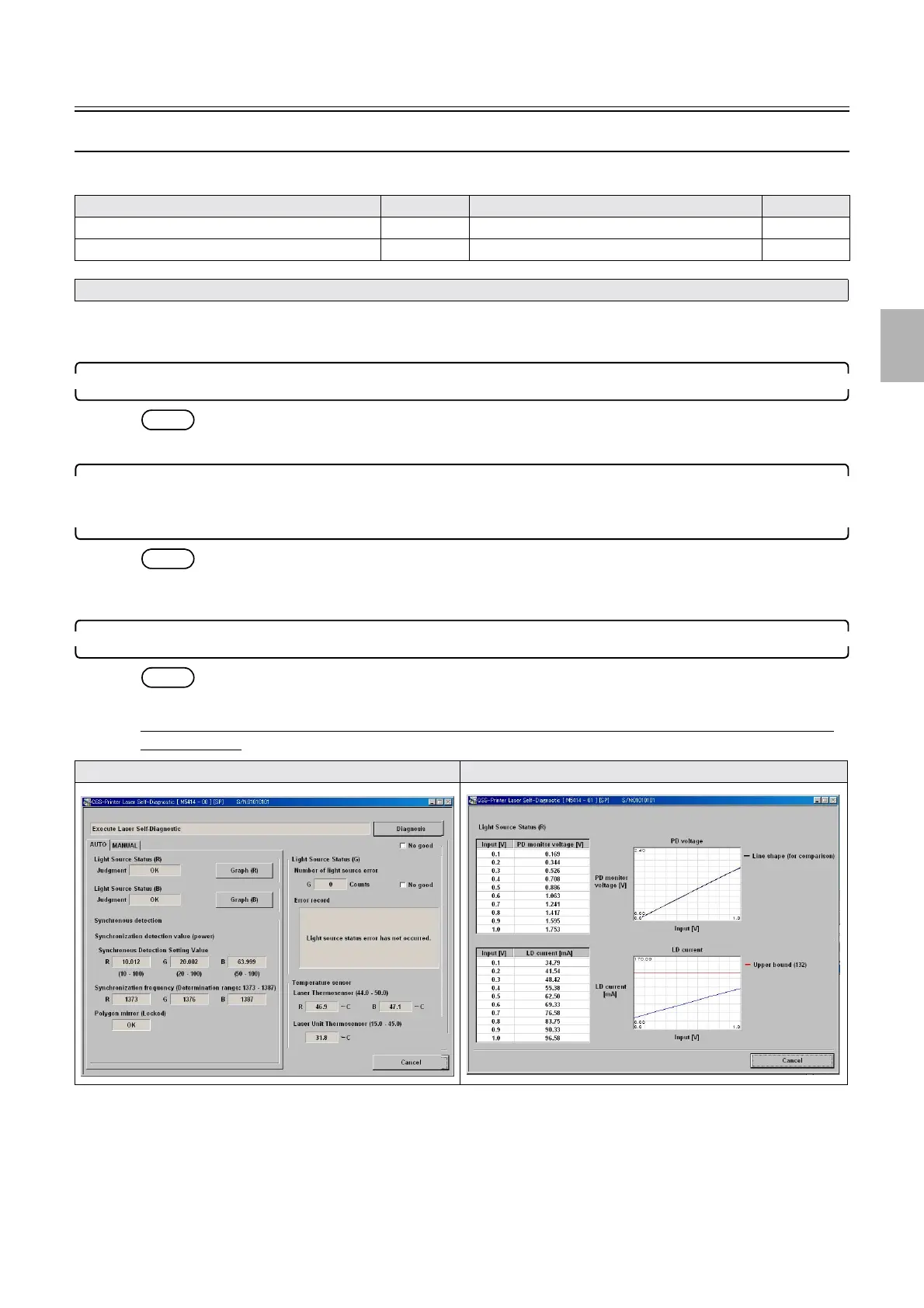
3. The diagnosis result of Laser Self-Diagnostic program is shown.
NOTE
• It takes ten minutes at a maximum until the diagnosis result is shown.
Example: If the diagnosis result is normal (FRONTIER-Printer: Ver. 2.01 or earlier, QSS-Printer: Ver.
4.02 or earlier)
Model Reference Model Reference
Laser Self-Diagnostic (details of modes)
☞35950 Laser Self-Diagnostic (diagnosis: MANUAL) ☞ 35952
Laser Self-Diagnostic (starting/exiting) ☞35953
• For the symptoms for which Laser Self-Diagnostic is and is not effective, see ☞Explanation (Laser Self-Diagnostic) 35950.
Laser Self-Diagnostic Laser Self-Diagnostic (graph (R))
Distributed by: minilablaser.com



 To Next Page