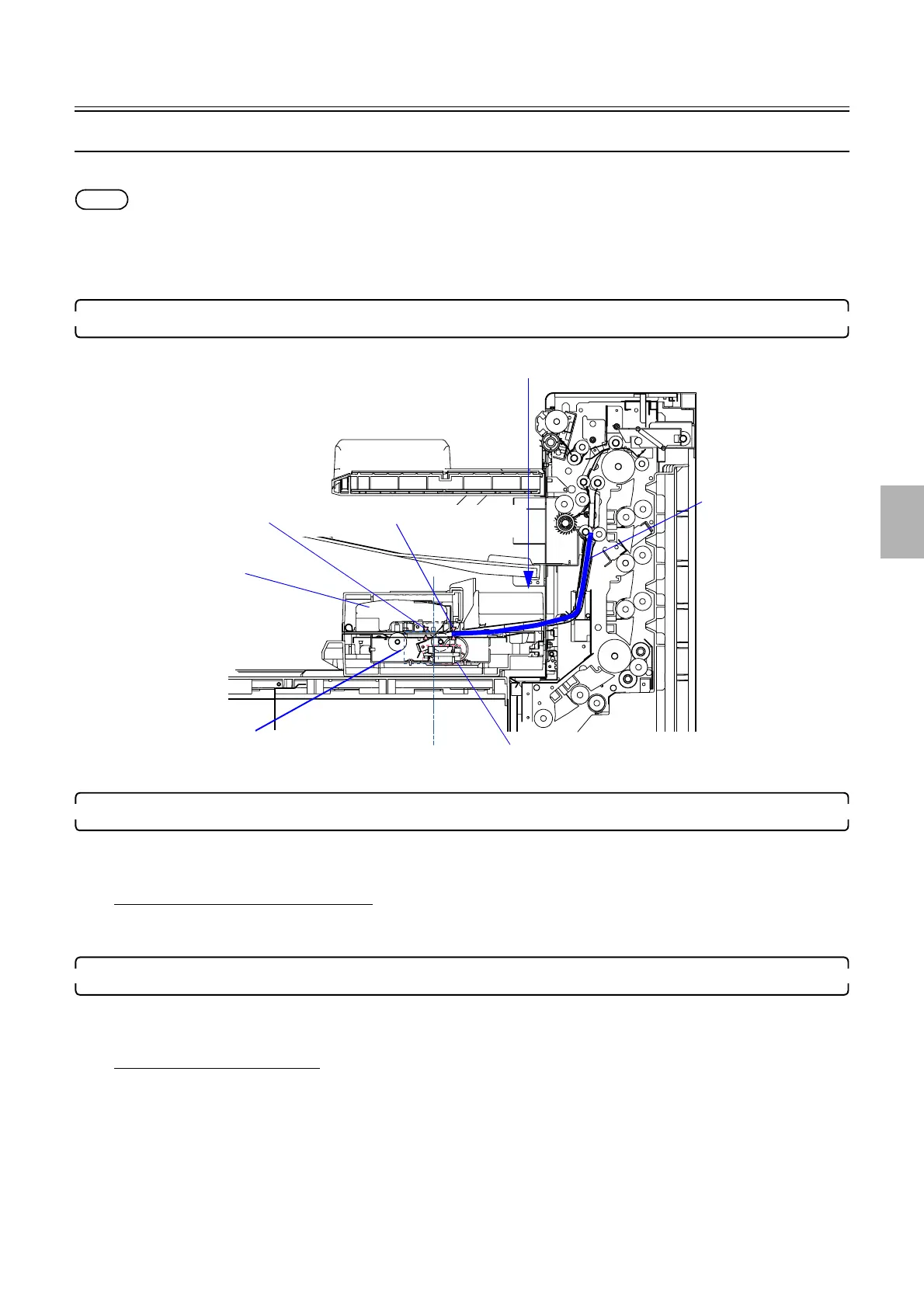
Colorimeter unit operation
1/3
5. Operation sequence
56610
56610
Automatic color measurement operation for setup prints
This section explains the automatic color measurement operation for setup prints.
NOTE
• When attention messages or error messages is shown after failed to measure the setup print, the setup print is output without
registering the result.
• When the measurement would be failed and the attention message
☞No. 01029The measurement failed. Measure it again. is
shown, you can measure the setup print again if inserting the print to the colorimeter unit manually.
1. The print was inserted to the colorimeter unit.
2. Detects the paper leading end by paper sensor 1, and releases the pressure of the measurement position.
• Paper sensor 1: LIGHT to DARK
• Pressure solenoid: ON
If paper sensor 1 does not turn DARK
• ☞No. 05535
Paper has jammed in the processor section.
3. Starts to advance the paper after detected the paper leading end by paper sensor 1.
• Paper sensor 1: DARK
• Paper advance motor: ON (forward)
If paper sensor 1 turns LIGHT
• ☞No. 01552-00001
The paper in the Colorimeter is too short. It cannot be measured.
Colorimeter
Paper advance motor
Pressure solenoid
Paper sensor 2
Paper sensor 1
Measuring
Remeasurement inlet
Paper
G085219
Distributed by: minilablaser.com



 To Next Page