F replenishment unit [F]
1/1
2. Replacement and adjustment of parts
27510
27510
Removing the replenishment cartridge installation section [F]
!
!!
! Procedure
1. Remove the F replenishment unit.
☞27500
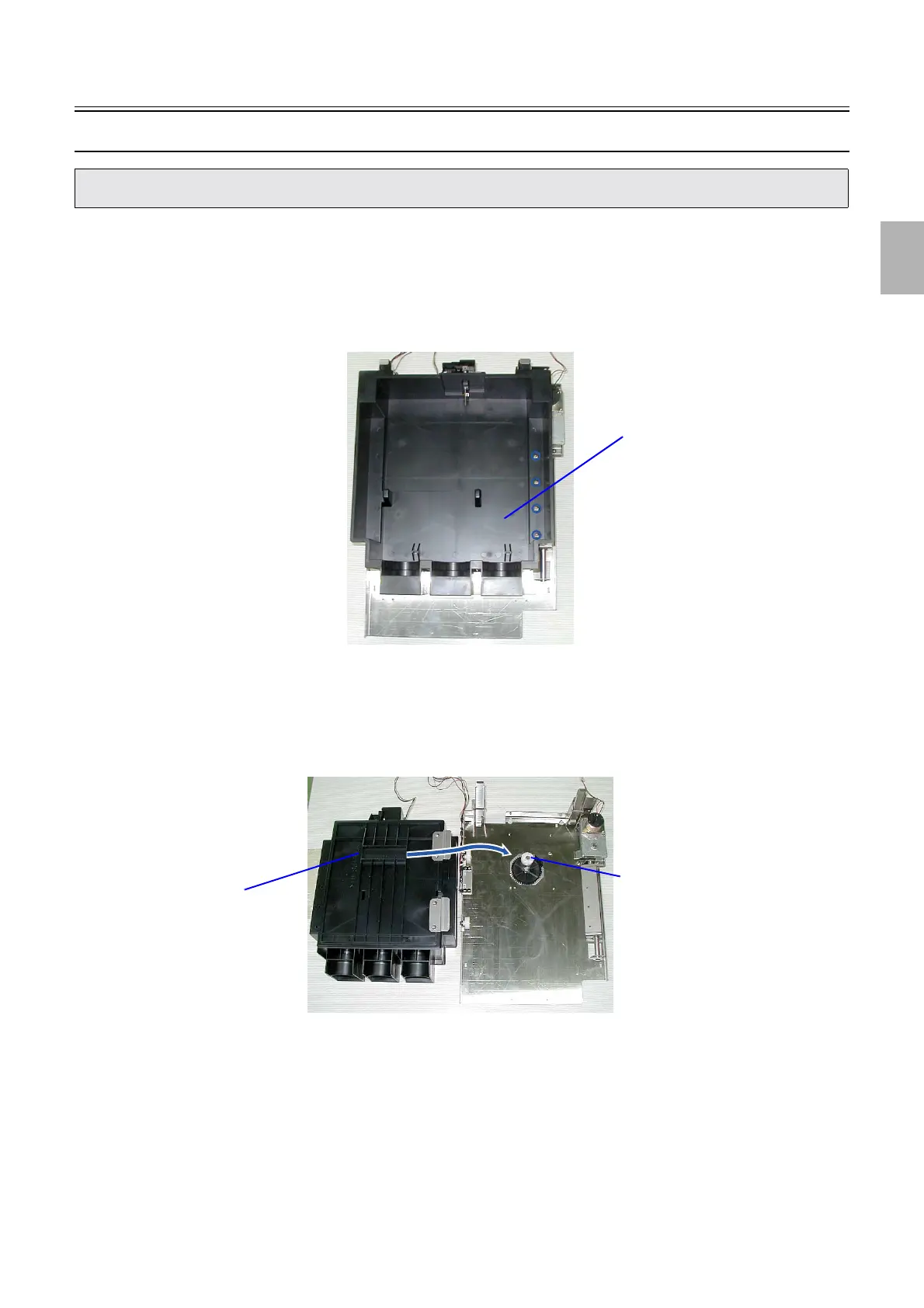
2. Remove the replenishment cartridge setting section. (four screws)
!
!!
! Precautions when reattaching
1. Set the cam into the square hole in the replenishment cartridge setting section to attach it.
2. Confirm that the F replenishment unit works normally using the output check.
• Remove the replenishment cartridge setting section when replacing or checking the replenishment cartridge opening motor,
replenishment cartridge position sensor (upper) or replenishment cartridge position sensor (lower).
Replenishment cartridge setting
G085882
Cam
Square hole
G085883
Distributed by: minilablaser.com



 To Next Page