Paper supply unit
1/2
2. Replacement and adjustment of parts
25650
25650
Adjusting the CVP imprint pressure
!
!!
! Procedure
1. Pull out the paper supply unit.
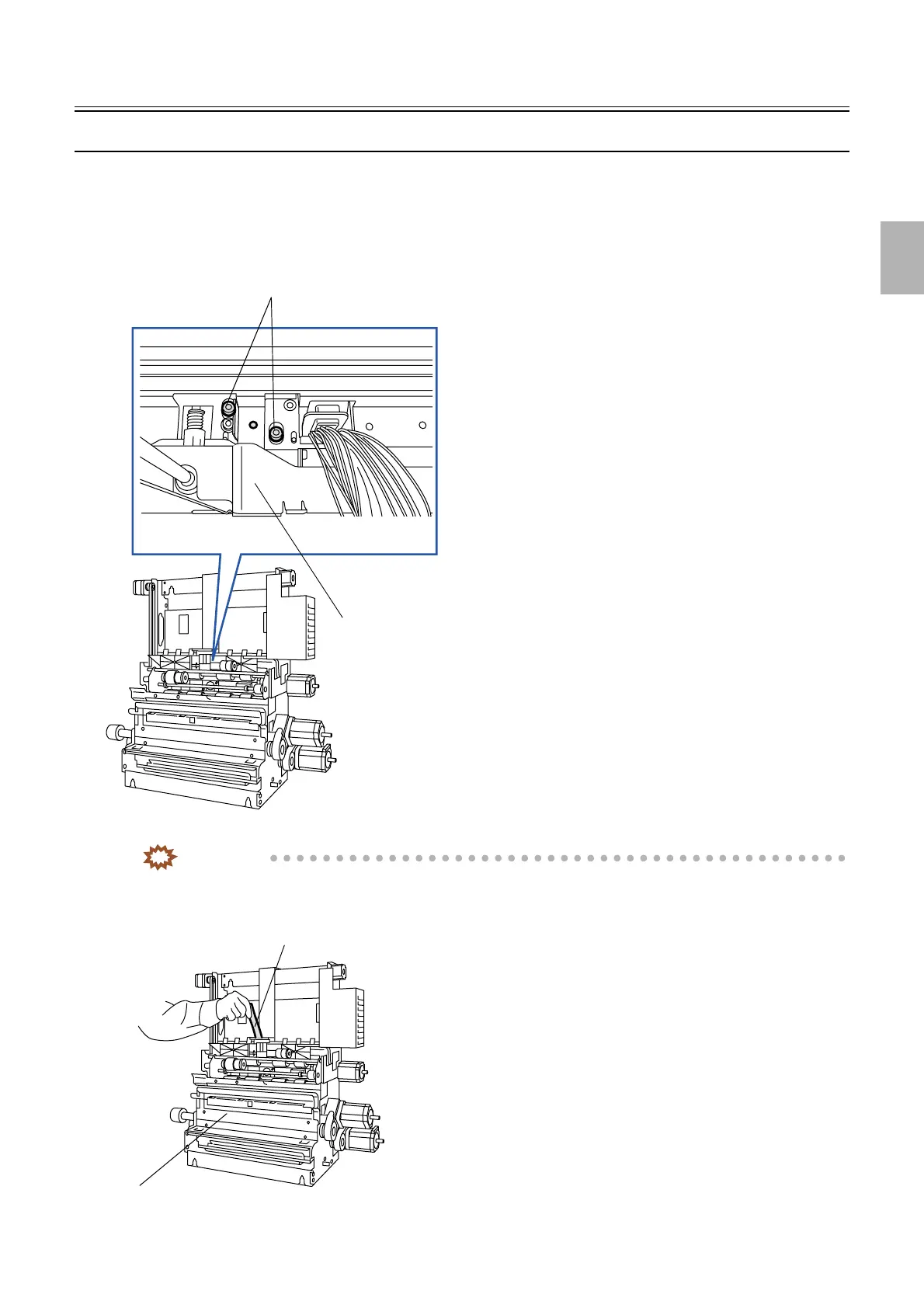
2. Loosen the two screws on the correction value printing unit.
3. Attach the head adjusting jig in the paper supply unit.
IMPORTANT
• The head adjusting jig is a service personnel tool. See Service personnel tool list.
•
☞80310
Loosen these screws.
Correction value printing unit
Note
Overhead view of the correction value printing
unit
G070033
Paper supply unit
Head adjustment jig
G070034
Distributed by: minilablaser.com



 To Next Page