Printer Mechanical Adjustment
1/2
3. Mode
36050
36050
Paper Advance Length Correction
Bringing up the display
Maintenance: 2260 → Extension → Maintenance → Various Adjustment → Printer Mechanical Adjustment → Paper Advance Length
Correction
NOTE
• Enter the service personnel password (2260) to configure these settings.
!
!!
! Explanation
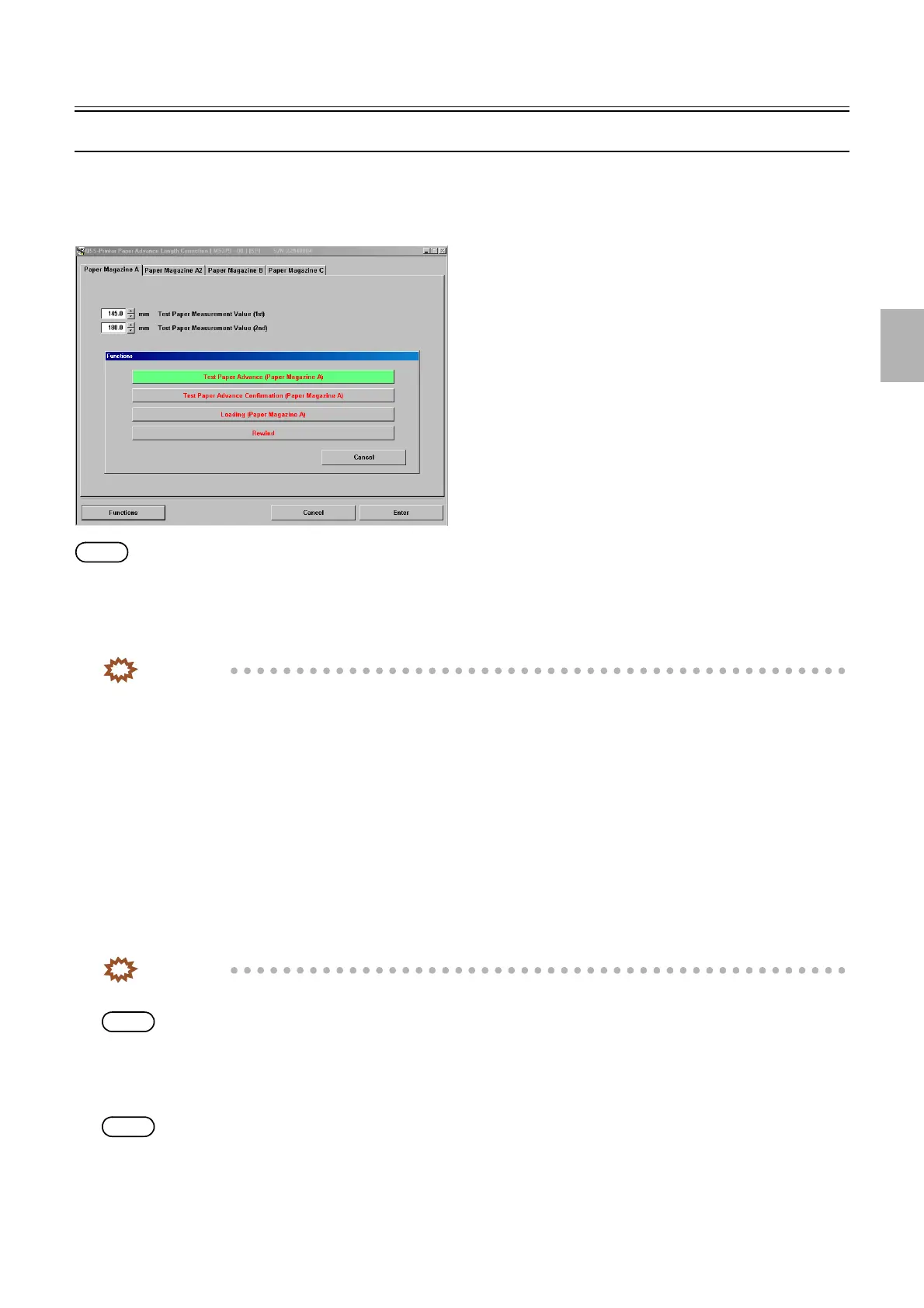
Correct the paper advance length and the advance roller feed error.
IMPORTANT
• It is necessary to carry out paper advance length correction for each paper magazine A, A2, B, and C.
!
!!
! Test Paper Measurement Value (1st) (Initial value: 150.0 mm) (Input range: from 145.0 to 155.0 mm)
The first paper is for the correction of the paper which has just been fed out from the paper magazine (distance between the paper
loading sensor and the paper cutter) and the advance feed error.
!
!!
! Test Paper Measurement Value (2nd) (Initial value: 200.0 mm) (Input range: from 180.0 to 220.0 mm)
The second test paper is for the correction of the advance roller feed error.
!
!!
! Functions
!
!!
! Test Paper Advance
Two test prints of 150.0 mm and 200.0 mm are made without any correction.
IMPORTANT
• Be sure to enter the measurement dimensions of the first and second test papers at the same time.
NOTE
• The paper width, [A ####(#)] is printed as the CVP imprinting.
!
!!
! Test Paper Advance Confirmation
Two test prints of 150.0 mm and 200.0 mm are made using correction values.
NOTE
• The paper width, 〈A ####(#)〉 is printed as the CVP imprinting.
!
!!
! Loading (Paper Magazine A/A2/B/C)
The paper is loaded.
M5379-00
Distributed by: minilablaser.com



 To Next Page