2/2
3. Mode
36050
36050
Printer Mechanical Adjustment
!
!!
! Rewind
The paper is rewound.
!
!!
! Adjusting procedure
1. Attach the paper magazine to carry out the paper advance length correction on the magazine mount
A/A2/B/C.
2. Select paper magazine A/A2/B/C.
3. Carry out Test Paper Advance via Functions.
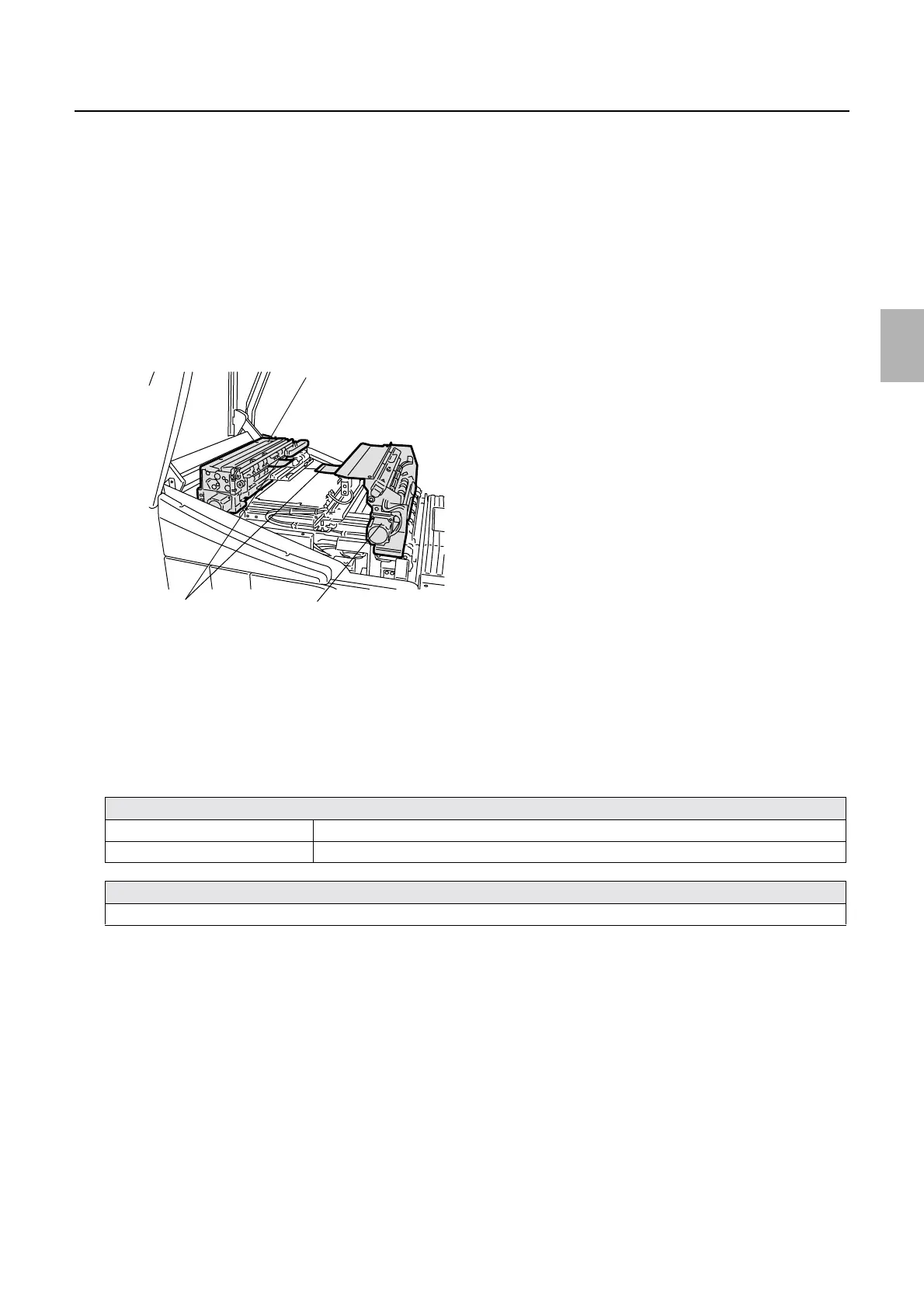
4. Open the printer top cover and remove the paper from paper advance unit 1 and 2.
5. Measure each test paper length of the first and second paper which are removed.
6. Enter each measurement dimension.
7. After correcting, carry out Test Paper Advance Confirmation via F: Functions and be sure to make a
print and check if the advance length is correct.
8. If the advance length is not correct, adjust it in the following procedure.
If the advance length of the first print after loading is not correct
If the advance length is longer Increase the correction value of Test Paper Measurement Value (1st).
If the advance length is shorter Decrease the correction value of Test Paper Measurement Value (1st).
If the advance length of the second or later print after loading is not correct
Reset the measurement lengths of Test Paper Measurement Valued (1st, 2nd) to the initial values and adjust them again.
Paper advance unit 1
Paper advance unit 2Paper
G068461
Distributed by: minilablaser.com



 To Next Page