Diagnosis appendix: [F]
1/1
4. Troubleshooting
4630
4630
Taking countermeasures after the errors No.05916 to No.05921 occurs
1. Error No. 05916 to No. 05921 occurs.
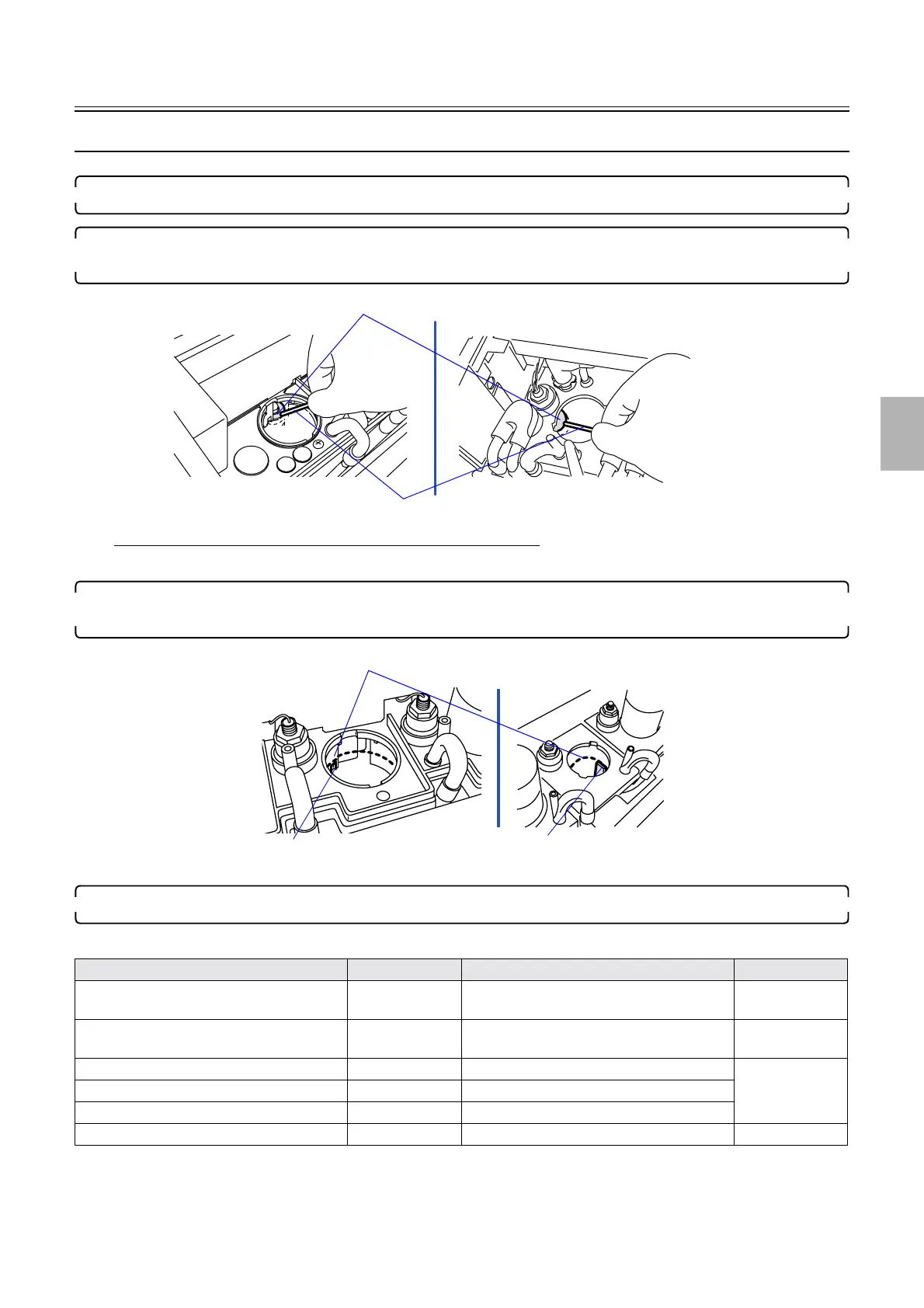
2. Remove the filter pipe of each processing tank, then push and sink the float of the processing solution float
switch with a stick to confirm the processing solution float switch moves smoothly.
If the processing solution float switch does not move smoothly
• Check that each processing solution float switch is not soiled.
3. If the processing solution in a tank is found to be below the cutout of the sub-tank or the solution level
indicator, add the processing solution from the sub-tank.
4. Error recurs?
Error recurs Manual No. No error Manual No.
Processing solution float switch ☞63280 Check each replenishment pump output
amount again.
☞33003
Processor relay PCB
☞66220 Check the output amounts of auto cleaning
pump + each automated cleaning valve again.
☞33004
Processor control PCB
☞66200 Replenisher pump ☞63280
Processor I/O PCB
☞66210 P1, P2 and PS automated cleaning valve
Processor power supply 2 ☞67400 Replenisher cartridge cleaning pump
Processor control PCB ☞66200
Sticks
Floats
G069042
Cutout
Solution level check positions
Solution level indicator
G085934
Distributed by: minilablaser.com



 To Next Page