Diagnosis appendix: Check the connection of the PC and printer
1/2
4. Troubleshooting
4260
4260
Diag nosis appendix: C heck the connect ion of the PC and prin ter
Checking the connection between the PC and printer
Check the connection from the PC side.
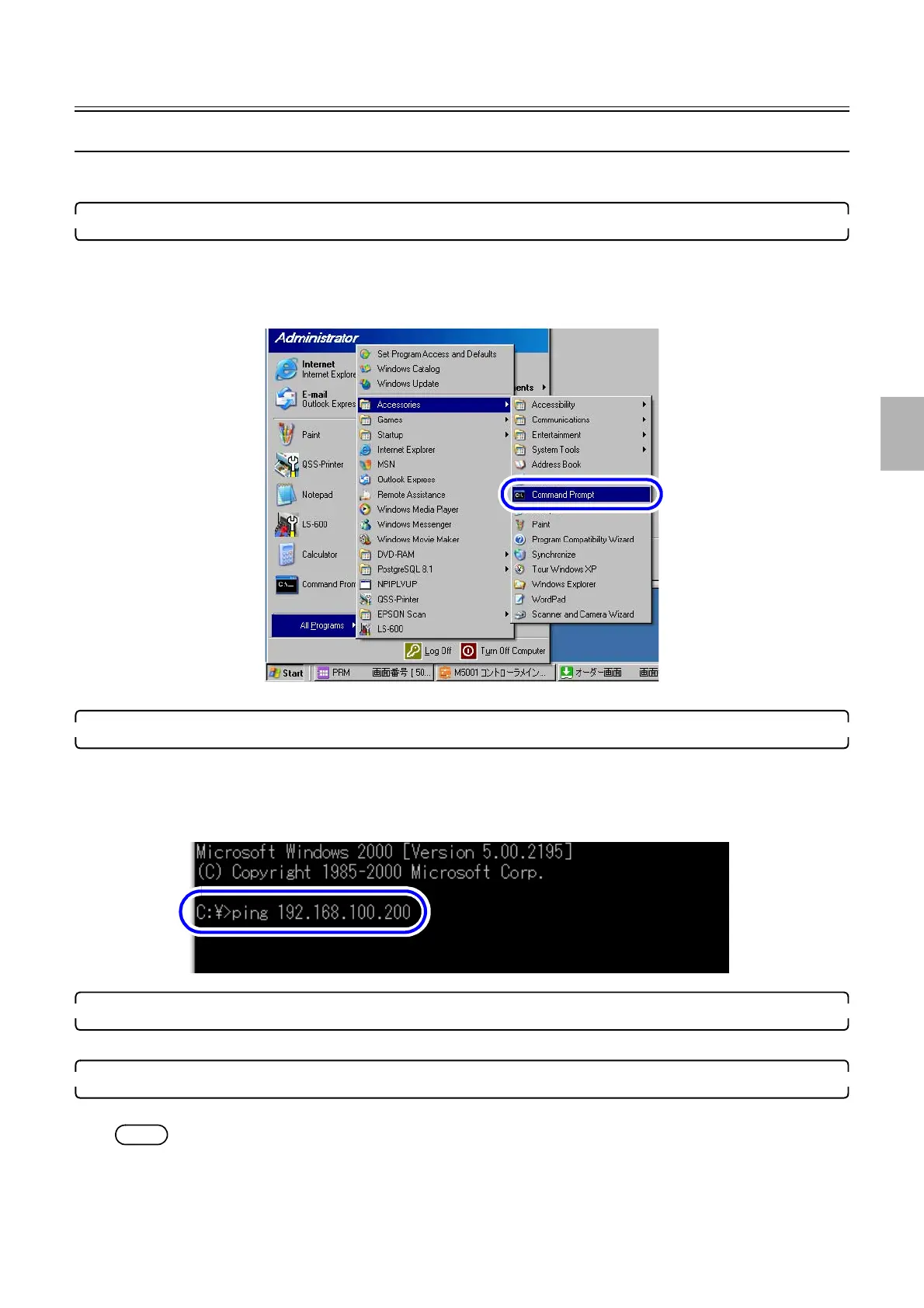
1. Access the Command Prompt of Windows.
Bringing up the display
Start → Programs or All Programs → Accessories → Click Command Prompt in this order.
Example: The desktop display
The Command Prompt display is shown.
2. Enter ping command and the configured IP address.
Enter the printer IP address on the PC.
Enter ping + en quad + IP address.
Example: ping 192.168.100.200
Example: Command Prompt display
3. Press the Enter key on the keyboard.
Confirm that the printer of which IP address has been configured exists on the network.
4. Check the information on the display.
If the communication is normal, the display as below appears.
NOTE
• The value displayed on the screen varies depending on the environment.
G085185
S063776
Distributed by: minilablaser.com



 To Next Page