Maintenance
1/2
3. Mode
35800
35800
Machine Specification
!
!!
! Display
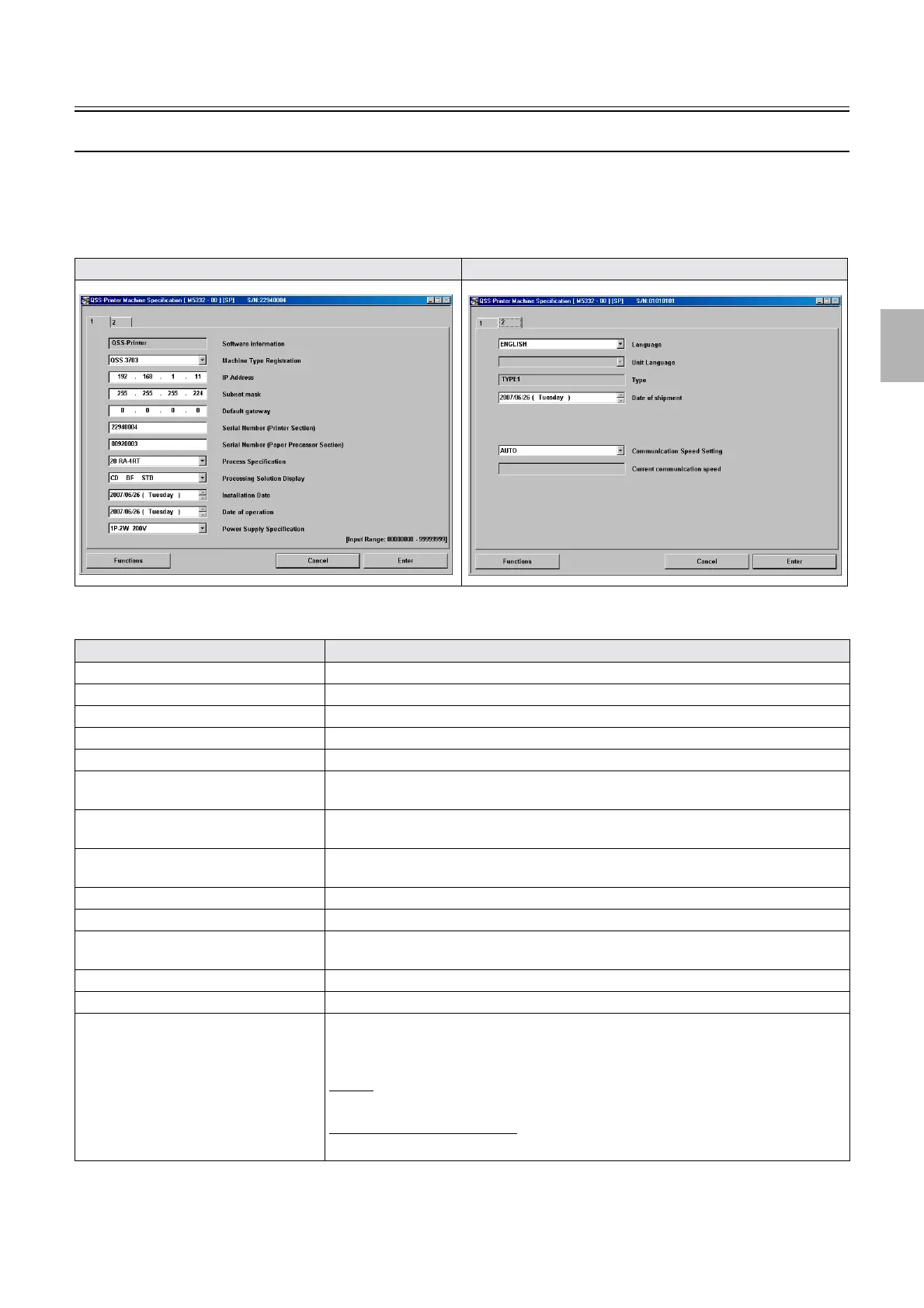
Bringing up the display
Maintenance: 2260 → Extension → Maintenance → Machine Specification
!
!!
! Explanation
Machine Specification (1) Machine Specification (2)
Item Explanation
Software information Displays the Software information obtained from the output device.
Machine Type Registration Displays the Machine Type Registration name of the printer.
IP Address Displays the IP Address of the printer.
Subnet mask Displays the Subnet mask of the printer (printer I/F main PCB).
Default gateway Displays the Default gateway obtained from the output device.
Serial Number (Printer Section) The Serial Number of the printer can be registered or checked.
At the installation, enter the production number.
Serial Number (Paper Processor Section) The Serial Number of the processor can be registered or checked.
At the installation, enter the production number.
Process Specification (Input range: 0 to
80)
Use this mode to set the process specification for the system.
Processing Solution Display Set the display of the chemical solution names by process specification.
Installation Date The installation date of the system can be checked and set.
Date of operation The Date of operation of the system obtained from the output device is shown. Also the
settings can be configured.
Power Supply Specification The power supply specification of the system can be checked.
Language Language for the system program can be selected.
Unit Language Language other than Japanese and English can be selected for the display module.
Cannot be shown if the message file is not installed on PC.
• Save the language file to the following folder.
QSS-37
• C:\NoritsuKoki\Printer\QSS-Printer\data
LP7500/LP7600/LP7700/LP7900
• D:\Noritsukoki\Printer\FRONTIER-Printer\data
Distributed by: minilablaser.com



 To Next Page