2. Replacement and adjustment of parts
25640
2/2
25640
Paper supply unit
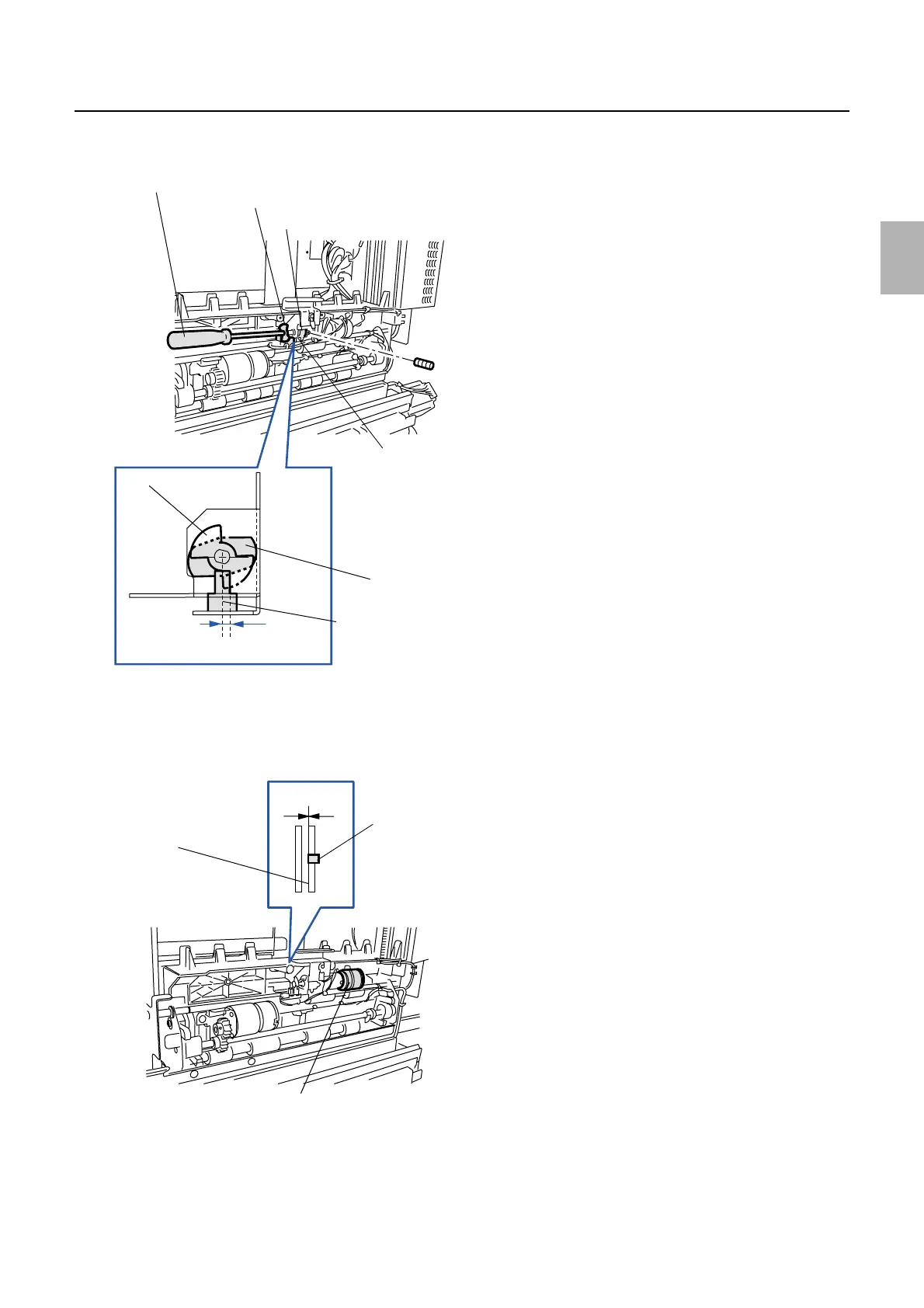
(4) Keep the cam in a horizontal position and adjust the detection plate at the position of 2.35±0.5 mm away from the
edge of the paper hold sensor. (one set-screw)
(5) Tighten the set-screws of the paper hold motor. (Two set-screws)
4. Operate the paper hold motor via Output check to check that the pressure pin is align with the guide
when the paper hold sensor is LIGHT.
☞35310
Hexagonal screwdriver
Detection plate
Paper hold sensor
Cam
Cam
Detection plate
Center of the paper
hold sensor
2.35±0.5 mm
G068543
0.0 mm
Pressure
pin
Guide
Paper hold motor
G068547
Distributed by: minilablaser.com



 To Next Page