2. Replacement and adjustment of parts
27430
2/3
27430
Order sorter section
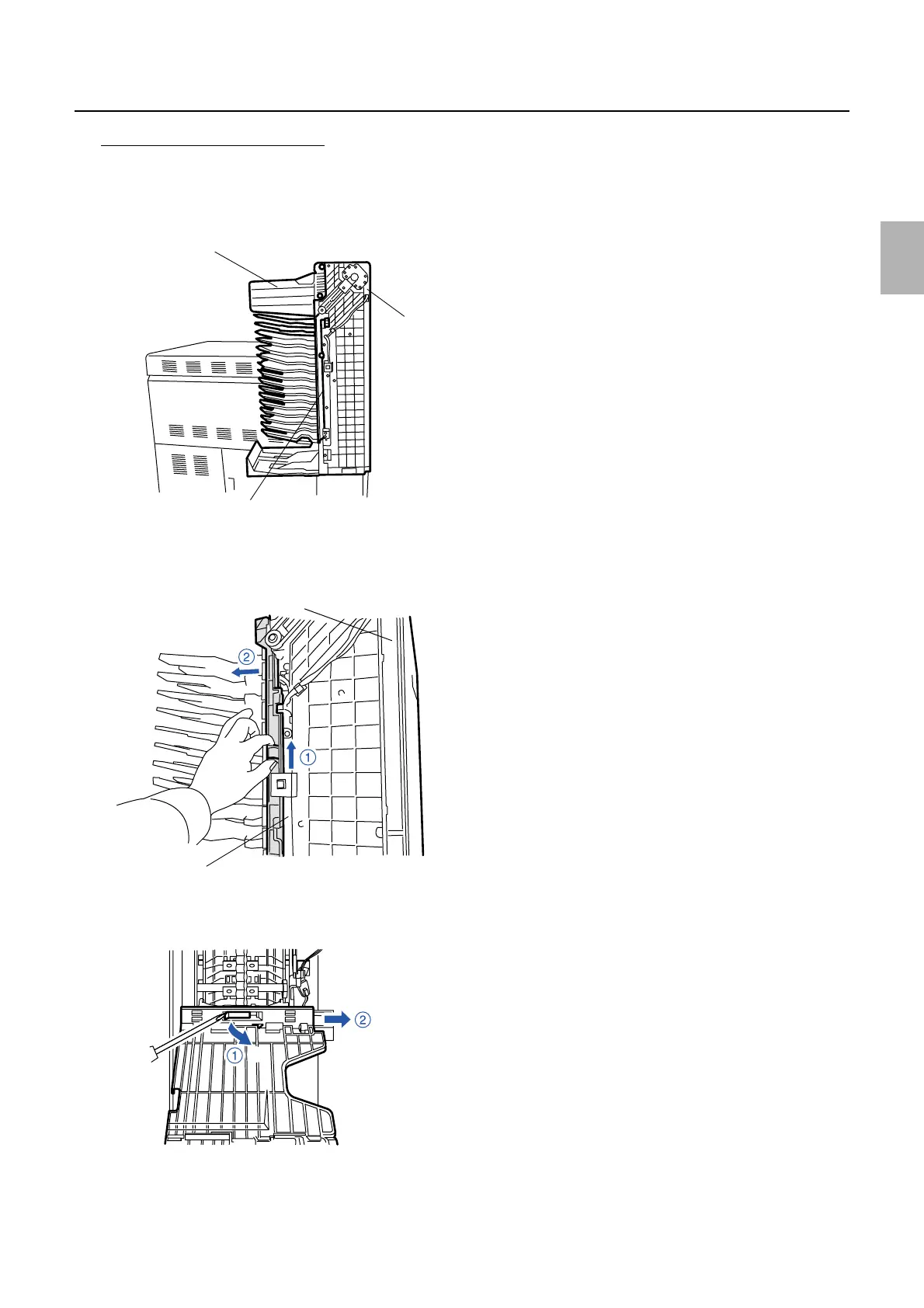
Replacing print receiving tray (3)
1. Remove the sorter cover.
☞20020
2. Remove paper guide (1). (two screws)
3. Remove the receiving tray rail. (one screw)
4. Remove the tray rails in numerical order by sliding them in the direction indicated by the arrow.
5. Insert a slotted blade screwdriver as shown below, lift the print receiving tray slightly and pull it out in the
direction indicated by the arrow.
6. Reassemble the parts.
7. Press the manual sorter switch, then check that the print receiving tray operates properly.
Tray rail
Print sorter unit
Paper guide (1)
G053522
Tray rail
Print sorter unit
G050753
G050390
Distributed by: minilablaser.com



 To Next Page