2/4
3. Mode
32510
32510
Setup
!
!!
! Functions
• (SP1) is shown when entering the service personnel password (2260).
!
!!
! Print Check
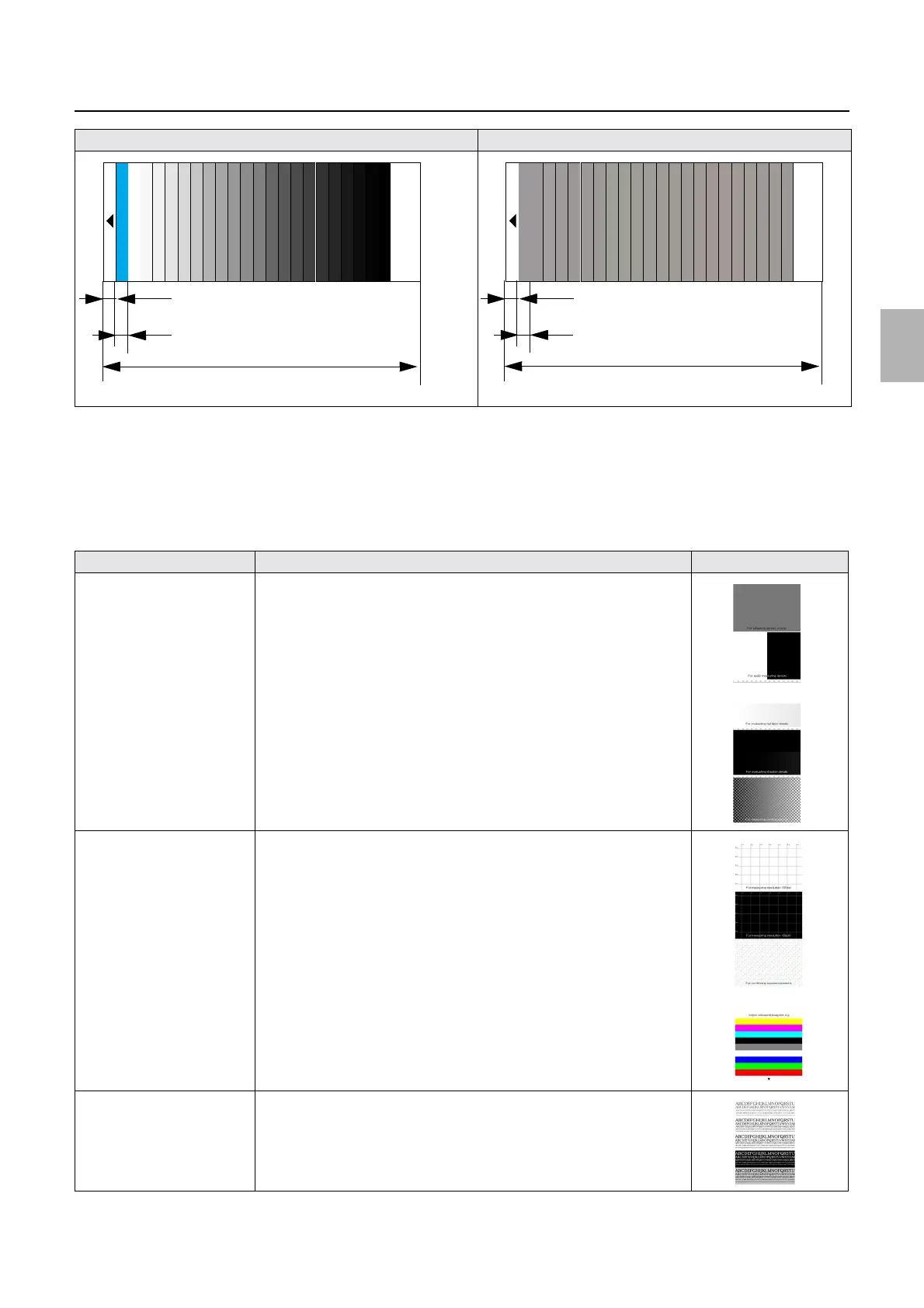
Print sample images 1 to 7 when a problem occurs. Then, the system can be checked using the sample prints.
System Exposure Light Intensity Setting/Paper Gamma Setup 1 Black Balance Adjustment
Sample print Explanation Image
Sample 1 A print of a sample image with the CMS setting off
• For details, see
☞32517.
Sample 2 A print of a sample image with the CMS setting off
• For details, see
☞32517.
Sample 3 A print of an image with text
Length of unexposed part: 12 mm
Each step length: 12 mm
22-step setup print: 320 mm
Length of unexposed part: 12 mm
Each step length: 12 mm
22-step setup print: 320 mm
Distributed by: minilablaser.com



 To Next Page