3/3
3. Mode
36010
36010
Printer Mechanical Adjustment
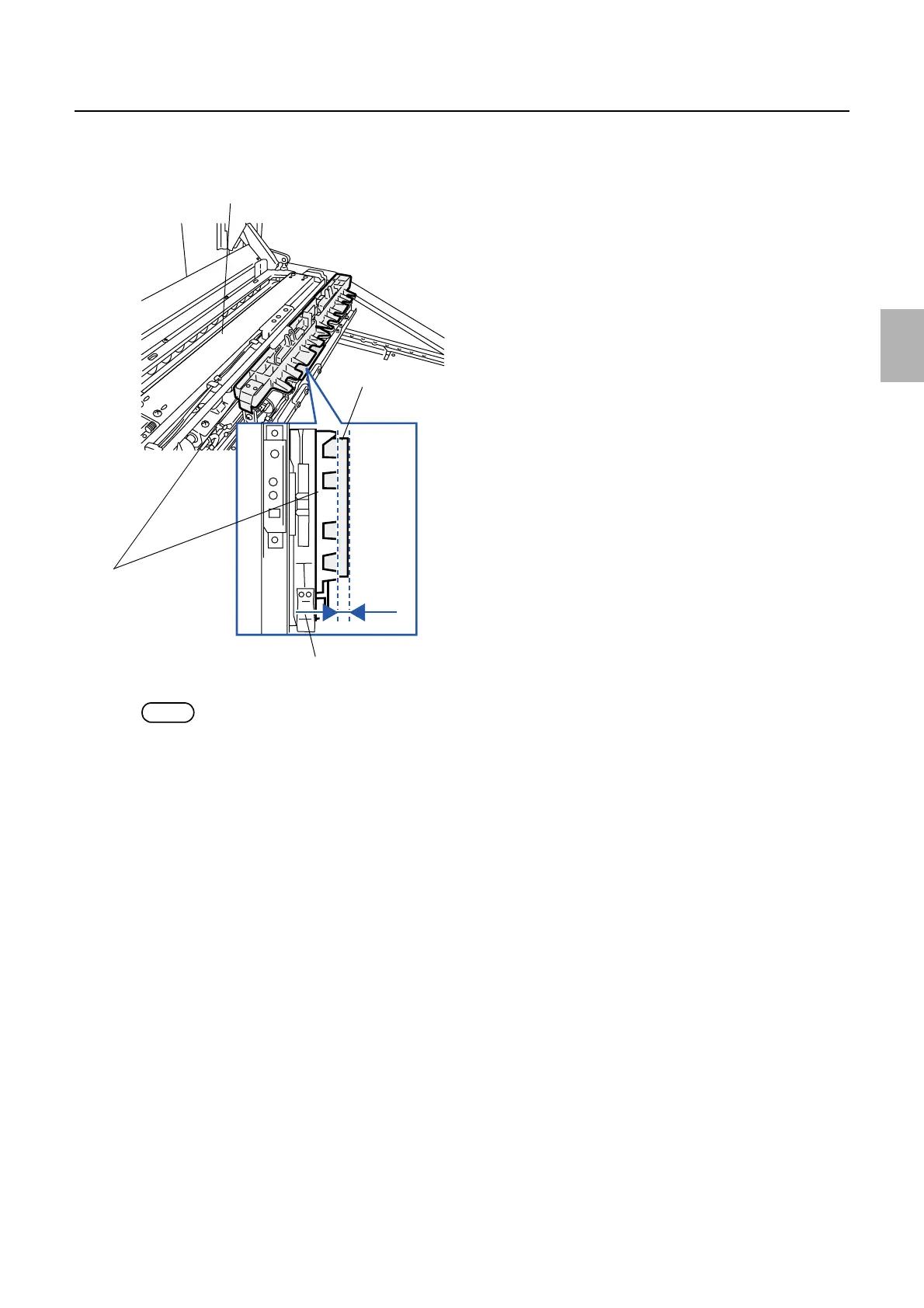
8. Input the correction value so that the dimension between the front ends of arm unit 2 and paper
becomes 3.0±0.5 mm.
NOTE
• Positive correction moves the paper arm unit 2 away from the front end of paper and negative correction moves to close.
9. After inputting the correction value, execute Paper Stop Position Correction Test Operation
Confirmation via F: Functions, then check that the value is 3.0±0.5 mm.
3.0±0.5 mm
Paper advance unit 1
Arm unit 2
Paper
G068452
Distributed by: minilablaser.com



 To Next Page