2/5
3. Mode
36030
36030
Printer Mechanical Adjustment
!
!!
! Functions
!
!!
! Test Print (Paper Magazine A/A2/B/C)
A test print is made without any correction.
NOTE
• A piece of paper with the advance length 355.6 mm is printed.
• The paper width, [A ####(#)] is printed as the CVP imprinting.
!
!!
! Test print confirmation (Paper Magazine A/A2/B/C)
A test print is made using correction values.
NOTE
• A magenta arrow is shown on the Test Print Confirmation print.
• A piece of paper with the advance length 355.6 mm is printed.
• The paper width, 〈A ####(#)〉 is printed as the CVP imprinting.
!
!!
! Adjusting procedure
1. Confirm that Exposure Magnification Correction has been completed.
☞36020
2. Carry out Test Print of F: Functions.
IMPORTANT
• Make a test print with the maximum paper size which you use.
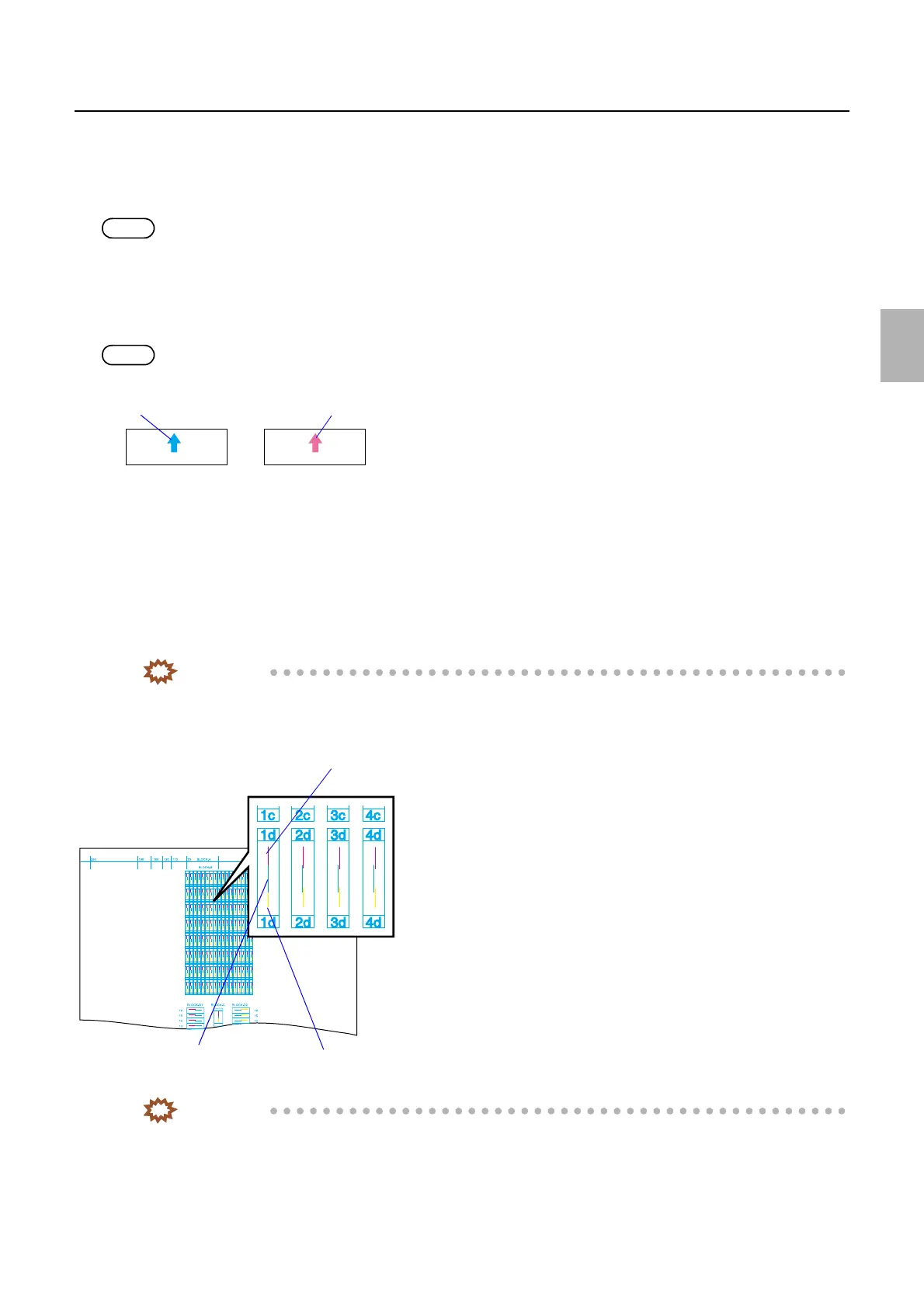
3. On the test print BLOCK-B, check the numbers of the image where the cyan line aligns with the
magenta line, and where it aligns with the yellow line.
IMPORTANT
• Check the line using the loupe.
• Loupe is a service personnel tool. See Service personnel tool list.
☞80310
Test print
Test Print (Confirmation)
G066121
Yellow line
Cyan line
Magenta line
G068454
Distributed by: minilablaser.com



 To Next Page