190-01263-01 Rev. A
Garmin G2000 Pilot’s Guide for the Cessna T240
155
Audio And CnS
SYSTEM
oVERViEW
FLiGHT
inSTRuMEnTS
EiS Audio & CnS
FLiGHT
MAnAGEMEnT
HAZARd
AVoidAnCE
AFCS
AddiTionAL
FEATuRES
APPEndiCES indEX
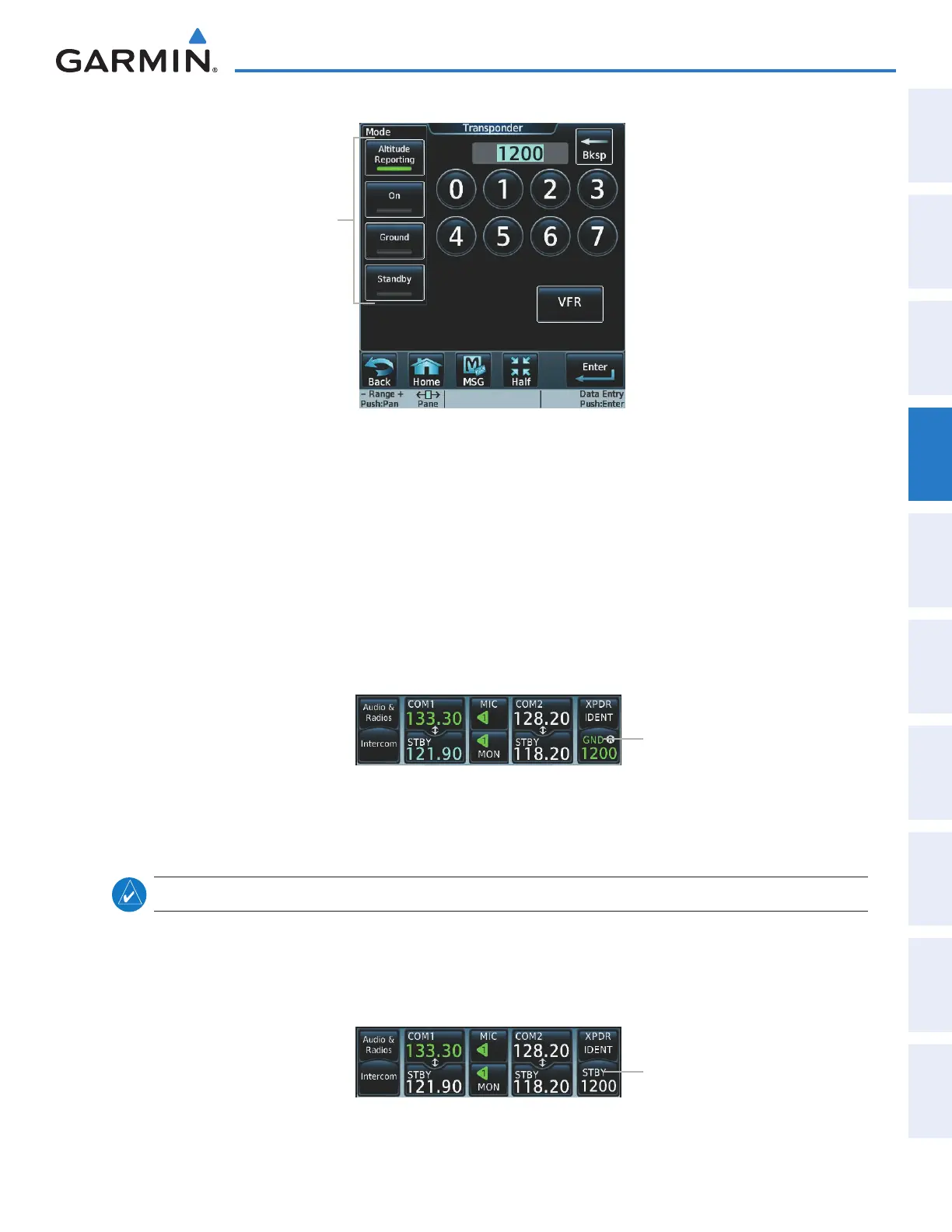
Figure 4-37 Transponder Mode Selection
Transponder Mode
Buttons
GROUND MODE
Ground Mode is normally selected automatically when the aircraft is on the ground. Ground Mode can be
overridden by selecting any one of the Transponder Mode Buttons. A green GND indication and transponder
code appear in the Transponder Mode Button. In Ground Mode, the transponder does not allow Mode
A and Mode C replies, but it does permit acquisition squitter and replies to discretely addressed Mode S
interrogations (ADSB-OUT).
When Standby Mode has been selected on the ground, the transponder can be returned to Ground Mode
by selecting the Ground Button.
Ground Mode
Figure 4-38 Ground Mode
STANDBY MODE (MANUAL)
note: In Standby Mode, the IDENT function is inoperative.
Standby Mode can be selected at any time by selecting the
Standby
Button. In Standby, the transponder
does not reply to interrogations (NO ADSB-OUT), but new codes can be entered. When Standby is selected,
a white
STBY
indication and transponder code appear in the Transponder Mode Button. In all other modes,
these fields appear in green.
Standby Mode
Figure 4-39 Ground Mode
This manual downloaded from http://www.manualowl.com



 To Next Page