190-01263-01 Rev. A
Garmin G2000 Pilot’s Guide for the Cessna T240
245
Flight ManageMent
SYSteM
OVeRVieW
Flight
inStRUMentS
eiS
aUDiO Panel
& CnS
Flight
ManageMent
haZaRD
aVOiDanCe
aFCS
aDDitiOnal
FeatUReS
aPPenDiCeS inDeX
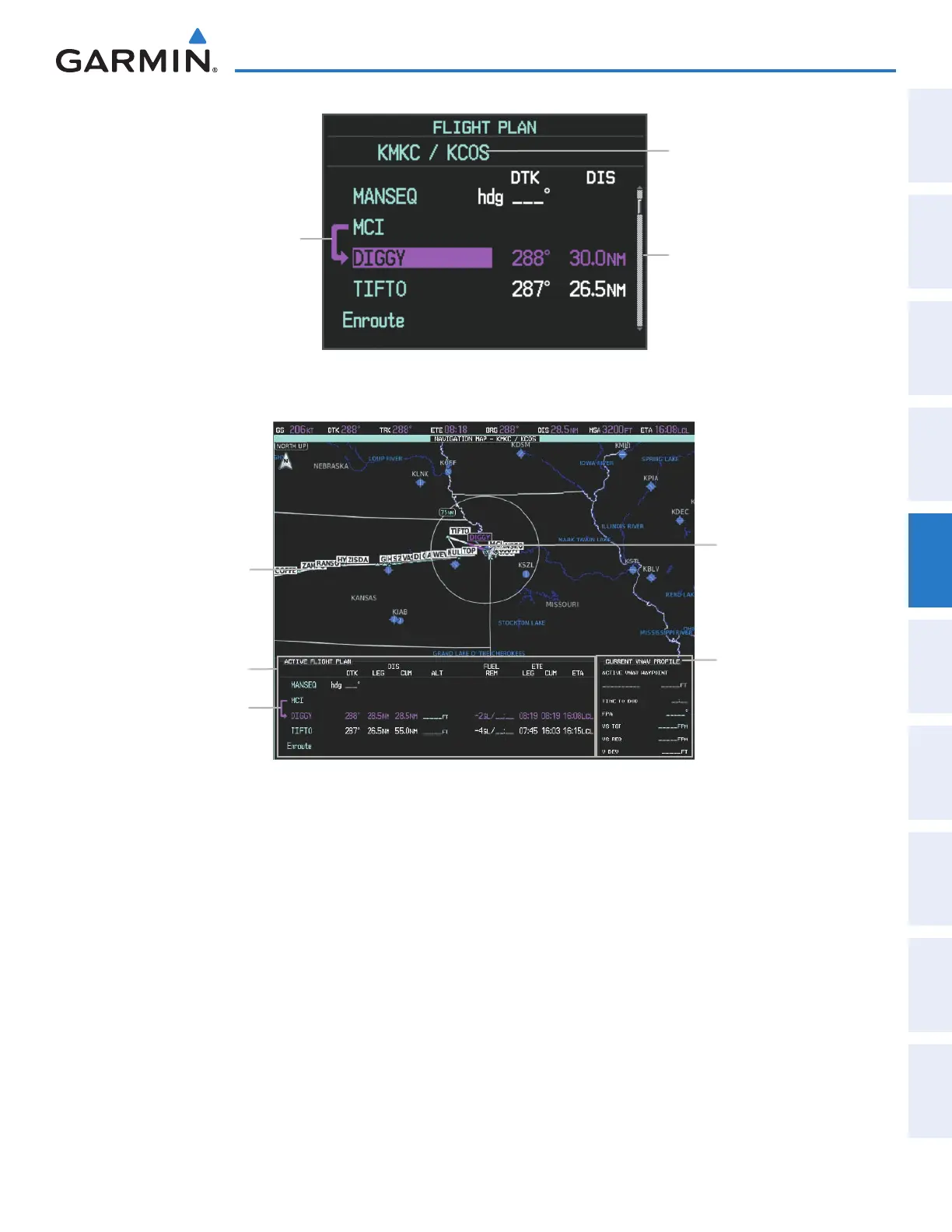
Active Flight Plan Name
Figure 5-85 Flight Plan Window on PFD
Active Flight
Plan Leg
Active Flight Plan Waypoint List
- Procedure Identifier
- Waypoint ID
- Desired Track to Waypoint
- Distance to Waypoint
- Airway Identifier
Figure 5-86 Active Flight Plan Inset Window
Current VNV Profile
- Active Vertical WPT Alt/ID
- Time to Top of Descent
- Flight Path Angle
- Vertical Speed Target
- Vertical Speed Required
- Vertical Deviation
Active Flight Plan
Active Flight Plan Info
Active Flight Plan Leg
Active Flight Plan Leg
The active flight plan is listed on the Active Flight Plan Screen on the Touchscreen Controller, and in the
Flight Plan Window on the PFD. It is the flight plan to which the system is currently providing guidance, and is
shown on the navigation maps. Stored flight plans are listed on the Flight Plan Catalog Screen, and are available
for activation (becomes the active flight plan).
Creating an active flight plan using the Touchscreen Controller:
1) From Home, touch Flight Plan.
2) Touch the Add Waypoint Button to display the keypad.
3) Select the identifier of the departure waypoint. The active flight plan is modified as each waypoint is entered.
Use the keypad and the Enter Button to select a waypoint Identifier.
Or:
Use the right Knobs to select a waypoint identifier.
Or:
This manual downloaded from http://www.manualowl.com



 To Next Page