190-01263-01 Rev. A
Garmin G2000 Pilot’s Guide for the Cessna T240
259
Flight ManageMent
SYSteM
OVeRVieW
Flight
inStRUMentS
eiS
aUDiO Panel
& CnS
Flight
ManageMent
haZaRD
aVOiDanCe
aFCS
aDDitiOnal
FeatUReS
aPPenDiCeS inDeX
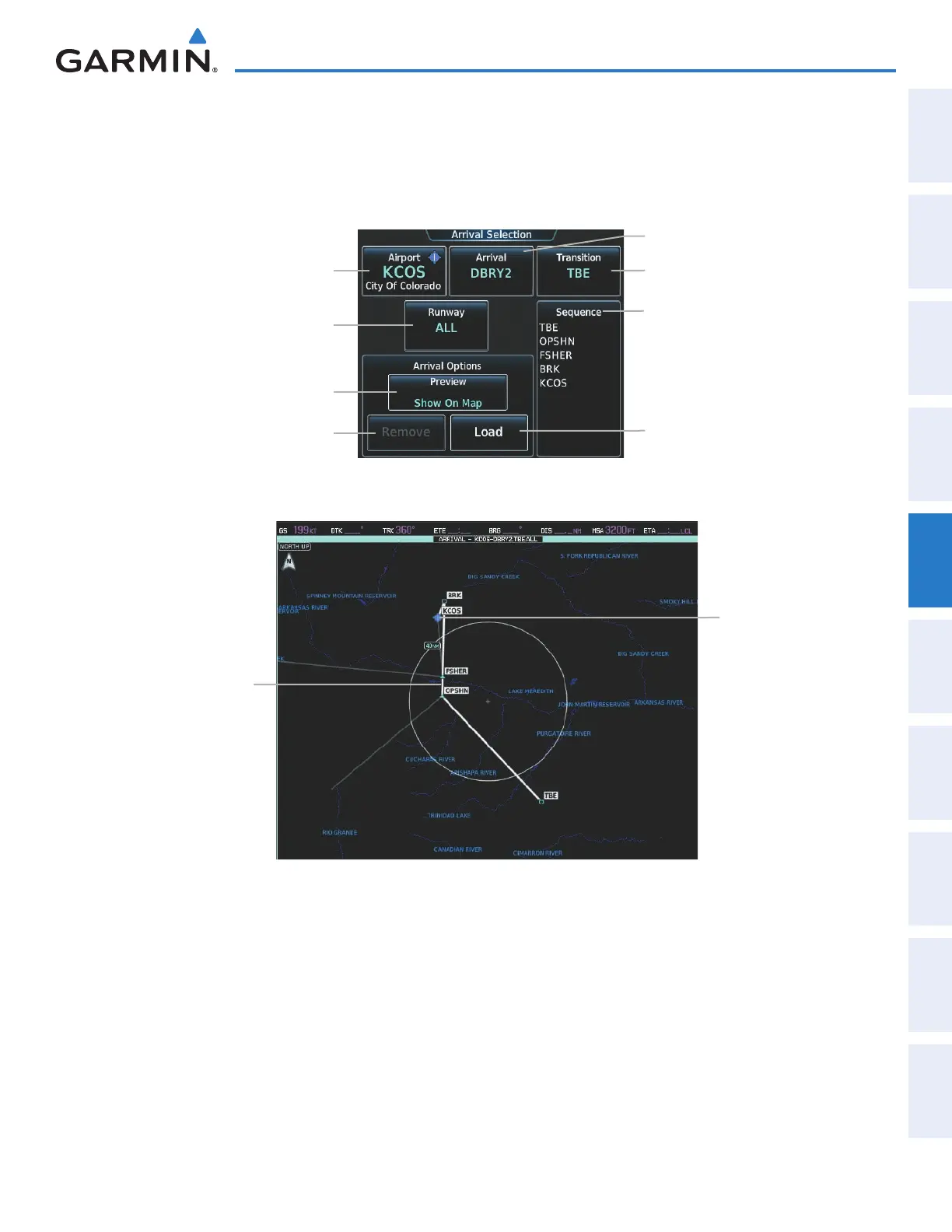
ARRIVAL (STAR)
A Standard Terminal Arrival (STAR) is loaded at the destination airport in the flight plan. Only one arrival
can be loaded at a time in a flight plan. The route is defined by selection of an arrival, the transition waypoints,
and a runway.
Figure 5-106 Arrival Selection Screen
Transition Button
Runway Button
Airport Button
Load Button
Arrival Button
Arrival Waypoint Sequence
Remove Button
Preview Button
Figure 5-107 Arrival Pane - Preview of the Selected Arrival
Destination Airport
Preview of
Selected Arrival
Loading an arrival procedure into a stored flight plan:
1) From Home, touch Flight Plan > Flight Plan Options
2) Touch the Catalog Button to display the Flight Plan Catalog Screen.
3) Touch a flight plan selection button to display the Catalog Options Window.
4) Touch the Edit Button to display the Edit Stored Flight Plan Screen.
5) Touch the Flight Plan Options Button to display the Flight Plan Options Window.
This manual downloaded from http://www.manualowl.com



 To Next Page