190-01263-01 Rev. A
Garmin G2000 Pilot’s Guide for the Cessna T240
281
Flight ManageMent
SYSteM
OVeRVieW
Flight
inStRUMentS
eiS
aUDiO Panel
& CnS
Flight
ManageMent
haZaRD
aVOiDanCe
aFCS
aDDitiOnal
FeatUReS
aPPenDiCeS inDeX
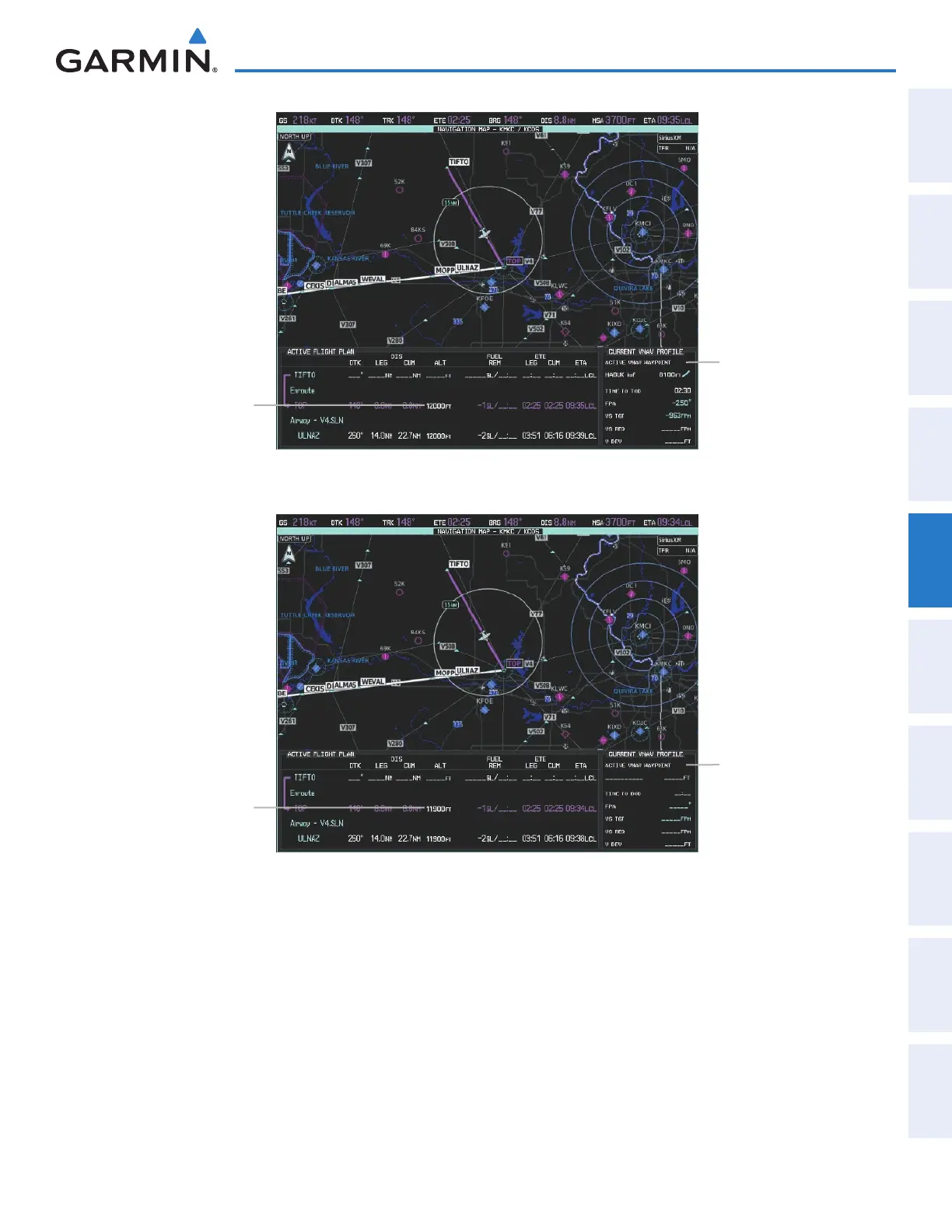
Figure 5-133 Active Flight Plan Pane - VNAV Enabled
Current Vertical
Navigation Profile
Enabled (valid data)
VNAV Altitude
Contraint
Figure 5-134 Active Flight Plan Pane - VNAV Disabled
Current Vertical
Navigation Profile
Disabled (fields dashed)
VNAV Altitude
Contraint
Enabling/Disabling VNAV guidance:
1) From Home, touch Flight Plan > VNAV
2) Touch the VNAV Enabled Button to enable/disable vertical navigation.
Canceling vertical navigation results in vertical deviation (V DEV), vertical speed required (VS REQ), and time
to top of descent/bottom of descent (TIME TO TOD/BOD) going invalid. The Vertical Deviation Indicator (VDI)
and Required Vertical Speed Indicator (RVSI) on the PFD are removed, and the V DEV, VS REQ, and TIME TO
TOD items displayed in the CURRENT VNV PROFILE box are dashed. VNAV remains disabled until manually
enabled. Vertical guidance in reversionary mode can only be enabled for a direct-to waypoint.
This manual downloaded from http://www.manualowl.com



 To Next Page