190-01263-01 Rev. A
Garmin G2000 Pilot’s Guide for the Cessna T240
285
Flight ManageMent
SYSteM
OVeRVieW
Flight
inStRUMentS
eiS
aUDiO Panel
& CnS
Flight
ManageMent
haZaRD
aVOiDanCe
aFCS
aDDitiOnal
FeatUReS
aPPenDiCeS inDeX
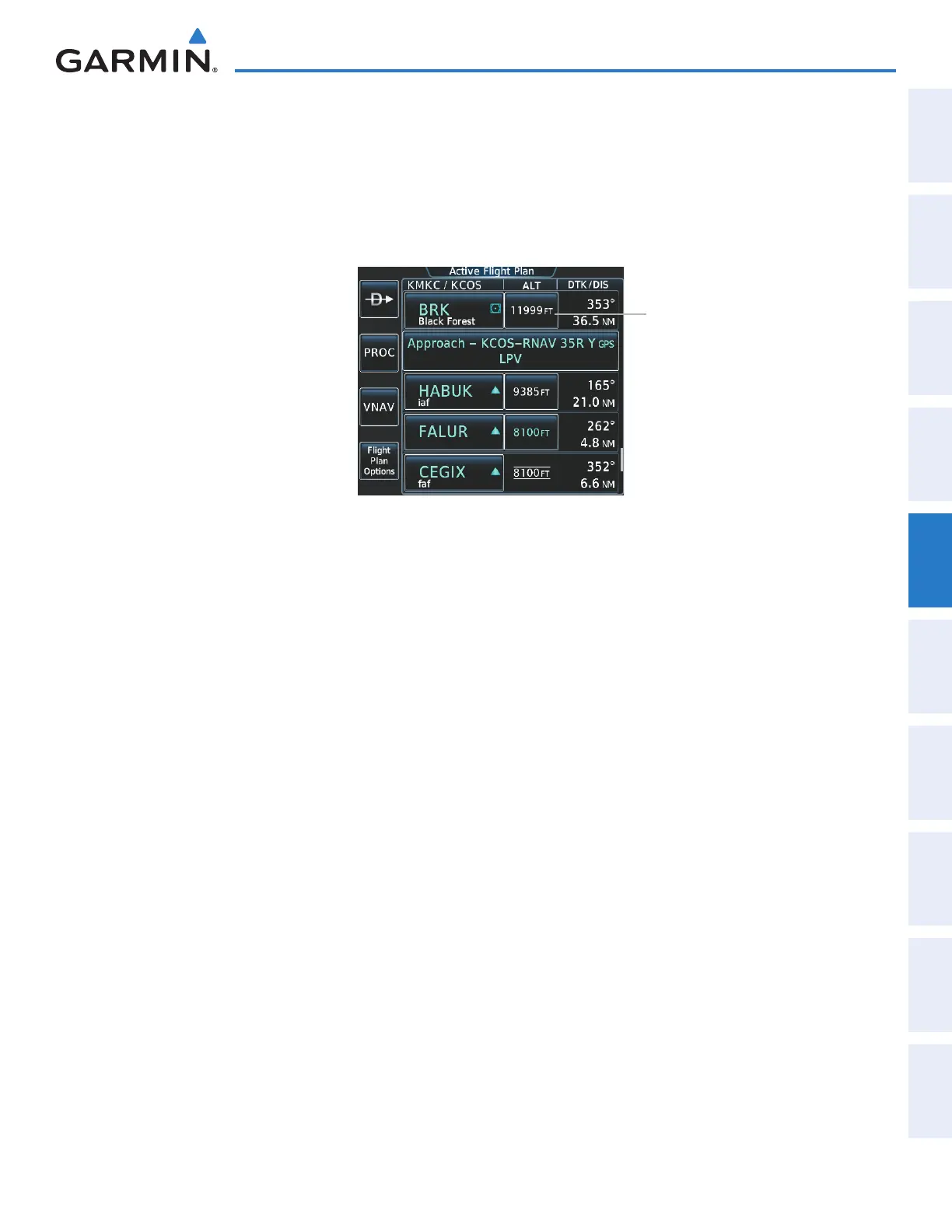
Designating the current waypoint altitude to be used for vertical guidance:
1) From Home, touch Flight Plan
2) Scroll the list, if necessary, and touch a VNAV ALT button to display the VNAV Altitude Window.
3) Touch the Enter Button to designate the current altitude to be used for vertical guidance. The altitude is now
shown in blue, indicating it is usable for vertical guidance.
Figure 5-140 Active Flight Plan Screen - Waypoint Altitude Designation
VNAV ALT Button
Altitude constraints are displayed and entered to the nearest foot mean sea level (MSL) or flight level to the
nearest hundred feet. An altitude constraint in feet above ground level (AGL) format is supported for airports.
When a database altitude restriction is displayed, the system allows entry of a different altitude when creating
a waypoint, effectively overriding the database restriction (only before the FAF). When a database altitude
restriction of type “AT or ABOVE” or “AT or BELOW” is activated, the system uses the “AT” portion of the
restriction to define the vertical profile.
An altitude constraint is invalid if:
• Meeting the constraint requires the aircraft to climb
• Meeting the constraint requires the maximum flight path angle or maximum vertical speed to be exceeded
• The altitude constraint results in a TOD behind the aircraft present position
• The constraint is within a leg type for which altitude constraints are not supported
• The altitude constraint is added to the FAF of an approach that provides vertical guidance (i.e., ILS or GPS
SBAS approach)
• The altitude constraint is added to a waypoint past the FAF.
Selecting and designating a new waypoint altitude to be used for vertical guidance:
1) From Home, touch Flight Plan
2) Scroll the list, if necessary, and touch a VNAV ALT button to display the VNAV Altitude Window.
3) If necessary, touch the Flight Level Button or the MSL Button to choose the altitude entry type.
4) Use the keypad to select a new VNAV altitude and touch the Enter Button to designate the new altitude to be
used for vertical guidance. The altitude is now shown in blue, indicating it is usable for vertical guidance.
This manual downloaded from http://www.manualowl.com



 To Next Page