Garmin G2000 Pilot’s Guide for the Cessna T240
190-01263-01 Rev. A318
Flight ManageMent
SYSteM
OVeRVieW
Flight
inStRUMentS
eiS
aUDiO Panel
& CnS
Flight
ManageMent
haZaRD
aVOiDanCe
aFCS
aDDitiOnal
FeatUReS
aPPenDiCeSinDeX
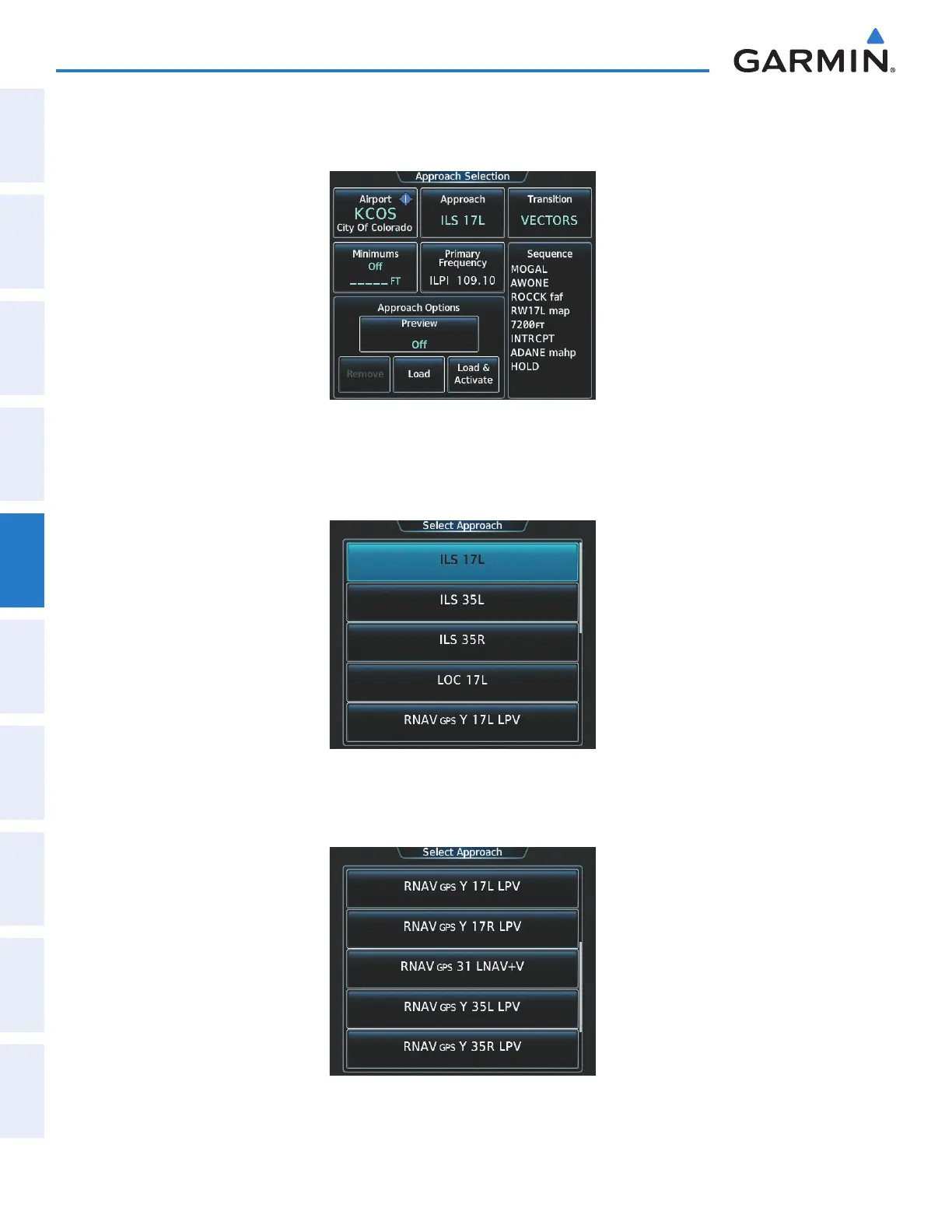
b) Touch the Approach Button to display the Approach Selection Screen with KCOS selected as the destination
airport as shown in Figure 5-181.
Figure 5-181 Approach Selection Screen
c) Touch the Approach Button. A list of available approaches for the destination airport is displayed as in Figure
5-182.
Figure 5-182 List of Available Approaches
d) Scroll the list to select the LPV approach for 35R as shown in Figure 5-183.
Figure 5-183 RNAV 35R LPV Approach Shown
This manual downloaded from http://www.manualowl.com



 To Next Page