190-01263-01 Rev. A
Garmin G2000 Pilot’s Guide for the Cessna T240
321
Flight ManageMent
SYSteM
OVeRVieW
Flight
inStRUMentS
eiS
aUDiO Panel
& CnS
Flight
ManageMent
haZaRD
aVOiDanCe
aFCS
aDDitiOnal
FeatUReS
aPPenDiCeS inDeX
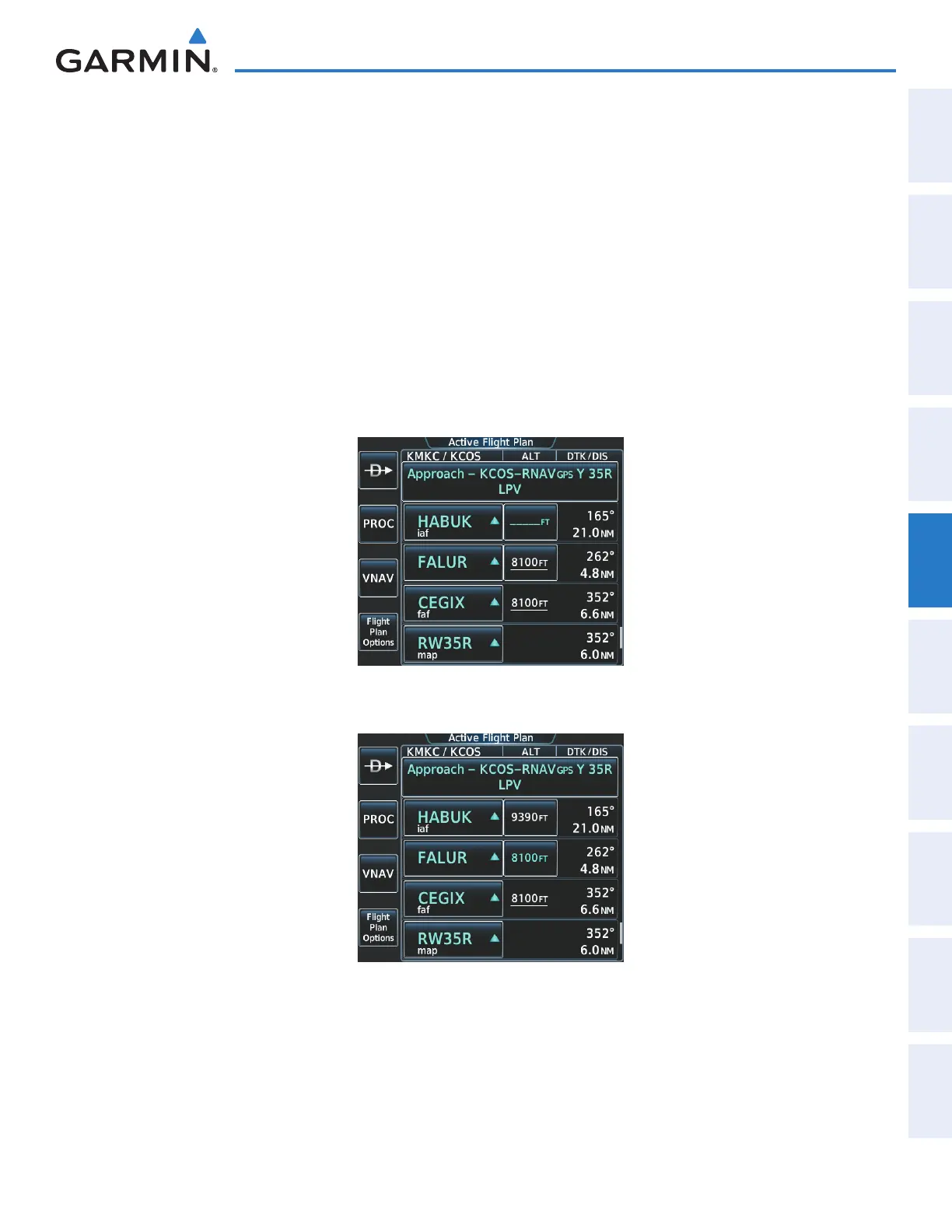
13) Note the altitude constraints associated with each of the approach waypoints as seen in Figure 5-189. The
altitudes loaded from the database are displayed as light blue text, indicating these values are “designated”
for use in computing vertical deviation guidance. Items in white are “non-designated” and are not used for
computing vertical guidance.
Note: To use the displayed altitude for calculating vertical deviation guidance, perform the following:
a) Touch the FALUR altitude button (e.g. 8100FT).
b) Touch the Enter Button.
After making the altitude “designated”, it is displayed as light blue text (Figure 5-190).
Altitude constraint values associated with the Final Approach Fix (FAF) and waypoints beyond the FAF cannot be
designated for vertical guidance. These altitude values are always displayed as white text, as in Figure 5-190.
Vertical guidance from the FAF and on to the Missed Approach Point (MAP) is given using the WAAS GPS
altitude source, therefore, the displayed altitude values are for reference only.
Figure 5-189 FALUR Not Designated for Vertical Guidance
Figure 5-190 FALUR Designated for Vertical Guidance
This manual downloaded from http://www.manualowl.com



 To Next Page