Garmin G2000 Pilot’s Guide for the Cessna T240
190-01263-01 Rev. A
350
Hazard avoidance
SYSTeM
overvieW
FLiGHT
inSTrUMenTS
eiS
aUdio & cnS
FLiGHT
ManaGeMenT
Hazard
avoidance
aFcS
addiTionaL
FeaTUreS
aPPendiceSindeX
5) Touch the Storm Cell Movement Button. When button annunciator is green, the system will show the Storm
Cell Movement with the NEXRAD weather product on the Navigation Map Pane. When button annunciator is
gray, system will not show the Storm Cell Movement weather product on the Navigation Map Pane.
SIGMETS AND AIRMETS
The National Weather Services issues SIGMETs (SIGnificant METeorological Information) and AIRMETs
(AIRmen’s METeorological Information) for potentially hazardous weather. The service issues a Convective
SIGMET for hazardous convective weather. A localized SIGMET is a significant weather condition occurring
at a localized geographical position.
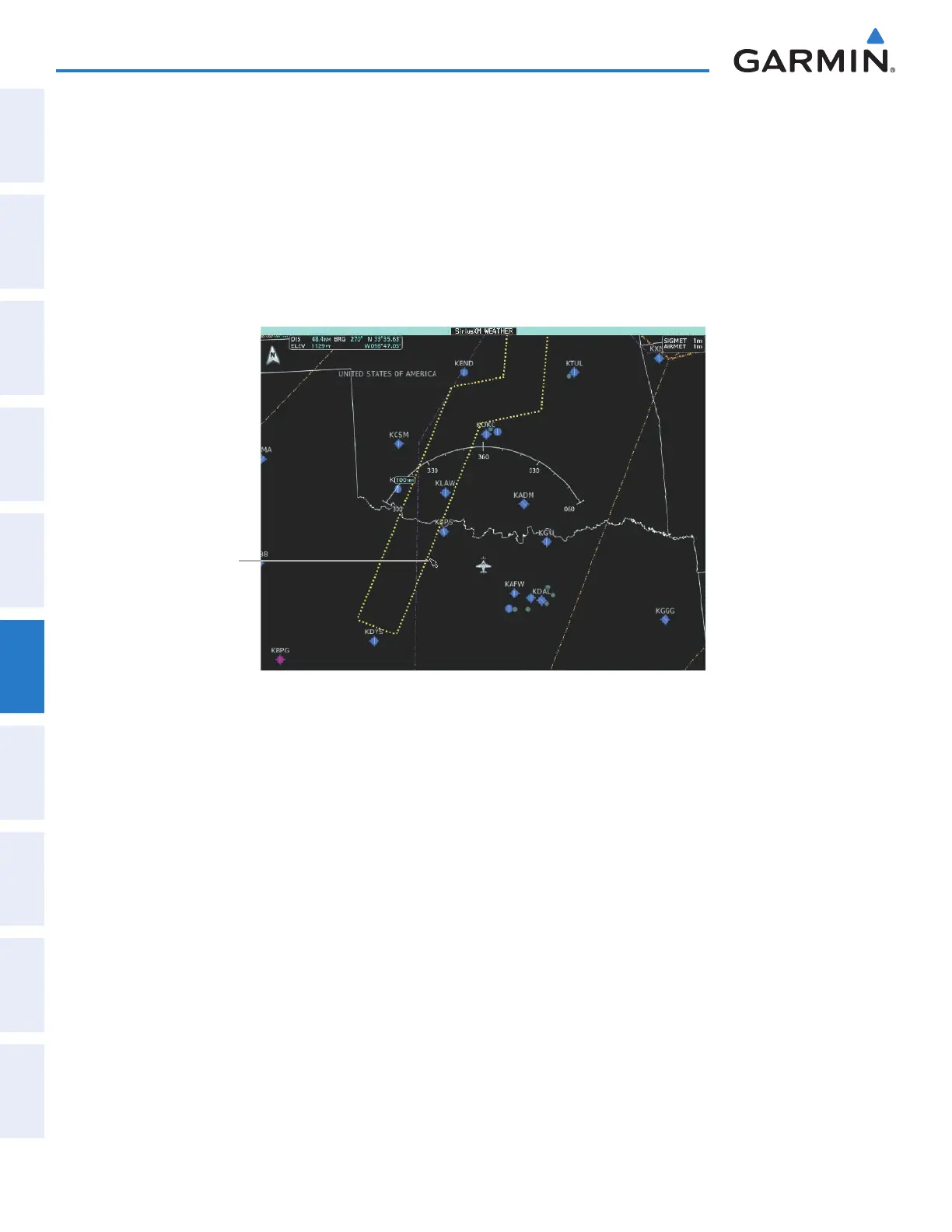
Figure 6-15 AIRMET and SIGMET Weather Products
Convective SIGMET
selected with Map
Pointer
Enabling/Disabling AIRMET and SIGMET information:
1) From Home, touch Weather > Weather Selection > SiriusXM Weather > SiriusXM Settings.
2) Scroll as needed and touch the AIRMETs and/or SIGMETs Buttons in the Overlays Window.
3) To view the text of a AIRMET or SIGMET, press the Joystick and move the map pointer with the Joystick over
the SIGMET or AIRMET border or icon until it is highlighted.
5) Touch the AIRMET/SIGMET Button to show the AIRMET / SIGMET Information Screen with the selected
AIRMET or SIGMET.
6) Scroll as needed to view full text of the report, then touch the Back or Home buttons.
Touch the Legend Button on the SiriusXM Weather Settings Screen to display weather legend(s) for enabled
weather product(s). Scroll as necessary to view the information, then touch Back or Home.
This manual downloaded from http://www.manualowl.com



 To Next Page