190-01263-01 Rev. A
Garmin G2000 Pilot’s Guide for the Cessna T240
361
Hazard avoidance
SYSTeM
overvieW
FLiGHT
inSTrUMenTS
eiS aUdio & cnS
FLiGHT
ManaGeMenT
Hazard
avoidance
aFcS
addiTionaL
FeaTUreS
aPPendiceS indeX
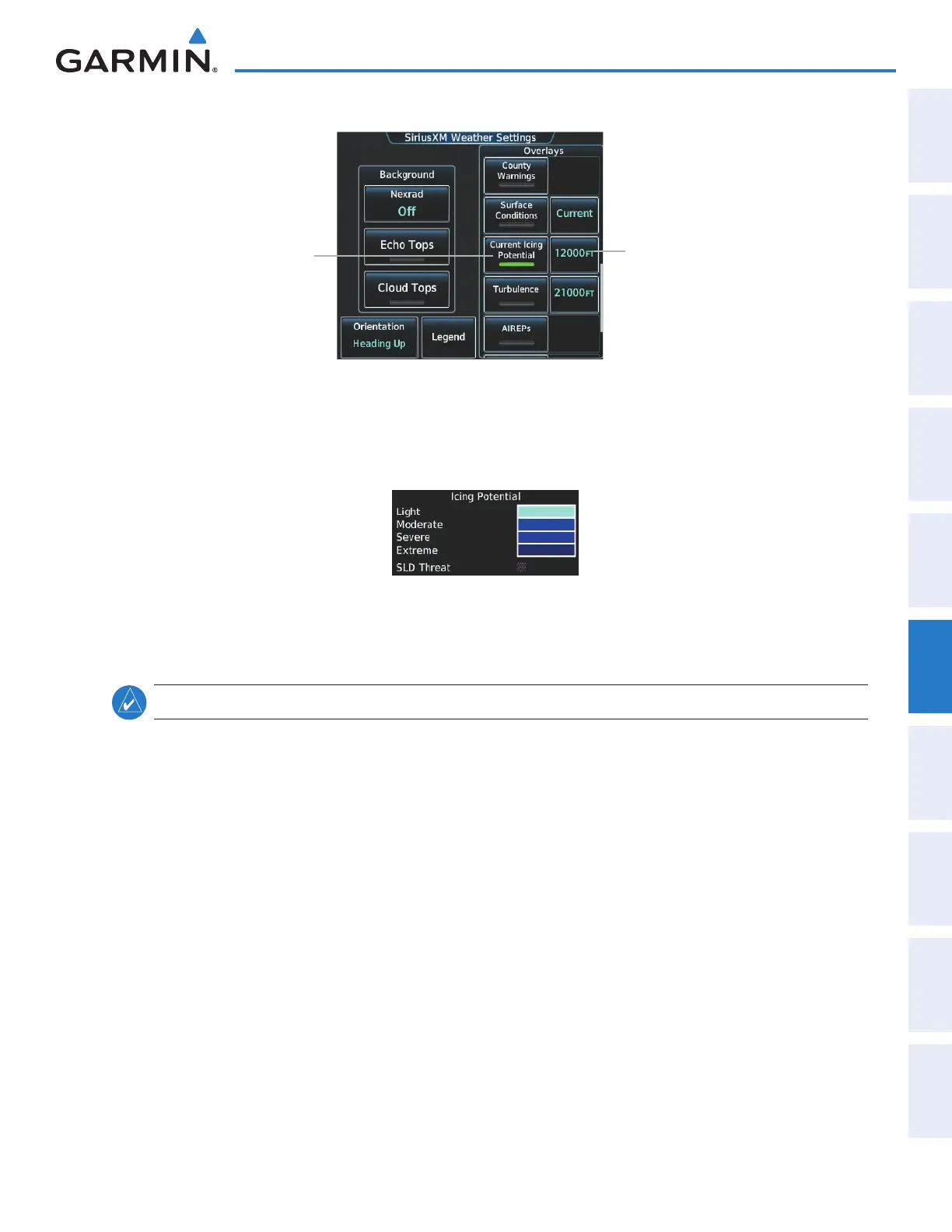
SiriusXM Weather Settings Screen
Touch to Enable/
Disable Overlay
Selects Icing Altitude
(12,000 FT Currently
Selected)
Figure 6-34 Displaying Icing (CIP and SLD Threat) Weather Products
Touch the Legend Button on the SiriusXM Weather Settings Screen to display weather legend(s) for enabled
weather product(s). Scroll as necessary to view the information, then touch Back or Home.
Figure 6-35 Icing Potential Legend
TURBULENCE
NOTE: The Turbulence weather product cannot be displayed at the same time as NEXRAD weather product.
The Turbulence weather product (Figure 6-36) identifies the potential for erratic movement of high-altitude
air mass associated winds. Turbulence is classified as light, moderate, severe or extreme, at altitudes between
21,000 and 45,000 feet. Turbulence data is intended to supplement AIRMETs and SIGMETs.
Displaying Turbulence data:
1) From Home, touch Weather > Weather Selection > SiriusXM Weather > SiriusXM Settings.
2) Scroll in the the Overlays window and touch the Turbulence Button.
3) Touch the Turbulence altitude button (to the right of the Turbulence annunciator button) and touch to select
an altitude from which to display turbulence data (from 21,000 feet up to 45,000 feet).
This manual downloaded from http://www.manualowl.com



 To Next Page