Garmin G2000 Pilot’s Guide for the Cessna T240
190-01263-01 Rev. A
384
Hazard avoidance
SYSTeM
overvieW
FLiGHT
inSTrUMenTS
eiS
aUdio & cnS
FLiGHT
ManaGeMenT
Hazard
avoidance
aFcS
addiTionaL
FeaTUreS
aPPendiceSindeX
METARS
NOTE: METAR information is only displayed within the installed navigation database service area.
METARs (METeorological Aerodrome Reports) typically contain information about the temperature,
dewpoint, wind, precipitation, cloud cover, cloud base heights, visibility, and barometric pressure at an
airport or observation station. They can also contain information on precipitation amounts, lightning, and
other critical data. METARs reflect hourly observations; non-routine updates include the code “SPECI” in the
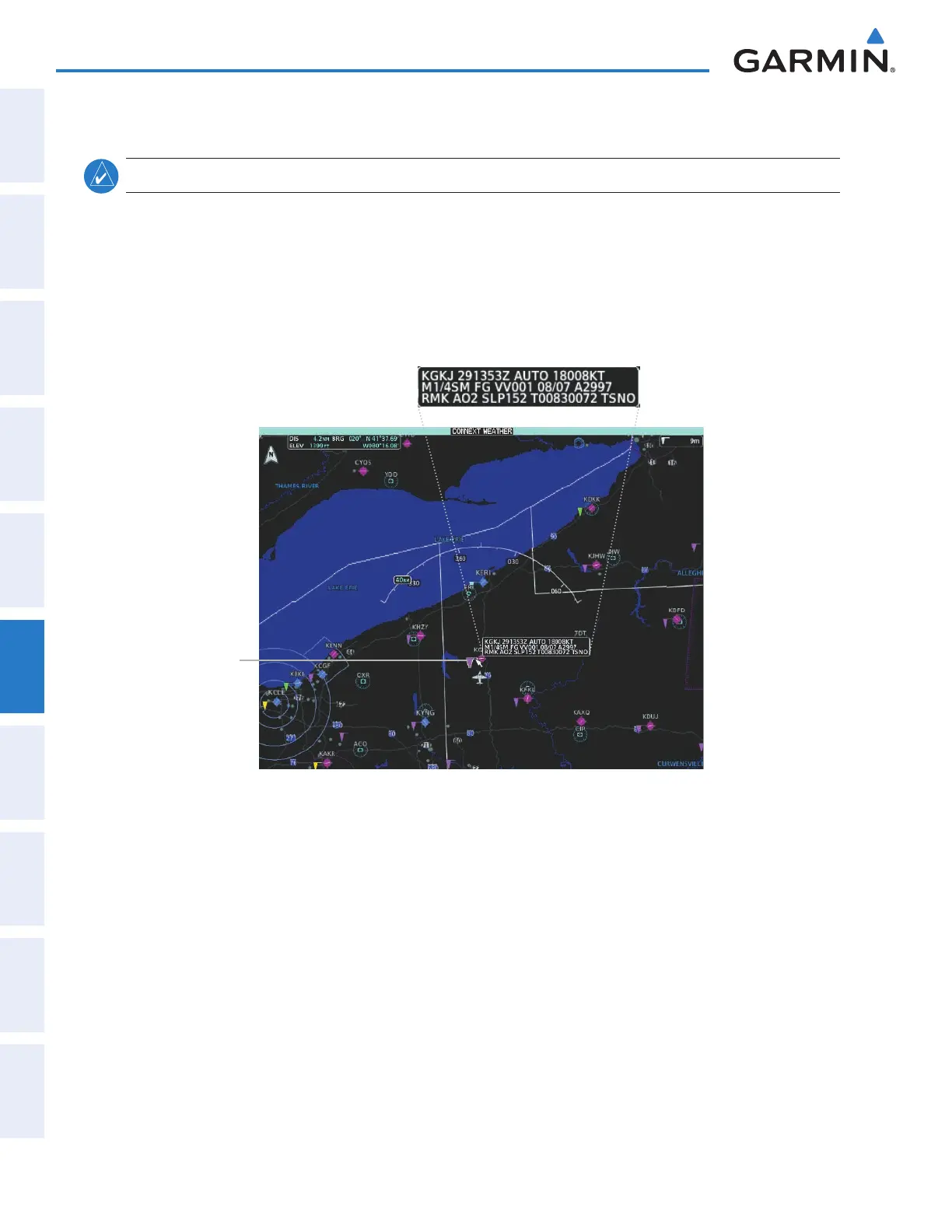
report. METARs are shown as colored flags at airports that provide them.
Figure 6-64 Viewing METARs on the Connext Weather Pane
Airport with
METAR Flag
Selected with
Map Pointer
Original METAR Text
Showing METAR text (Connext Weather Pane):
1) From Home, touch Weather > Weather Selection > Connext Weather > Connext Weather Settings.
2) Touch the METARs Button in the Overlays window.
3) To view METAR text, press the Joystick and move the map pointer with the Joystick over a METAR reporting
station.
Showing METAR text (navigation maps):
1) From Home, touch Map > Map Settings.
2) If needed, touch the Sensor tab.
3) Touch the Graphical METARs Button.
This manual downloaded from http://www.manualowl.com



 To Next Page